


Are you spending more time managing your tools than actually running your business?
Most business owners are drowning in disconnected software: one tool for accounting, another for customers, another for projects, and none of them talking to each other properly.
The right business software fixes all of that in one move.
We have covered the best business software systems, so you can stop guessing and start running your business with software that actually works. Find your perfect fit today.
What are Business Software Systems?
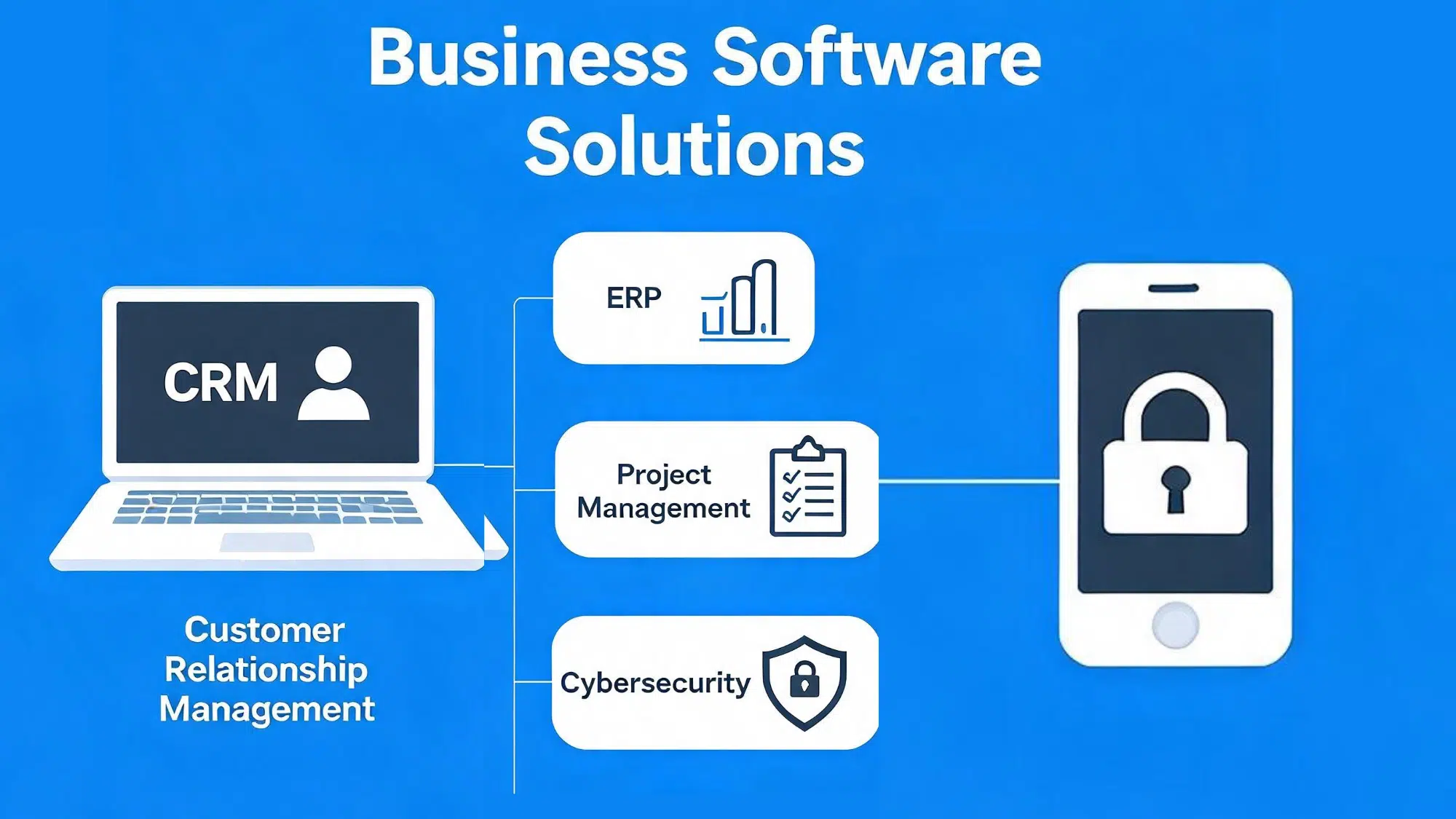
Business software is any application that helps a company manage its operations more efficiently, from accounting and HR to sales, inventory, and customer management.
Business software systems take this further by integrating multiple functions into one connected platform rather than running separate, disconnected tools.
- Standalone tools handle one function: QuickBooks for accounting, Mailchimp for email, and so on.
- Integrated systems like SAP, Zoho One, and Oracle NetSuite connect every department in one place, giving everyone access to the same data at the same time.
Key Benefits of Integrated Systems
Integrated systems consistently outperform standalone tools because everyone works from the same data, resulting in fewer errors and less rework.
- Reduced costs from fewer tools and licenses
- Time savings through automation and fewer manual transfers
- Real-time data across departments
- Easier scalability as your business grows
What to Look for in Business Management Software
Start with your core business needs before looking at features. The right software should:
- Handle your current workload without over-complicating things
- Integrate with tools you already use – email, e-commerce, payment processing
- Scale as you grow without forcing a full platform switch
- Fit your budget and do not require a dedicated IT team to manage it daily
Look for solutions that centralize data, automate repetitive tasks, and give you clear dashboards for sales, finance, and operations.
Key Features to Prioritize
The strongest business management platforms cover everything your business needs under one roof. Before committing, look for these capabilities:
- Accounting and Finance: Real-time financial tracking, invoicing, expense management, and tax reporting built directly into the platform.
- HR and Payroll: Employee records, payroll processing, leave management, and onboarding workflows that cut hours of manual admin work.
- CRM: Customer relationship management tools that track leads, manage pipelines, automate follow-ups, and give your sales team a single view of every customer interaction.
- Inventory Management: Real-time stock tracking, purchase order management, and low-stock alerts that prevent overselling and reduce waste.
- Project Management: Task assignment, deadline tracking, team collaboration, and progress reporting that keep projects on schedule without endless status update meetings.
- Real-Time Reporting and Analytics: Dashboards that pull data from every department at once so you can make decisions based on what is actually happening.
- Mobile Access: Full platform functionality on mobile devices so your team can work, approve, and update from anywhere.
Best Enterprise Software Applications and Tools
The right enterprise software can transform how your business operates. These are the most impactful tools worth knowing.
1. SAP Business One
SAP Business One is an all-in-one ERP solution built for small and mid-sized businesses to manage core operations.
Best for: Growing businesses ready to move beyond basic accounting tools
Key Features:
- Modular design, activate only what you need
- Real-time financial reporting and analytics built in
- Strong partner network for implementation and support
- Inventory and warehouse management
- Integrated CRM and sales tools
| Pros | Cons |
|---|---|
| Trusted by businesses worldwide | Implementation typically takes 3–6 months for SMBs |
| Highly modular and scalable | Requires a certified partner to set up |
| Strong reporting capabilities | Not the most affordable starting point |
Pricing: No free plan. Paid plans start at $95/user/month (subscription) or $5,000/user for a perpetual license. Implementation costs range from $50K-$500K. Custom quotes available for larger teams.
Oracle NetSuite is one of the most widely used cloud ERP platforms globally. It scales from startup to large enterprise without needing a platform switch.
Best for: Fast-growing mid-market companies needing enterprise-grade tools
Key Features:
- Full suite covering ERP, CRM, HR, and e-commerce
- Cloud-native with no on-premise infrastructure required
- Strong automation and workflow customization
- Multi-currency and multi-subsidiary support
- Real-time dashboards and reporting
| Pros | Cons |
|---|---|
| Scales from startup to enterprise | Expensive for very small businesses |
| No hardware or infrastructure needed | Steeper learning curve |
| Strong automation capabilities | Implementation needs specialist support |
Pricing: No free plan. Paid plans start at $999/month base fee + $99–$199/user/month. Implementation costs range from $40K–$200K for the first year. Custom quotes available for larger teams.
3. Microsoft Dynamics 365
Microsoft Dynamics 365 combines ERP and CRM into one cloud platform. It connects deeply with Microsoft 365, Teams, and Azure.
Best for: Businesses already operating mainly in the Microsoft ecosystem
Key Features:
- Seamless integration with Microsoft 365 and Power BI
- Modular apps, buy only what you need
- AI-powered insights built into core workflows
- Sales, finance, and operations in one platform
- Strong security and compliance tools
| Pros | Cons |
|---|---|
| Deep Microsoft integration | Best value only within the Microsoft ecosystem |
| Modular and flexible | Can get complex to configure |
| AI-powered insights included | Higher cost for full suite |
Pricing: Plans start from $65/user/month, depending on the modules selected.
4. Salesforce
Salesforce is one of the most widely adopted CRM platforms for mid-size and enterprise teams. It is highly customizable and built to scale with large organizations.
Best for: Mid-size to enterprise sales teams needing deep customization
Key Features:
- Strong pipeline management and automation tools
- Massive ecosystem of third-party apps and integrations
- AI-powered features via Salesforce Einstein
- Advanced reporting and forecasting
- Highly customizable workflows and dashboards
| Pros | Cons |
|---|---|
| Industry-leading CRM platform | Expensive for small teams |
| Huge integration ecosystem | Steep learning curve |
| Scales to any business size | Requires a dedicated admin for full setup |
Pricing: Paid plans start from $25/user/month.
5. Zoho CRM
Zoho CRM offers strong CRM functionality at a significantly lower cost than most enterprise options. A solid value choice for small and growing businesses.
Best for: Small to mid-size businesses wanting powerful CRM without the enterprise price tag
Key Features:
- Multichannel communication, email, phone, social, and live chat
- AI assistant Zia delivers predictive sales insights
- Deep integration with the broader Zoho ecosystem
- Workflow automation and lead scoring
- Custom dashboards and reporting
| Pros | Cons |
|---|---|
| Very affordable pricing | Best value within the Zoho ecosystem |
| AI-powered sales insights | The interface can feel cluttered |
| Strong multichannel communication | Support can be slow at times |
Pricing: Free plan available. Paid plans start from $14/user/month.
6. HubSpot
HubSpot is one of the most popular CRM platforms for small businesses. Its core CRM is free with genuinely useful features right out of the box.
Best for: Small businesses and startups wanting a free, easy-to-use CRM starting point
Key Features:
- Free CRM with unlimited users and contact storage
- Tight connection between marketing, sales, and service tools
- Clean interface with a low learning curve
- Email tracking and meeting scheduling are built in
- Free reporting and pipeline management
| Pros | Cons |
|---|---|
| Genuinely useful free plan | Advanced features need a paid upgrade |
| Easy to set up and use | Can get expensive as you scale |
| Marketing and sales in one place | Limited customization on the free tier |
Pricing: Free plan available. Paid plans start from $15/month.
7. QuickBooks
QuickBooks is one of the most widely used accounting tools for small businesses worldwide. Trusted for its simplicity and strong network of accountant support.
Best for: Small business owners wanting straightforward, widely supported accounting software
Key Features:
- Invoicing, expense tracking, payroll, and tax reporting in one place
- Integrations with hundreds of third-party business tools
- Available as desktop and cloud-based versions
- Automatic bank reconciliation
- Real-time profit and loss reporting
| Pros | Cons |
|---|---|
| Most widely used accounting tool | Pricing increases significantly on renewal |
| Strong accountant support network | Can feel complex for total beginners |
| Desktop and cloud versions available | Some features are locked behind higher tiers |
Pricing: Plans start from $17.50/month (introductory rate; renewal pricing is typically 2–3× higher).
8. Xero
Xero is a cloud-first accounting platform and a popular alternative to QuickBooks. Especially strong in the UK, Australia, and New Zealand markets.
Best for: Small businesses wanting cloud-native accounting with unlimited user access
Key Features:
- Unlimited users on all pricing plans
- Clean dashboard with real-time cash flow visibility
- Strong bank reconciliation and multi-currency support
- Payroll integration available
- Over 1,000 third-party app integrations
| Pros | Cons |
|---|---|
| Unlimited users on every plan | Payroll costs extra |
| Real-time cash flow dashboard | Fewer features than QuickBooks at the base tier |
| Strong multi-currency support | Phone support is not available |
Pricing: Plans start from $15/month.
9. FreshBooks
FreshBooks is built for freelancers, consultants, and small service businesses. Simple invoicing and time tracking without the complexity of full accounting software.
Best for: Freelancers and service-based small businesses prioritizing invoicing and time tracking
Key Features:
- Professional invoicing with automatic payment reminders
- Time tracking and project profitability reporting
- Simple interface suitable for non-accountants
- Expense tracking and receipt capture
- Client portal for easy collaboration
| Pros | Cons |
|---|---|
| Very easy for non-accountants | Limited features for product-based businesses |
| Strong invoicing and time tracking | Client limits on lower plans |
| Clean, simple interface | Not built for complex accounting needs |
Pricing: Plans start from $17/month.
10. Monday.com
Monday.com is one of the most visually clear project management platforms. It combines tasks, collaboration, and workflow automation in a customizable interface.
Best for: Teams wanting flexible, visual project and task management
Key Features:
- Drag-and-drop builder with no-code workflows
- Over 200 integrations with popular tools
- Dashboards showing real-time project status
- Time tracking and workload management
- Automations to reduce repetitive tasks
| Pros | Cons |
|---|---|
| Very visual and easy to use | Can get expensive for larger teams |
| Strong automation capabilities | The free plan is very limited |
| Highly customizable | Feature overload for simple projects |
Pricing: Free plan available. Paid plans start from $9/seat/month.
11. Asana
Asana is one of the most widely adopted project management tools globally. Known for its clean design and strong task and collaboration features.
Best for: Teams of all sizes wanting structured, reliable project and task management
Key Features:
- Multiple views, list, board, timeline, and calendar
- Automated workflows that reduce manual assignments
- Workload and reporting tools built in
- Goals and milestones tracking
- Strong integrations with Slack, Google, and Microsoft tools
| Pros | Cons |
|---|---|
| Clean and easy to learn | The free plan lacks advanced features |
| Multiple project views | Can feel rigid for creative teams |
| Strong reporting and workload tools | Timeline view is locked behind the paid plan |
Pricing: Free plan available. Paid plans start from $10.99/user/month.
12. ClickUp
ClickUp positions itself as a highly customizable all-in-one platform. It combines project management, docs, goals, time tracking, and chat at a competitive price.
Best for: Teams wanting maximum features and customization at a low cost
Key Features:
- Extremely feature-rich with deep customization
- Built-in docs, whiteboards, and goal tracking
- Generous free plan compared with most competitors
- Time tracking and resource management
- Multiple views, including Gantt, board, and calendar
| Pros | Cons |
|---|---|
| The most feature-rich free plan available | Can feel overwhelming at first |
| All-in-one platform replaces multiple tools | Performance can slow down with large projects |
| Highly customizable at every level | Too many features for simple use cases |
Pricing: Free plan available. Paid plans start from $7/user/month.
13. BambooHR
BambooHR is one of the most respected HR platforms for small and mid-sized businesses. Known for its clean interface and strong employee self-service tools.
Best for: Small to mid-size businesses wanting a dedicated, easy-to-use HR platform
Key Features:
- Centralized employee records and document management
- Performance and satisfaction tracking
- Applicant tracking system built into the core platform
- Employee self-service portal
- Onboarding and offboarding workflows
| Pros | Cons |
|---|---|
| Clean and easy to use | Payroll costs extra |
| Strong employee self-service tools | Limited customization on lower tiers |
| Built-in applicant tracking | Reporting could be stronger |
Pricing: No free plan. Paid plans start at $10/employee/month (Core plan) and $17/employee/month (Advantage plan). Custom quotes available for larger teams.
14. Gusto
Gusto is one of the most popular payroll and HR platforms for small businesses in the US. It combines payroll, benefits, and basic HR tools in one place.
Best for: US-based small businesses wanting simple, reliable automated payroll and HR
Key Features:
- Automated payroll with tax filing included
- Employee benefits administration, including health insurance
- Simple onboarding and offboarding workflows
- Time tracking and PTO management
- Integrations with QuickBooks, Xero, and more
| Pros | Cons |
|---|---|
| Automated tax filing included | US-only platform (not available internationally) |
| Benefits administration is built in | Pricing increases with add-ons |
| Easy to set up and use | Limited HR features on the base plan |
Pricing: Plans start from $40/month plus $6/person/month.
15. Workday
Workday is an enterprise-grade HR and financial management platform. Used by many of the world’s largest organizations for workforce planning at scale.
Best for: Large enterprises needing a powerful, unified HR and finance system
Key Features:
- Unified HR and finance platform at scale
- Advanced workforce planning and analytics
- Highly configurable for complex organizational structures
- Talent management and succession planning
- Strong compliance and audit tools
| Pros | Cons |
|---|---|
| Enterprise-grade platform | Not built for small businesses |
| HR and finance in one system | Implementation is lengthy and costly |
| Advanced workforce analytics | Requires a dedicated admin team |
Pricing: No free plan. Paid plans start at $100/employee/year for HCM Core and $150/employee/year for HCM Complete. Custom quotes available for larger teams (typical range: $22K–$180K annually based on company size and modules).
16. Google Workspace
Google Workspace is one of the most widely used cloud productivity suites. It combines Gmail, Drive, Docs, Sheets, Meet, and more into a single subscription.
Best for: Businesses of all sizes wanting collaborative cloud productivity tools
Key Features:
- Real-time collaboration across documents and files
- Strong cloud storage and enterprise-level security controls
- Simple administration and user management
- Google Meet for video conferencing
- Works across all devices with no software installation
| Pros | Cons |
|---|---|
| Very easy to set up and use | Limited offline functionality |
| Real-time document collaboration | Storage limits on lower plans |
| Works on any device | Less powerful than Microsoft for complex documents |
Pricing: Plans start from $6/user/month.
17. Zoho One
Zoho One combines over 50 business applications into a single subscription. CRM, accounting, HR, marketing, and operations are all tightly connected.
Best for: Small to mid-size businesses wanting a complete, affordable, all-in-one software suite
Key Features:
- Integrated apps across sales, finance, HR, and more
- Significant cost savings versus buying separate tools
- Deep internal integrations and customization options
- Single sign-on across all apps
- Regular updates and new app additions
| Pros | Cons |
|---|---|
| Covers almost every business function | Can feel overwhelming to set up |
| Excellent value for money | Apps vary in quality and depth |
| Deep integration across all tools | Support response times can vary |
Pricing: Plans start from $37/user/month for all apps.
18. Slack
Slack is one of the leading team communication platforms. It reduces internal email and keeps conversations organized and searchable across your whole team.
Best for: Teams wanting faster, more organized internal communication
Key Features:
- Organized channels by project, team, or topic
- Over 2,600 integrations, including Google Drive, Salesforce, and Asana
- Powerful search across all messages and files
- Huddles for quick audio and video calls
- Workflow builder for automated notifications
| Pros | Cons |
|---|---|
| Reduces internal email significantly | The free plan has message history limits |
| Massive integration library | Notifications can become overwhelming |
| Easy to organize by topic or project | Can distract from focused work |
Pricing: Free plan available. Paid plans start from $7.25/user/month.
19. Stripe
Stripe is one of the most developer-friendly and widely trusted payment processing platforms available. Businesses of all sizes use it to accept payments online.
Best for: Businesses needing scalable, customizable online payments
Key Features:
- Accepts payments in over 135 currencies
- Built-in subscription billing, invoicing, and fraud detection
- Extensive API for custom payment flows
- No monthly fee, pay per transaction only
- Dashboard with real-time payment reporting
| Pros | Cons |
|---|---|
| No monthly fee to get started | Transaction fees add up at high volume |
| Supports 135+ currencies | Requires a developer for advanced setup |
| Strong fraud detection is built in | Disputes and chargebacks can be slow to resolve |
Pricing: No monthly fee. Transaction fees from 2.9% plus $0.30 per transaction.
20. Shopify
Shopify is one of the leading e-commerce platforms globally. It powers millions of online stores and handles everything from payments to shipping in one place.
Best for: Businesses wanting a reliable, scalable e-commerce solution
Key Features:
- Fully hosted platform with no technical setup required
- Integrated payment processing, shipping, and inventory
- Thousands of apps and themes via the App Store
- Built-in SEO and marketing tools
- Mobile-friendly storefront out of the box
| Pros | Cons |
|---|---|
| Very easy to set up and launch | Transaction fees, unless using Shopify Payments |
| Huge app ecosystem | Monthly costs increase as you scale |
| Handles everything in one place | Limited blogging and content tools |
Pricing: Plans start from $29/month.
21. Zendesk
Zendesk is one of the most recognized customer service platforms. It centralizes tickets from email, chat, phone, and social media into a single unified inbox.
Best for: Businesses wanting scalable, centralized customer support
Key Features:
- Unified inbox for all customer communication channels
- AI-powered automated responses and routing
- Detailed reporting on support performance and satisfaction
- Self-service knowledge base builder
- Strong integrations with CRM and e-commerce tools
| Pros | Cons |
|---|---|
| Handles all support channels in one place | Expensive for small teams |
| Strong AI automation tools | Setup and configuration take time |
| Detailed reporting and analytics | Steep learning curve for new users |
Pricing: Plans start from $19/agent/month.
22. Tableau
Tableau is a powerful business intelligence platform that turns raw data into clear, actionable dashboards. No coding required.
Best for: Data-driven teams wanting strong visualization and analytics tools
Key Features:
- Drag and drop dashboard creation with no coding required
- Connects to hundreds of data sources
- Real-time updates across all reports and dashboards
- Shareable dashboards for team-wide visibility
- Advanced analytics and predictive modeling
| Pros | Cons |
|---|---|
| Best-in-class data visualization | Expensive compared to alternatives |
| Connects to almost any data source | Steep learning curve for complex dashboards |
| Real-time dashboard updates | Heavy software for slower machines |
Pricing: Tableau Public is free. Tableau Creator (full desktop) starts from $70/user/month. Tableau Explorer starts from $35/user/month.
23. Mailchimp
Mailchimp is one of the most widely used email marketing platforms for small businesses globally. Easy to use and affordable to start.
Best for: Small businesses wanting affordable, easy-to-use email marketing tools
Key Features:
- Drag and drop email builder with professionally designed templates
- Automated sequences triggered by customer behavior
- Audience segmentation and A/B testing built in
- Landing page and signup form builder
- Basic CRM and contact management
| Pros | Cons |
|---|---|
| Very easy to use for beginners | Pricing scales quickly with list size |
| Strong free plan for small lists | Automation is limited to the lower tiers |
| Good template library | Customer support is slow on the free plan |
Pricing: Free plan available. Paid plans start from $13/month.
24. Trello
Trello is one of the most beginner-friendly project management tools available. It uses a simple board-and-card system that anyone can pick up in minutes.
Best for: Small teams and individuals wanting simple, visual task management
Key Features:
- Simple drag-and-drop interface with no learning curve
- Power-up integrations with Slack, Google Drive, and others
- Free plan suitable for small teams and individuals
- Checklists, due dates, and attachments on every card
- Automation with Butler for repetitive tasks
| Pros | Cons |
|---|---|
| The easiest project tool to learn | Limited views on the free plan |
| Strong free plan for small teams | Not built for complex project management |
| Clean, visual interface | Lacks built-in time tracking and reporting |
Pricing: Free plan available. Paid plans start from $5/user/month.
25. Freshdesk
Freshdesk is a capable and affordable customer support platform. Built for businesses managing queries across multiple channels without a large support budget.
Best for: Small to mid-size businesses wanting affordable, multichannel customer support
Key Features:
- Multichannel support across email, chat, phone, and social
- AI-powered ticket routing and automated response suggestions
- Self-service knowledge base and customer portal included
- Collision detection to avoid duplicate replies
- Strong reporting and SLA management tools
| Pros | Cons |
|---|---|
| Very generous free plan | An advanced automation needs a paid plan |
| Multichannel support from day one | UI can feel dated |
| Strong knowledge base tools | Reporting is limited on the lower tiers |
Pricing: Free plan available. Paid plans start from $15/agent/month.
Best Small Business Management Software
Small businesses don’t need the most powerful software; they need the right software for today and for where they are headed next.
| Business Size | Recommended Starting Point | Why It Fits |
|---|---|---|
| Solo / Freelancer | FreshBooks or HubSpot Free | Simple, affordable, covers core needs |
| Small Team (2–10) | Zoho One or QuickBooks | All-in-one value at an accessible price |
| Growing Business (10–50) | SAP Business One or Oracle NetSuite | Scalable ERP with full integration |
| Enterprise (50+) | Salesforce or Microsoft Dynamics | Enterprise-grade power and customization |
Conclusion
There is no one-size-fits-all answer, but there is a right answer for your specific situation.
The best software is the one your team will actually use consistently, that fits your current budget, and that grows with your business without forcing a costly migration later.
Start small, get the fundamentals right- accounting, CRM, or core operations- and add complexity only when your business genuinely needs it.
Found the right fit or still have questions? Drop them in the comments; we would love to help you decide which platform matches your business stage and priorities.
Frequently Asked Questions
Is ERP Like QuickBooks?
QuickBooks is primarily accounting software for small businesses, while an ERP system manages multiple business processes, such as finance, inventory, HR, and supply chain, on a single platform. QuickBooks has some ERP-like features, but it is not a full ERP system.
Is SAP a CRM or ERP System?
SAP is primarily an ERP system that helps businesses manage operations like finance, logistics, and human resources. However, SAP also offers CRM tools for customer relationship management.
Why Don’t Accountants Like QuickBooks?
Some accountants dislike QuickBooks because it lets non-experts handle their own bookkeeping, often resulting in messy entries, duplicate transactions, and poor audit trails that require costly cleanup.