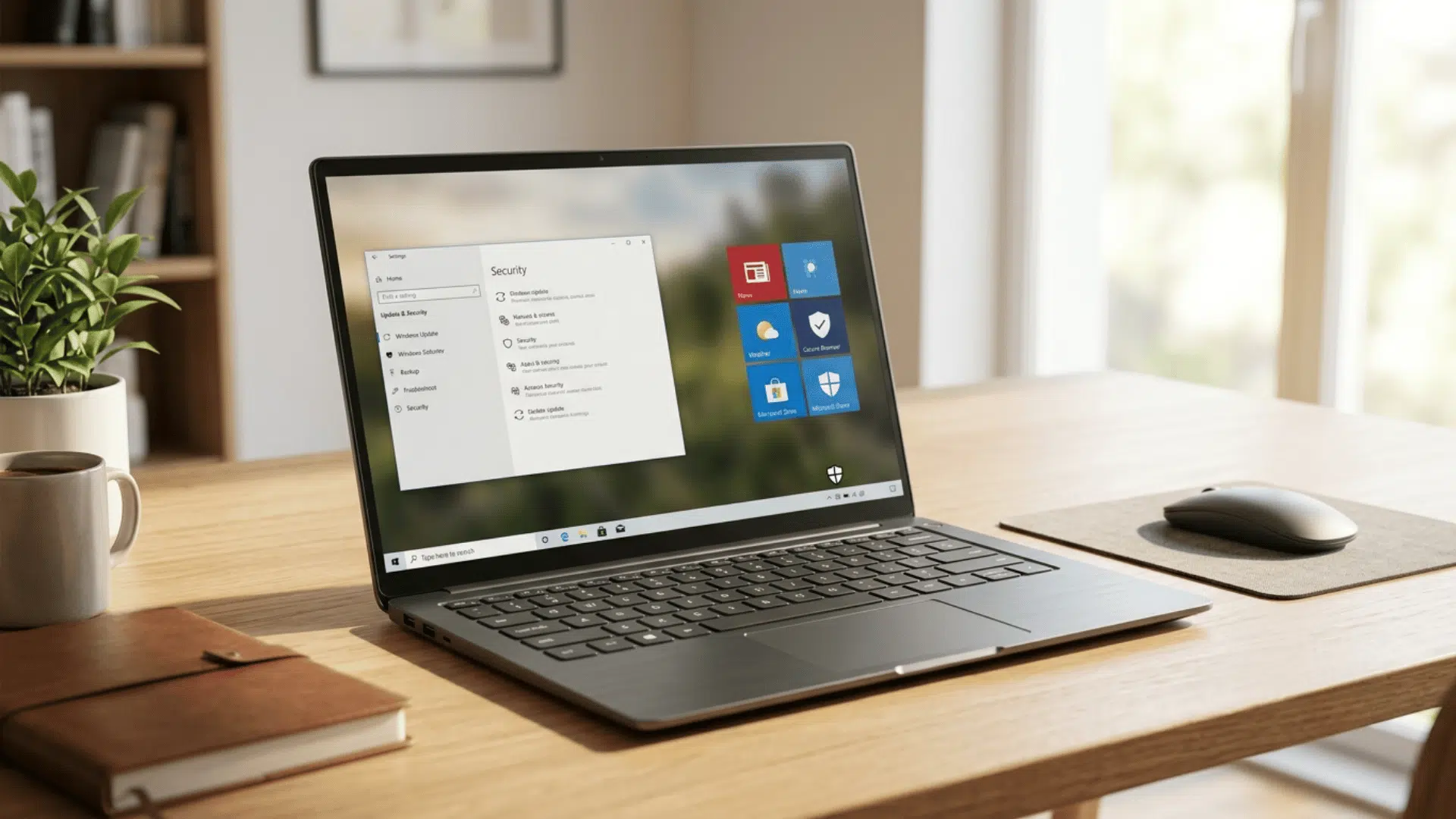




Have you ever spent hours coding and felt that your editor was harder to read than it should be? The right font can make symbols easier to spot, improve code readability, and help you move through long files more comfortably.
Good programming fonts are designed around developer needs, with features like clear characters, balanced spacing, monospaced layouts, and optional ligatures.
I compared popular coding fonts based on readability, coding features, editor compatibility, and everyday comfort.
From modern choices like JetBrains Mono and Monaspace to classic options like Consolas and Menlo, these fonts offer different strengths for developers who want a cleaner and more comfortable coding experience.
What Makes a Good Coding Font?
A good coding font helps developers read and write code comfortably for long periods. Unlike regular fonts, programming fonts are built around source code, where character clarity and spacing can affect how quickly you understand what you see.
Readability matters most. Clear differences between characters like 0 and O, 1 and l, along with well-spaced symbols, can reduce mistakes.
Many of the same principles that make code easier to scan also apply when choosing the easiest fonts to read for everyday documents, websites, and digital content.
Most coding fonts use monospaced layouts to keep code aligned and easier to scan. Some programming fonts also include optional ligature support, which changes how certain character combinations are displayed in the editor.
Note: Font preference is personal, so test a few options in your editor before making a final choice.
Types of Coding Fonts
Coding fonts are not all designed the same way. Some focus on simple readability, while others add features like ligatures or customization options. Understanding the main types can help you choose a font that matches your coding habits.
- Traditional Monospace: These fonts keep every character the same width, making them popular for programming because code lines stay aligned. Examples include Consolas, Source Code Pro, and Menlo.
- Ligature-Based Fonts: These fonts combine common coding symbols into visual characters. Options like Fira Code and JetBrains Mono are popular among developers who prefer cleaner-looking operators.
- Customizable Fonts: Some modern fonts offer different styles, weights, or variable settings. Monaspace and Iosevka allow more control over how code appears.
- Terminal-Friendly Fonts: Fonts used in terminals need strong character clarity at smaller sizes. Hack and Ubuntu Mono are common choices for command-line environments.
Choosing the right coding font depends on your editor, coding habits, and personal comfort. Some developers prefer simple monospace fonts, while others like options with ligatures or customization. Testing a few fonts can help you find one that feels right for daily programming.
Note: The best coding font depends on your editor, screen size, programming style, and personal comfort. Try different options before settling on one for daily use.
Best Coding Fonts to Try
These programming fonts are popular among developers because they improve readability, maintain clean spacing, and work well across different coding environments. Each font has its own strengths, so the right choice depends on your editor, coding style, and personal preference.
1. JetBrains Mono
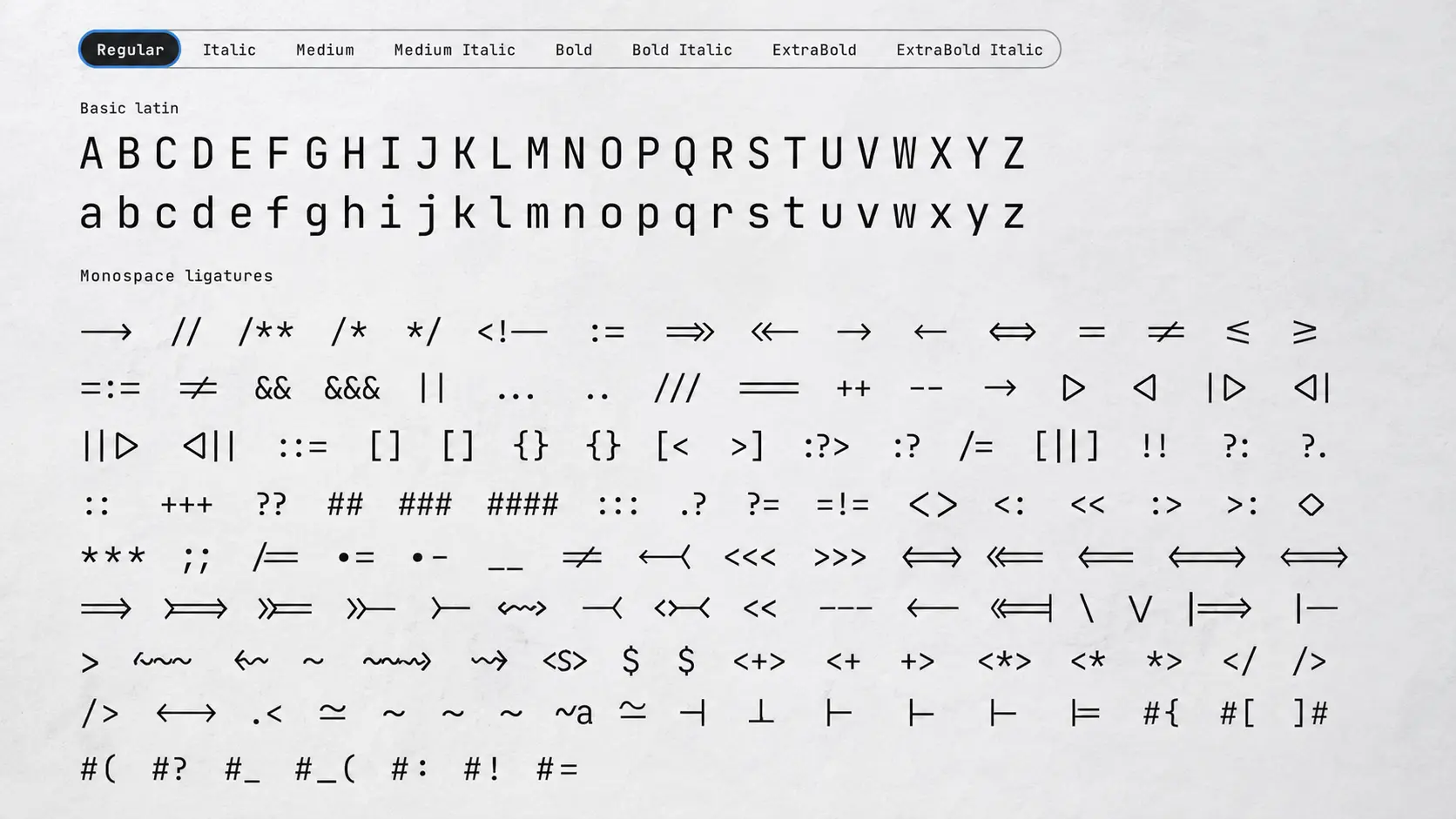
JetBrains Mono is a strong choice for developers who spend long hours coding. It was created specifically for programming and focuses on clear character shapes, comfortable spacing, and easy reading at smaller sizes.
Those benefits become even more noticeable in a 4-monitor setup, where consistent readability helps when moving between multiple windows throughout the day.
The font uses a balanced monospaced design that keeps code aligned while reducing visual clutter. It also supports ligatures, making symbols like != and => appear cleaner inside supported editors.
Key Features:
- Built specifically for coding with a taller x-height that improves character recognition during long sessions.
- Uses a monospaced layout that keeps code alignment consistent and improves readability.
- Supports programming ligatures for commonly used symbols in compatible editors.
- Works with VS Code, JetBrains IDEs, and other popular development environments.
- Available free for personal and commercial use.
2. Fira Code
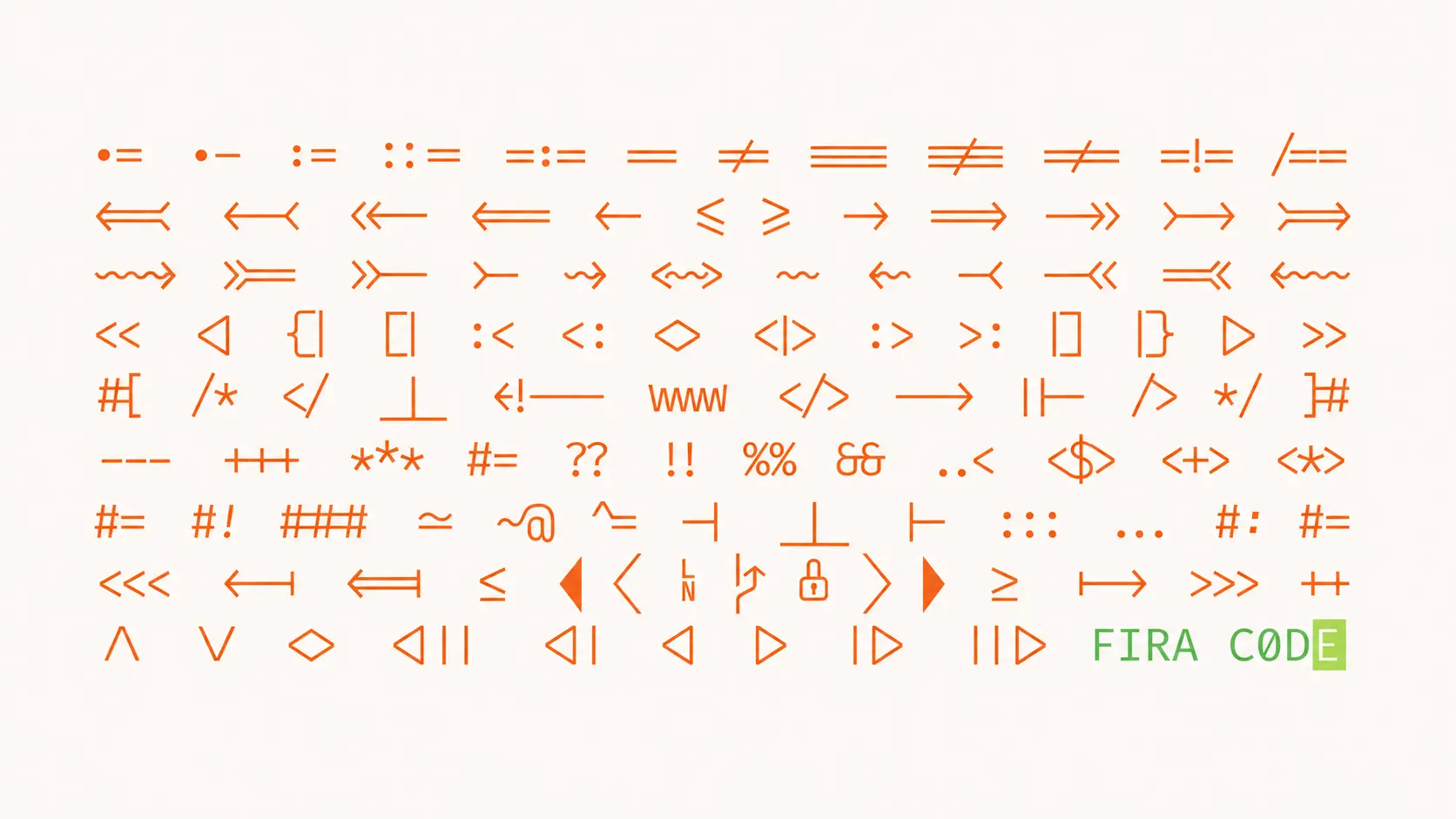
Fira Code is a popular choice among developers who want cleaner-looking code symbols. It keeps the structure of a traditional monospace font while adding visual improvements for common programming operators.
The font focuses on readability and spacing, making it easier to scan code blocks without changing how the code functions.
Key Features:
- Uses clear character spacing to make letters, numbers, and symbols easier to distinguish.
- Maintains a monospaced structure for consistent code formatting.
- Includes programming ligatures for symbols like
=>,!=, and===. - Supports editors such as VS Code, Sublime Text, Atom, and JetBrains IDEs.
- Available free as an open-source font.
3. Cascadia Code
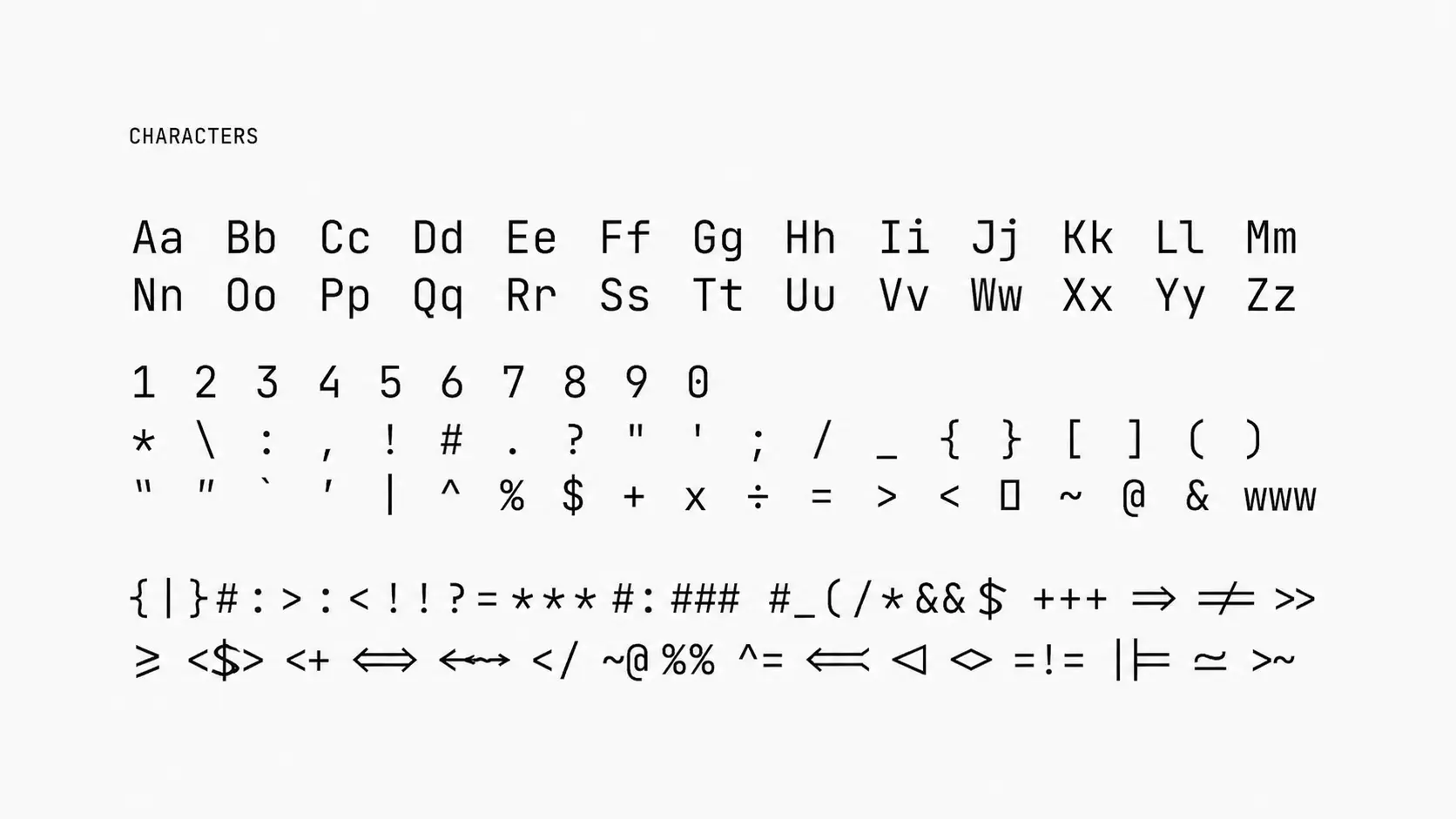
Cascadia Code was developed by Microsoft for modern coding environments. It combines a clean monospace design with features that work well across Windows development tools.
The font provides good readability at different sizes and fits naturally with tools like Windows Terminal and Visual Studio Code.
Key Features:
- Designed with clear character shapes for comfortable coding sessions.
- Uses monospaced spacing to keep code structure organized.
- Supports programming ligatures and optional cursive italic styles.
- Works well with VS Code, Windows Terminal, and Microsoft development tools.
- Available free from Microsoft.
4. Monaspace
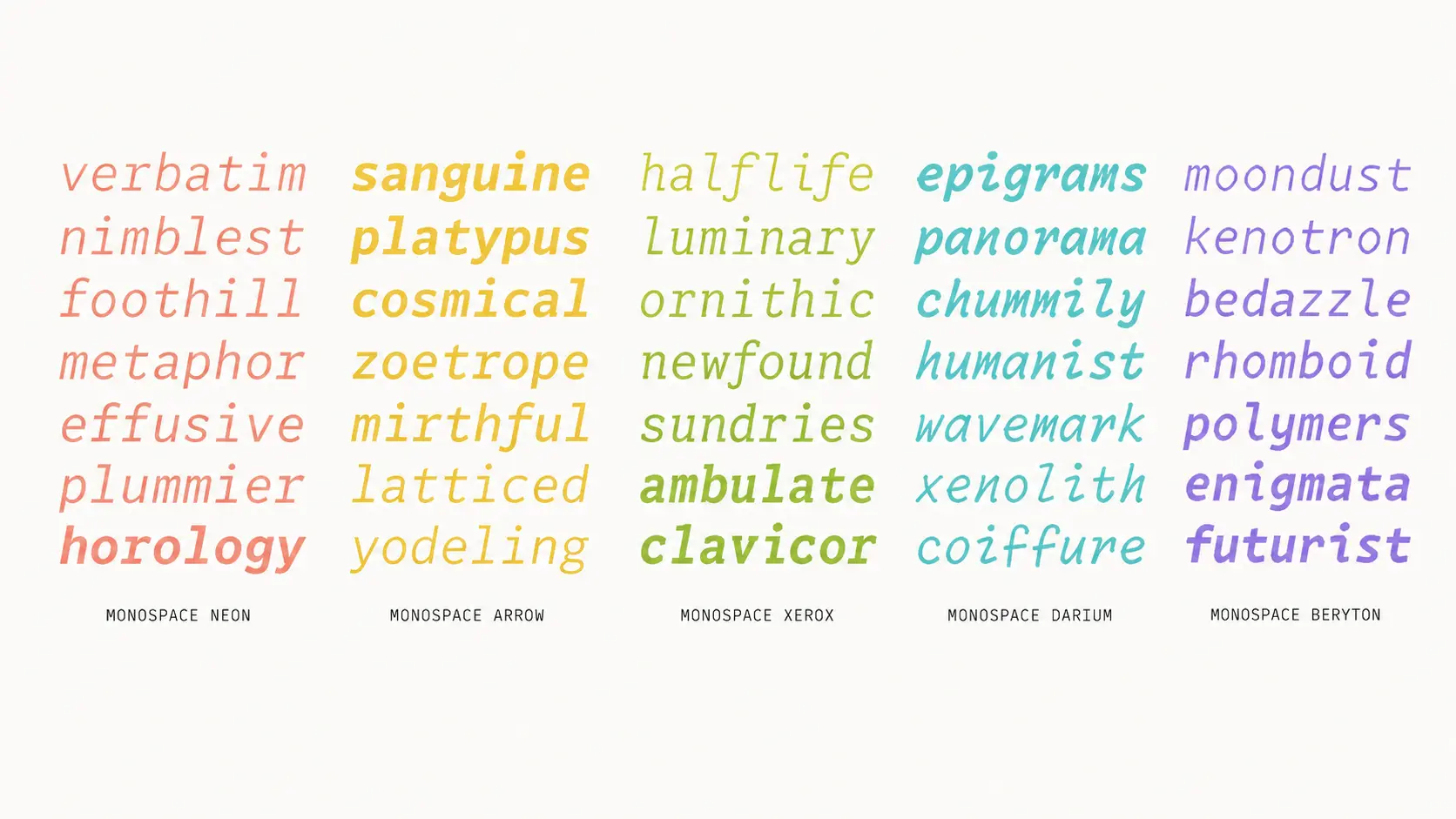
Monaspace is a modern programming font family created by GitHub that gives developers more control over how their code looks. Unlike traditional fixed-style fonts, it uses variable font technology, allowing different visual styles while keeping code readable.
The font family includes styles like Neon, Radon, Xenon, and other variations that developers can mix and customize depending on their preferred editor setup.
Key Features:
- Uses a variable font system that allows different weights, widths, and styles.
- Maintains a monospaced structure designed for programming environments.
- Supports programming ligatures for cleaner symbol display.
- Works with editors like VS Code, JetBrains IDEs, and other modern coding tools.
- Available free as an open-source font family.
5. Source Code Pro
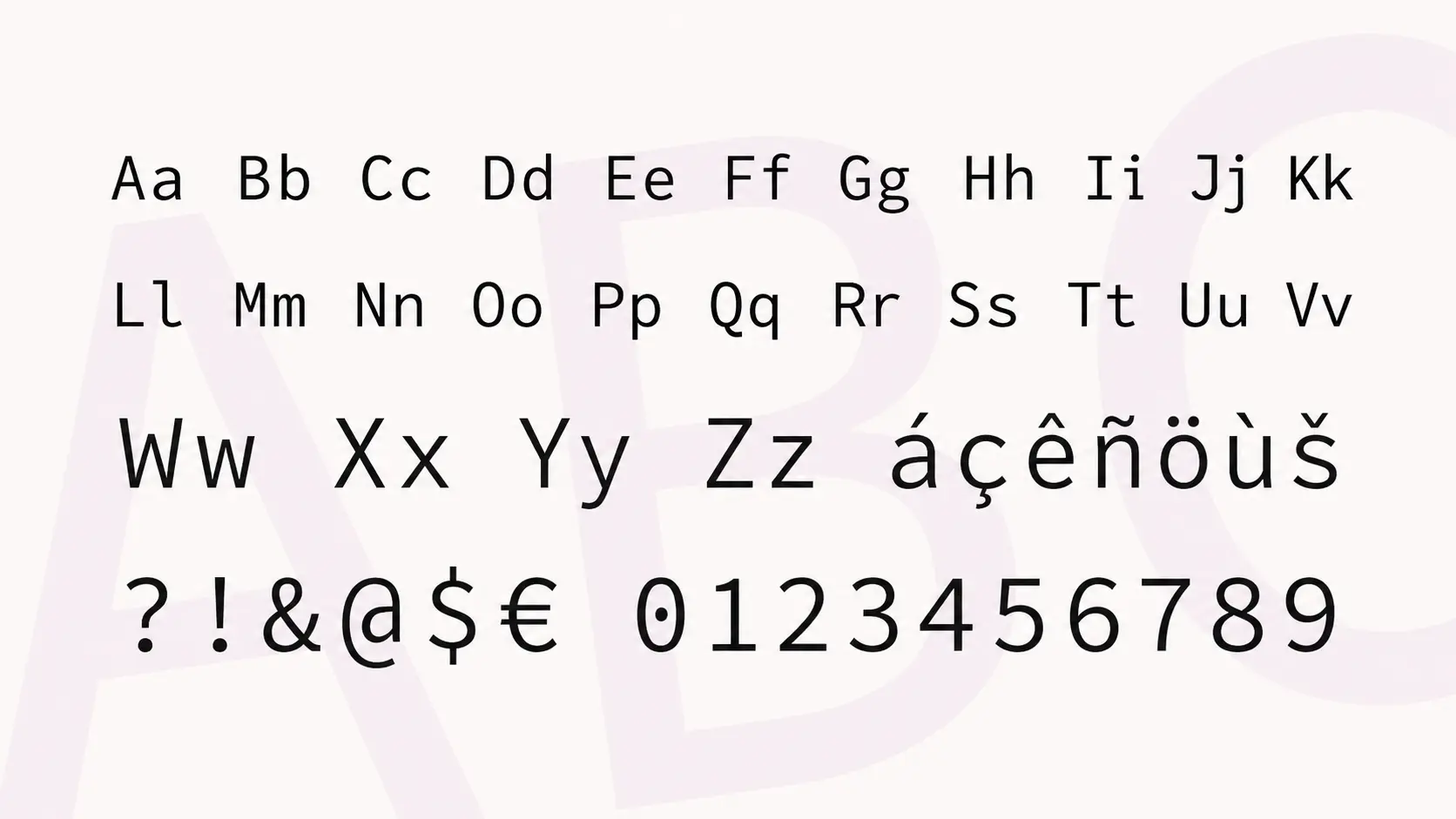
Source Code Pro from Adobe is a clean monospace font designed for developers who prefer a simple and practical coding experience. It focuses on balanced spacing, clear characters, and comfortable reading without adding extra visual effects.
The font works well for long coding sessions because it keeps letters and symbols easy to distinguish, even when working with large files.
Key Features:
- Designed with clear character shapes to improve code readability.
- Uses consistent monospaced spacing for aligned code formatting.
- Focuses on simplicity without additional visual styling.
- Works with editors like VS Code, Sublime Text, Atom, and JetBrains IDEs.
- Available free from Adobe.
6. Hack
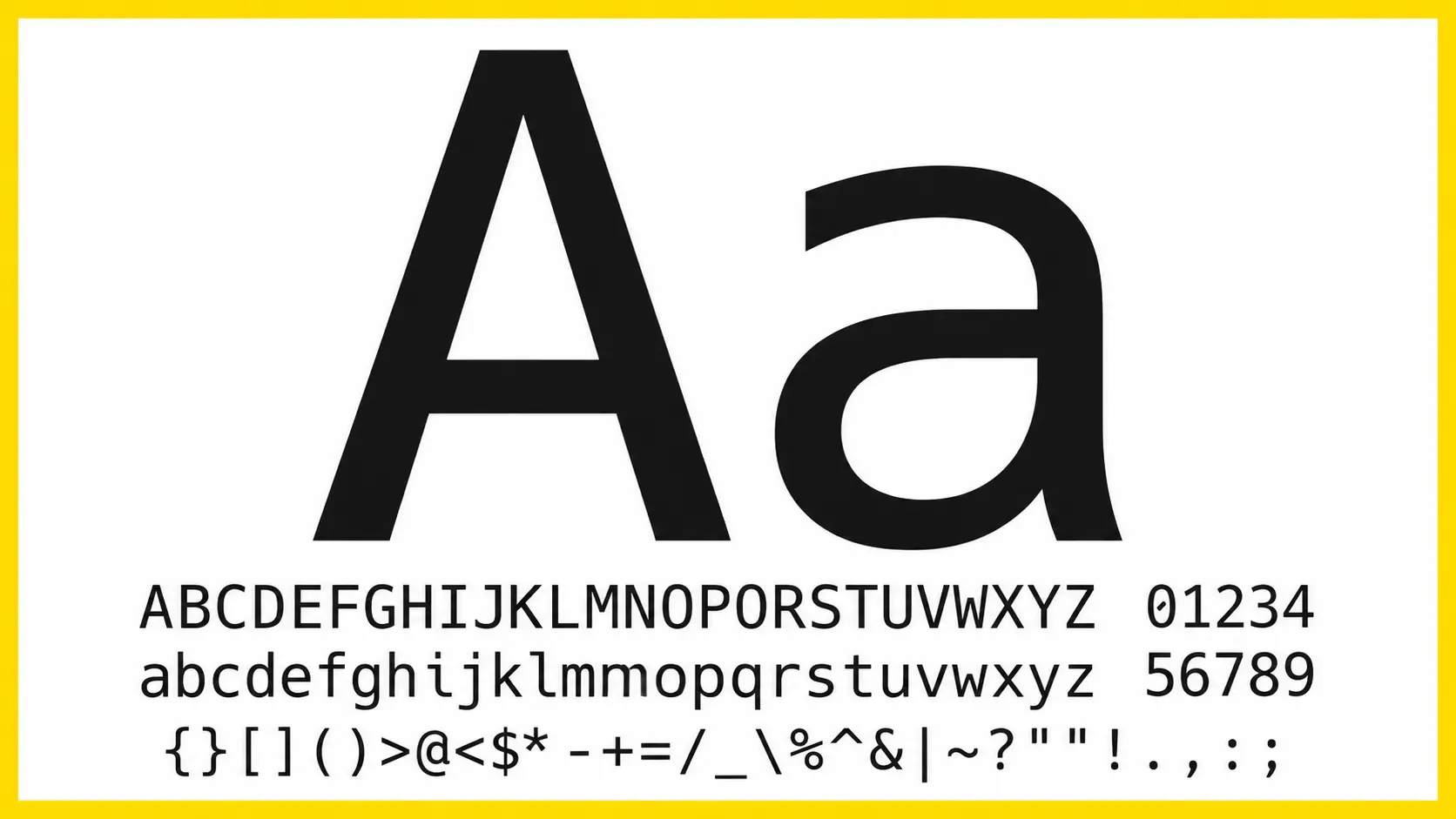
Hack was created specifically for source code and focuses on making programming characters easier to recognize. It improves visibility between similar-looking letters, numbers, and symbols that developers frequently use.
Its straightforward design makes it suitable for both code editors and terminal environments where clarity matters more than decoration.
Key Features:
- Uses clear character design to reduce confusion between similar symbols.
- Maintains a monospaced layout for clean code alignment.
- Optimized for programming and terminal use.
- Works with editors like VS Code, Sublime Text, Vim, and Emacs.
- Available free as an open-source font.
7. Consolas
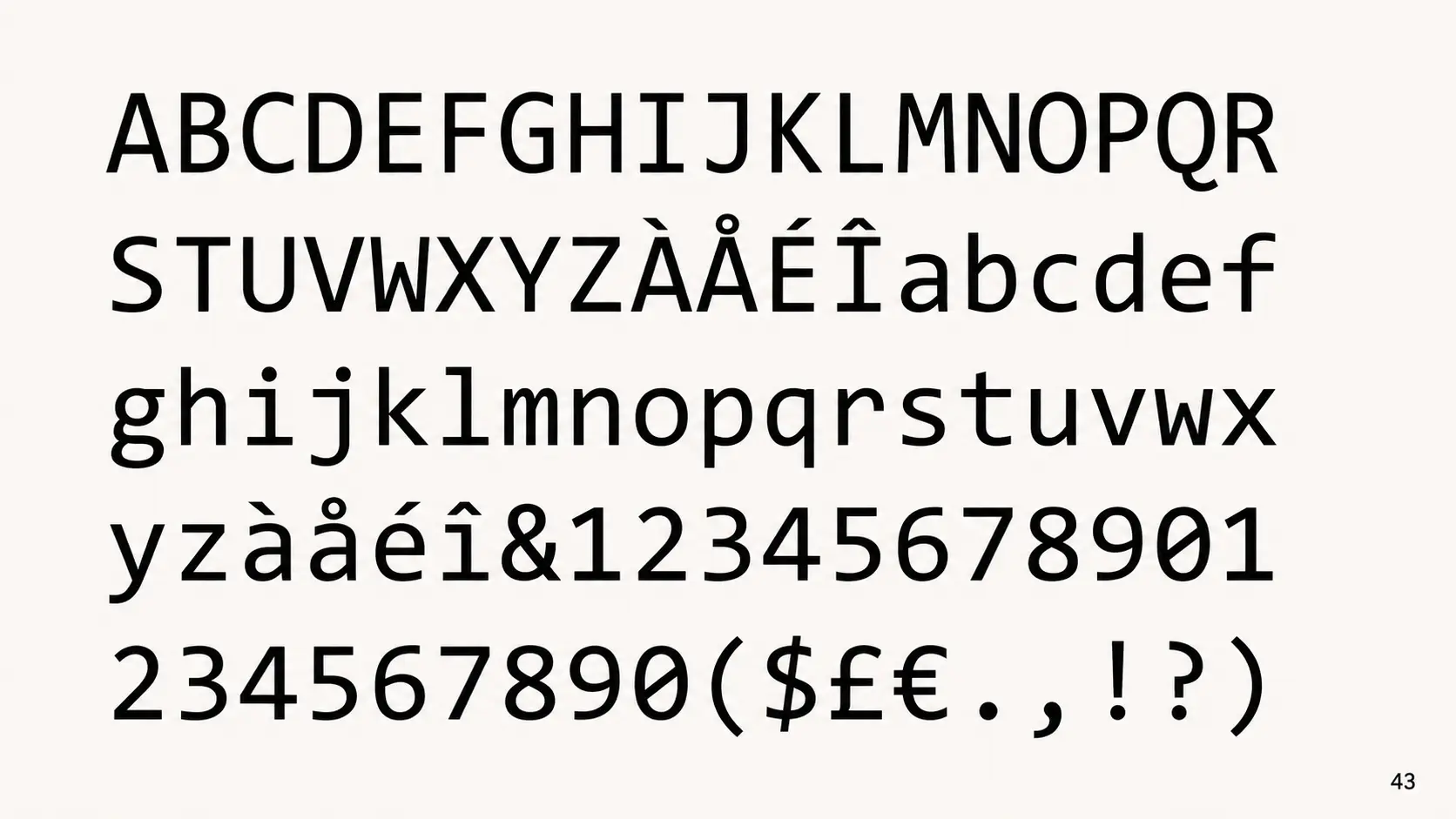
Consolas has been a familiar choice among Windows developers for years. It was designed for programming and offers clear rendering, comfortable spacing, and reliable performance across different development environments.
The font provides a traditional coding appearance and remains popular among developers who prefer a simple, familiar interface.
Key Features:
- Designed for programming with clear character separation.
- Uses monospaced spacing to keep code structure organized.
- Provides good readability at smaller screen sizes.
- Works well with Visual Studio, VS Code, Windows Terminal, and Microsoft tools.
- Included with many Microsoft operating systems.
8. IBM Plex Mono
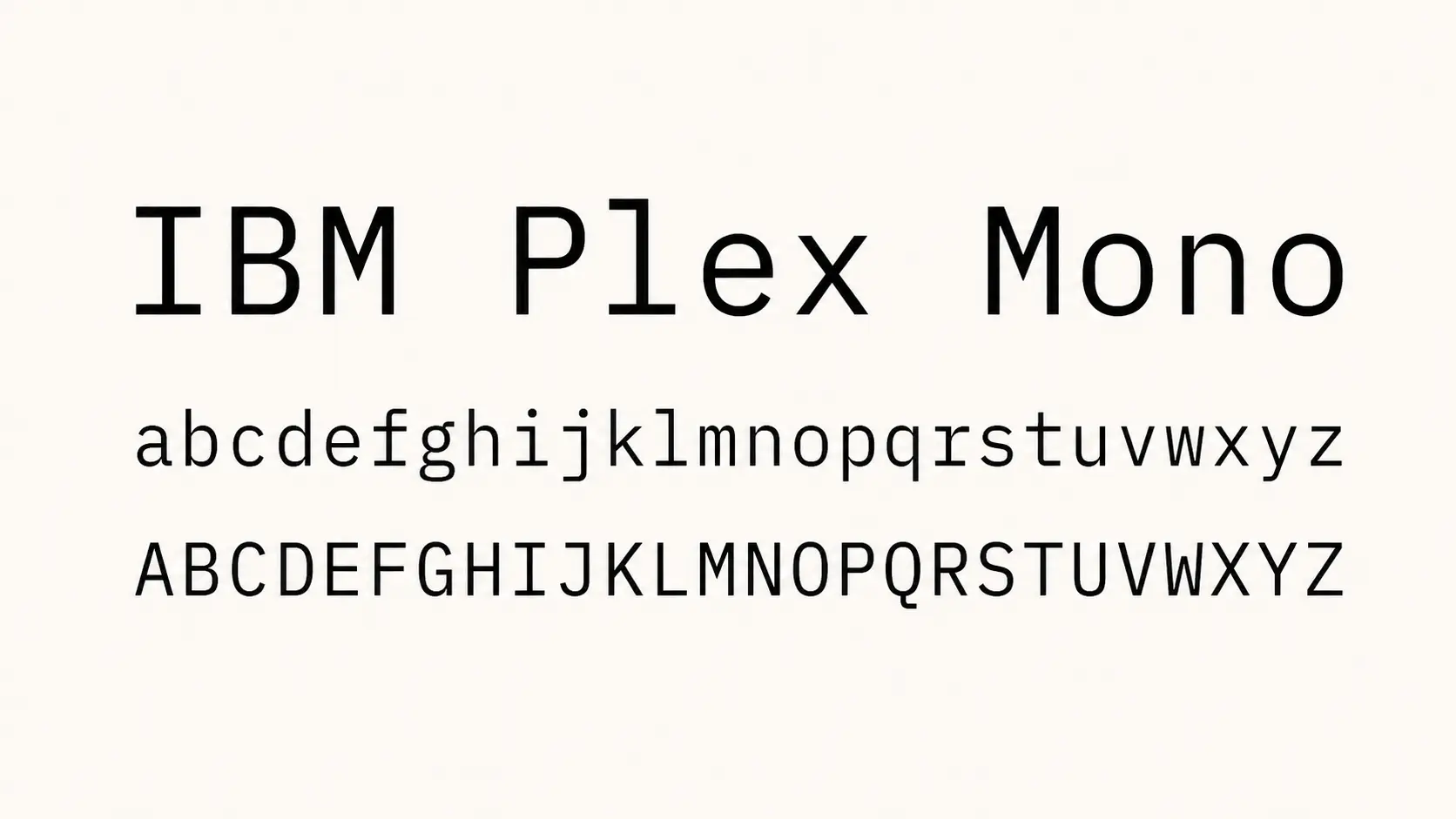
IBM Plex Mono is part of IBM’s Plex font family and offers a professional monospace design for developers who prefer clean typography. It balances readability with a structured appearance that works well across different coding environments.
The font provides distinct characters and comfortable spacing, making it suitable for both programming and technical documentation.
Key Features:
- Uses clear letter shapes for easier code reading.
- Provides consistent monospaced spacing for programming layouts.
- Supports multiple languages and character sets.
- Works with editors like VS Code, JetBrains IDEs, and terminal applications.
- Available free from IBM.
9. Menlo
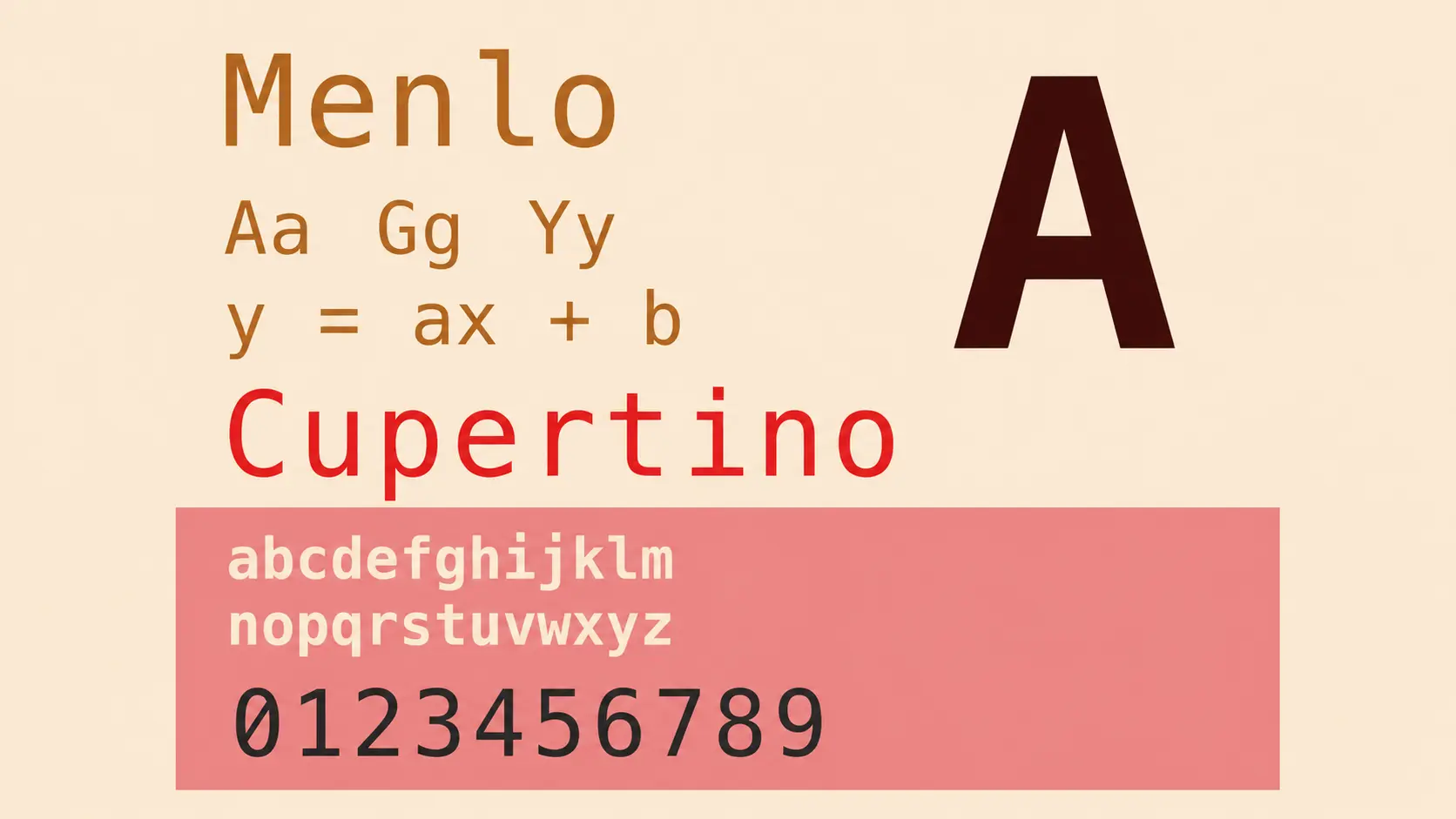
Menlo is a classic monospace font widely used among macOS developers. It was designed for clear display on screens and became a familiar choice for coding, terminal work, and developer environments.
The font keeps a compact appearance while maintaining readable character spacing, making it suitable for developers who prefer a simple and traditional coding style.
Key Features:
- Uses clean character shapes that improve readability in coding environments.
- Maintains a compact monospaced layout for organized code alignment.
- Provides clear symbols and spacing for terminal usage.
- Works well with macOS Terminal, VS Code, and other coding editors.
- Included with macOS systems.
10. Monaco
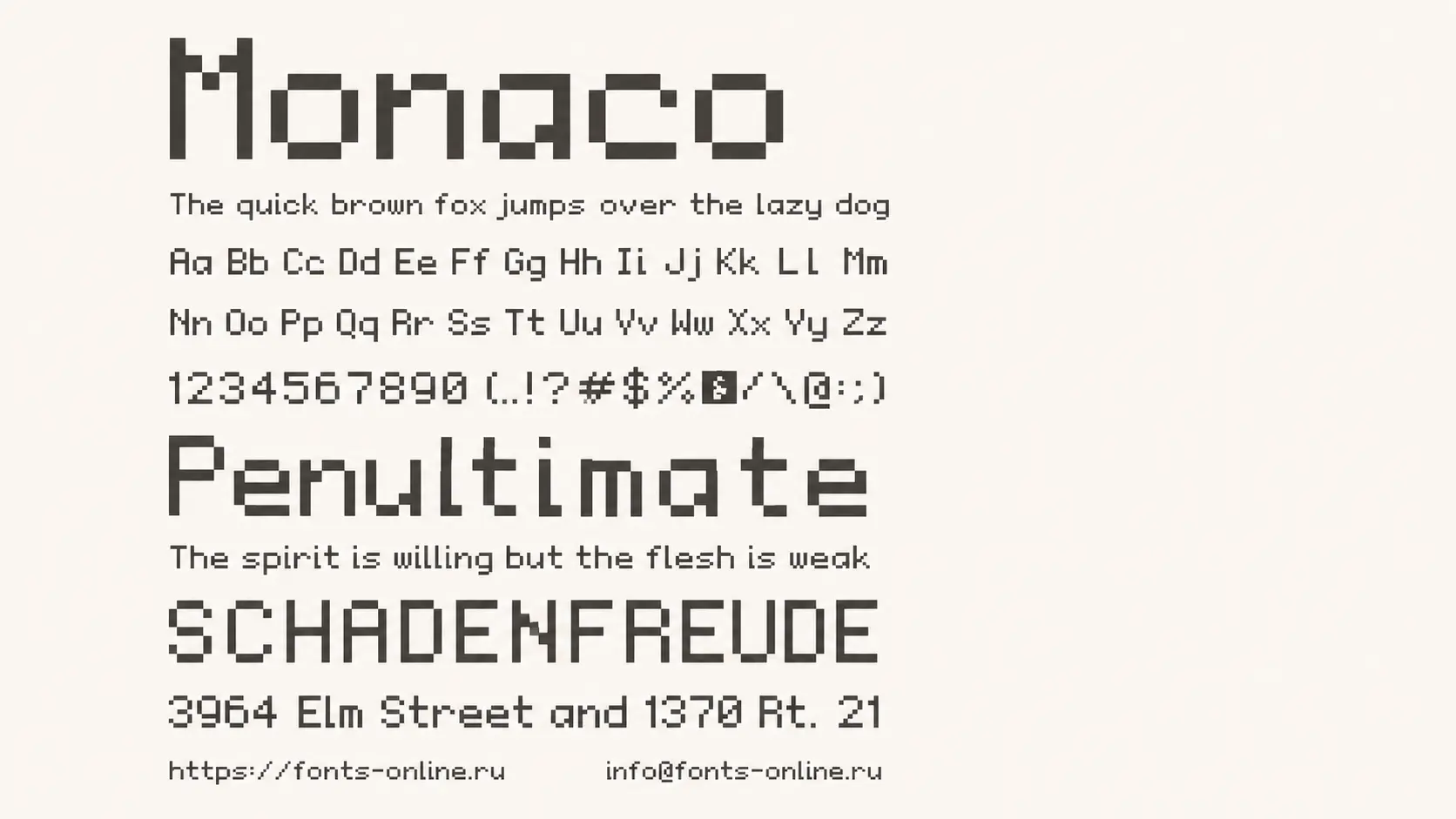
Monaco is one of the classic coding fonts associated with Apple development environments. It has been used by many developers because of its compact design and clear characters, especially when working with terminals and code editors.
The font focuses on simplicity, helping developers view more lines of code on screen while keeping characters easy to recognize.
Key Features:
- Designed for programming with clear character separation.
- Uses a compact monospaced structure for efficient screen usage.
- Provides good readability at smaller font sizes.
- Works well with macOS editors and terminal environments.
- Included with Apple systems.
11. Ubuntu Mono
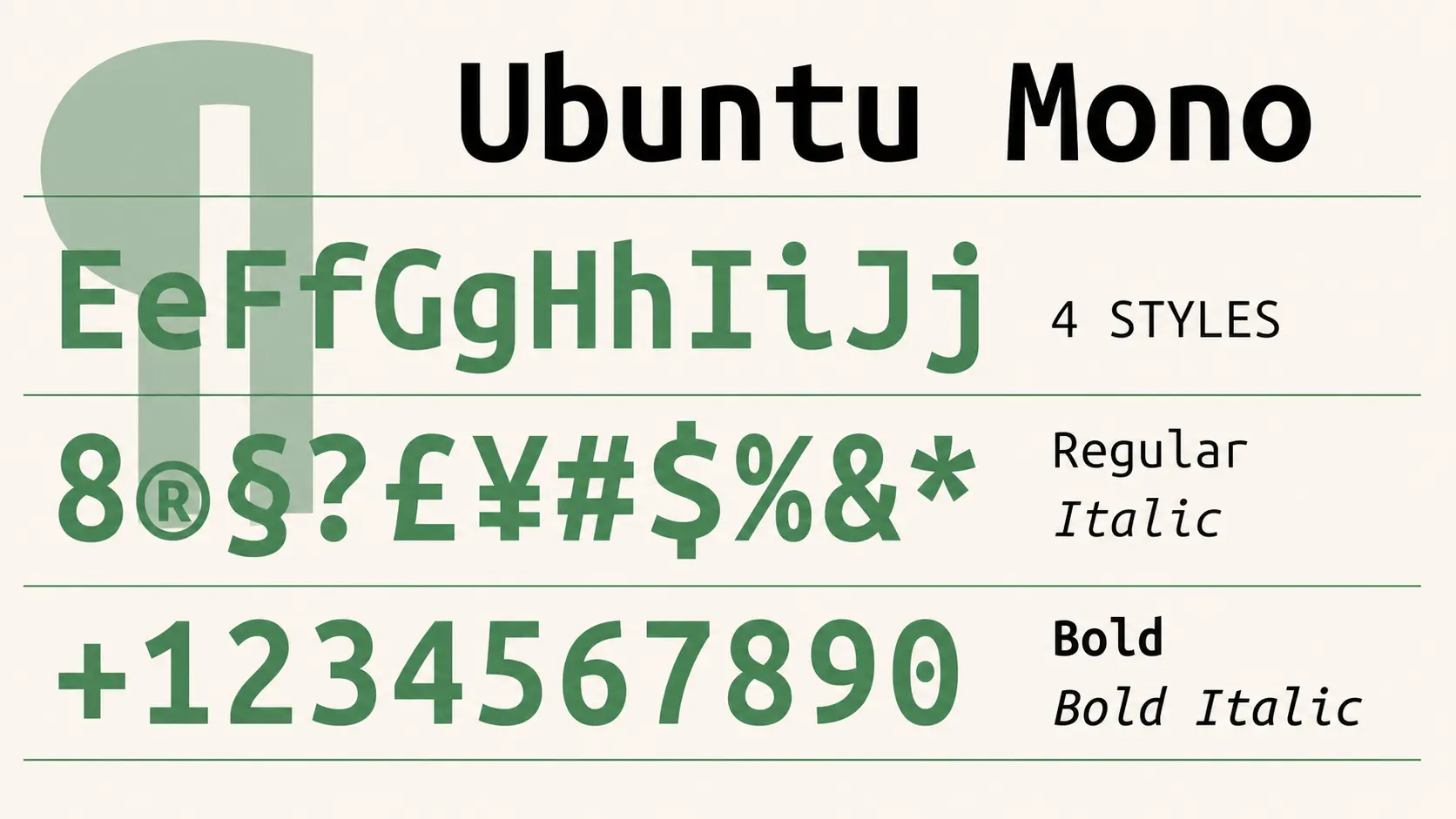
Ubuntu Mono is a monospace font designed as part of the Ubuntu operating system family. It provides a clean appearance with distinct characters, making it useful for coding, command-line work, and Linux-based development setups.
The font focuses on simplicity and readability while maintaining consistent spacing across code files.
Key Features:
- Uses clear character shapes for better code visibility.
- Maintains monospaced spacing for aligned programming layouts.
- Designed for Linux environments and terminal use.
- Works with editors like VS Code, Sublime Text, and terminal applications.
- Available free from Ubuntu.
12. Commit Mono
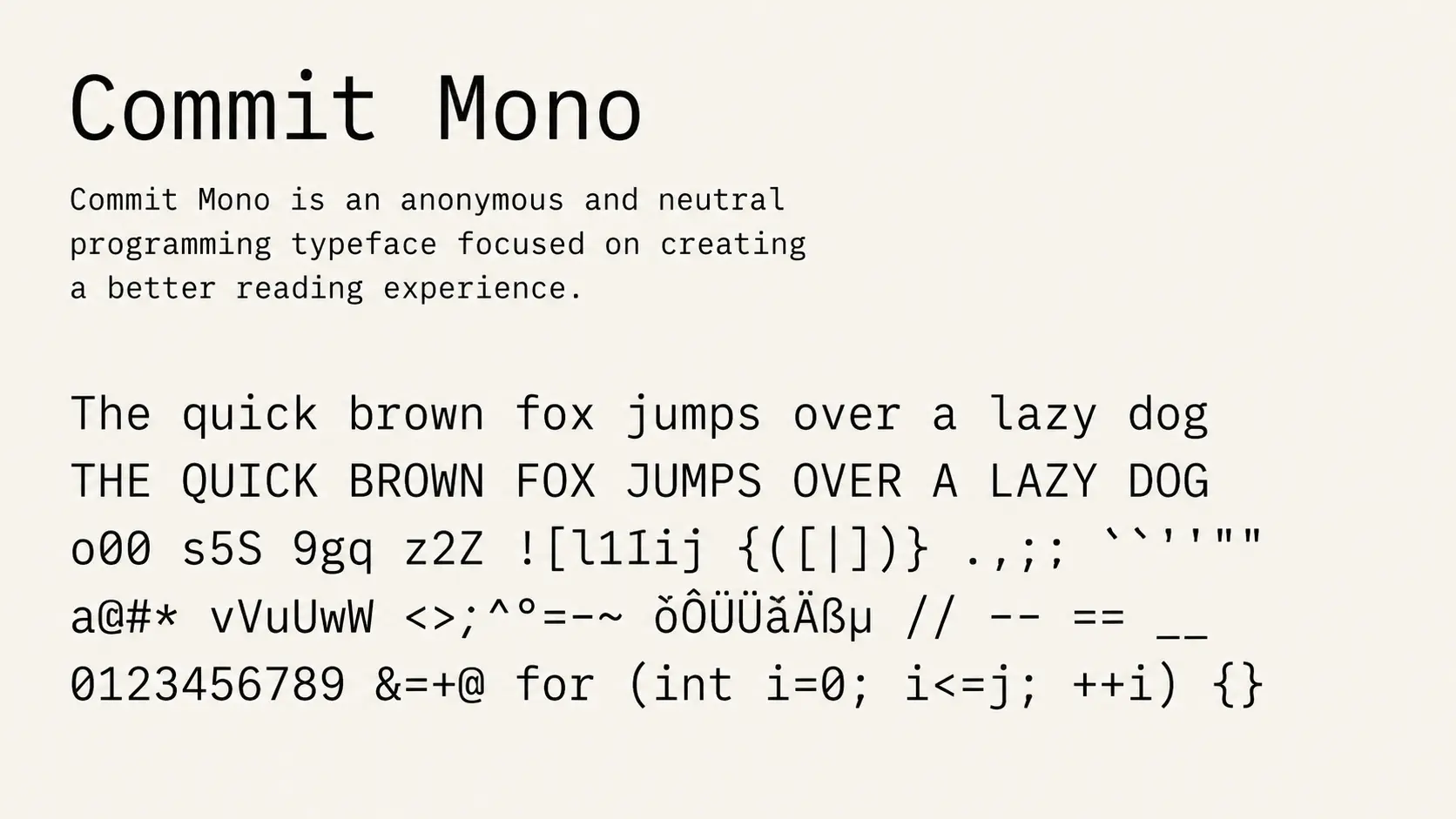
Commit Mono is a modern programming font designed around readability and balanced spacing. It focuses on reducing visual distractions while keeping characters clear during long coding sessions.
The font has a clean appearance and works well for developers who prefer a simple coding environment without excessive styling.
Key Features:
- Designed specifically for source code readability.
- Uses consistent monospace spacing for structured code.
- Provides clear distinction between similar characters.
- Works with editors like VS Code, JetBrains IDEs, and terminal tools.
- Available free for personal and commercial use.
13. Iosevka
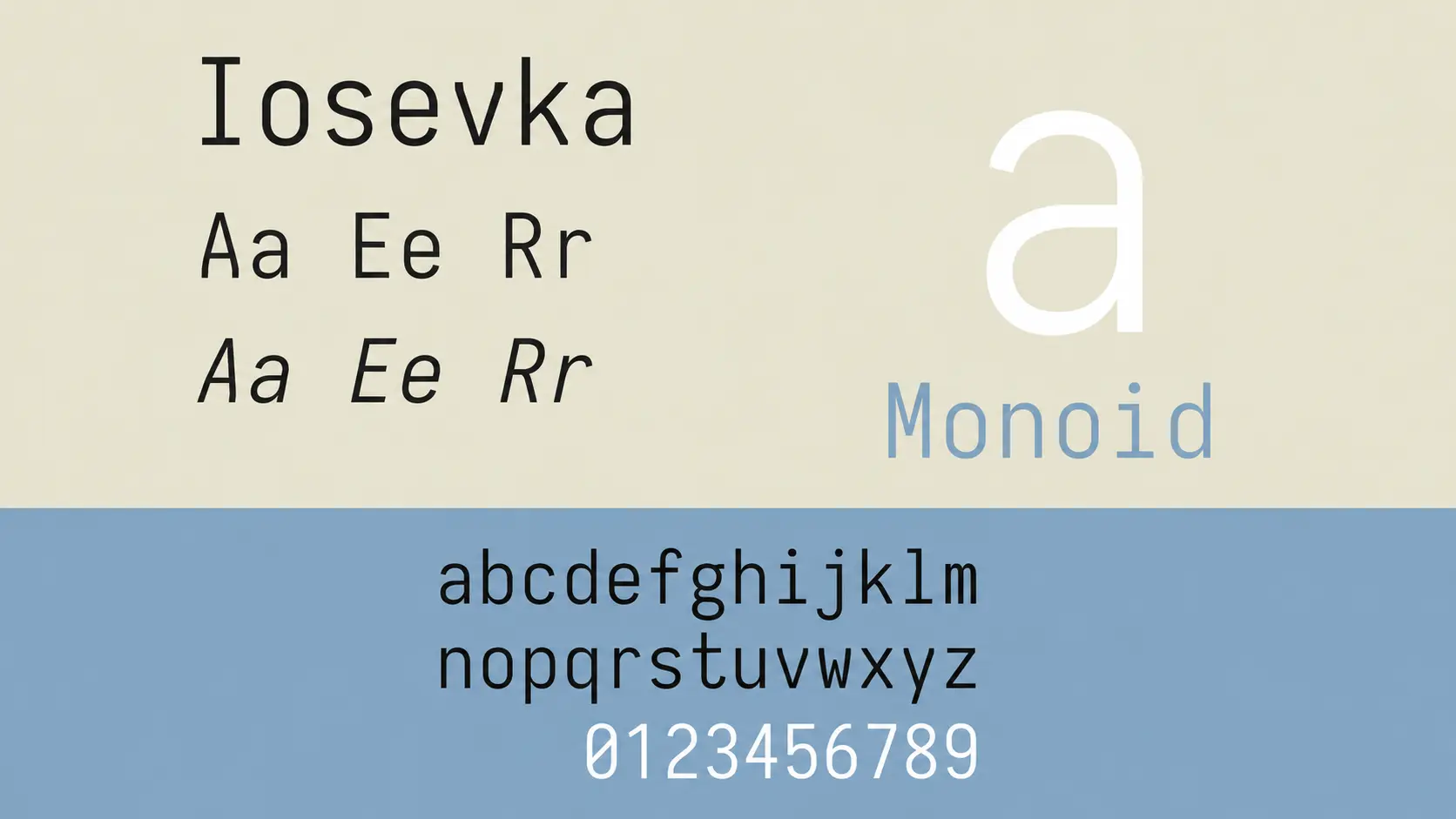
Iosevka is a highly customizable programming font popular among developers who want more control over their editor setup. It offers many variations, including different widths, styles, and character options.
Its flexible design allows developers to adjust the font based on their screen size, coding preferences, and workflow requirements.
Key Features:
- Offers extensive customization options for different coding setups.
- Uses a monospaced structure designed for programming.
- Supports programming ligatures and multiple character styles.
- Works with VS Code, JetBrains IDEs, Vim, Emacs, and other editors.
- Available free as an open-source font.
14. Roboto Mono
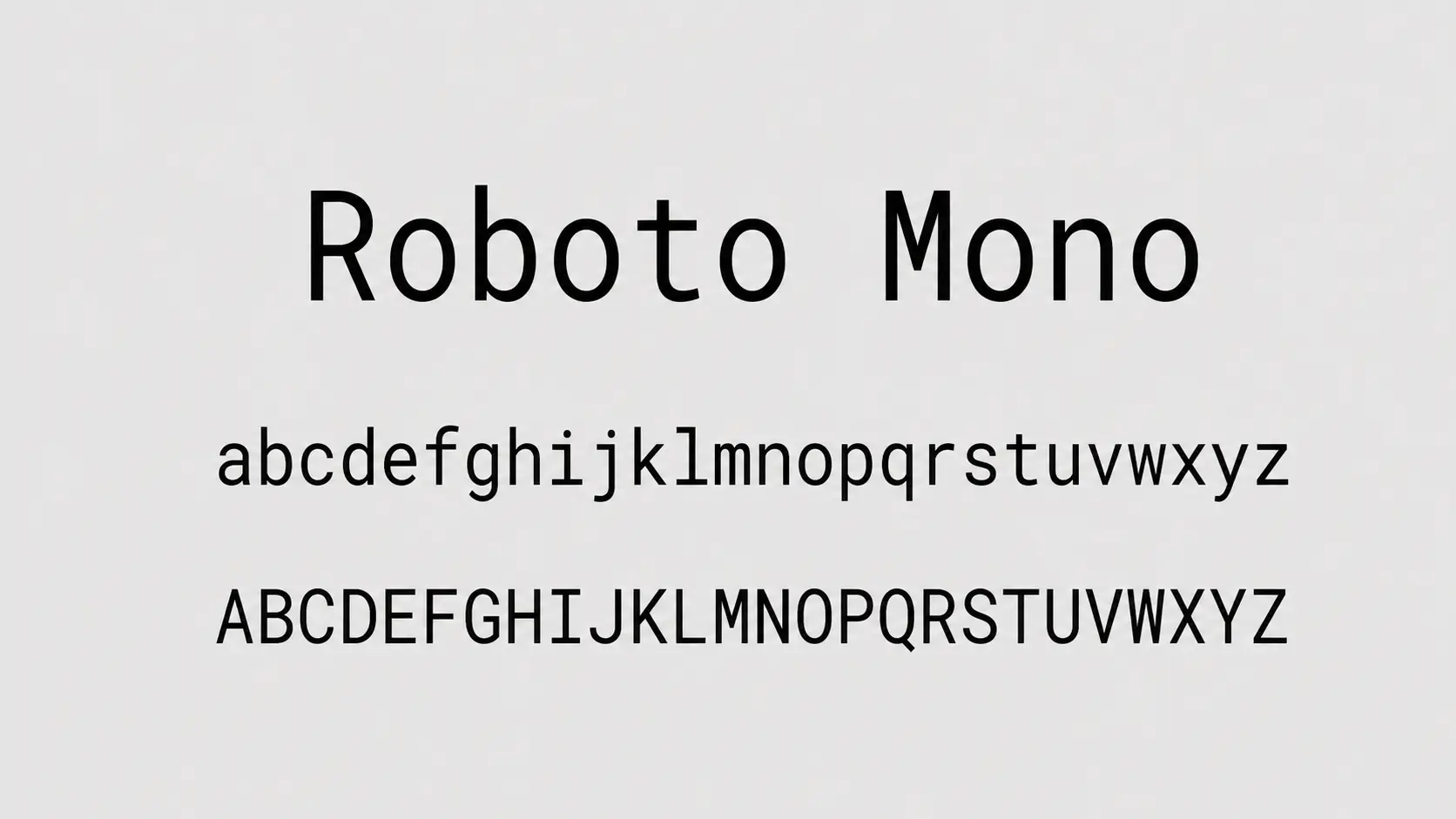
Roboto Mono is the monospace version of Google’s Roboto typeface. It combines a familiar modern design with the spacing needed for programming environments.
The font provides balanced characters and works well for developers who prefer a clean interface across web development tools and editors.
Key Features:
- Uses clear letter shapes for comfortable reading.
- Maintains consistent monospaced spacing for code alignment.
- Designed for digital screens and technical interfaces.
- Works with VS Code, Android Studio, JetBrains IDEs, and other editors.
- Available free through Google Fonts.
15. DejaVu Sans Mono
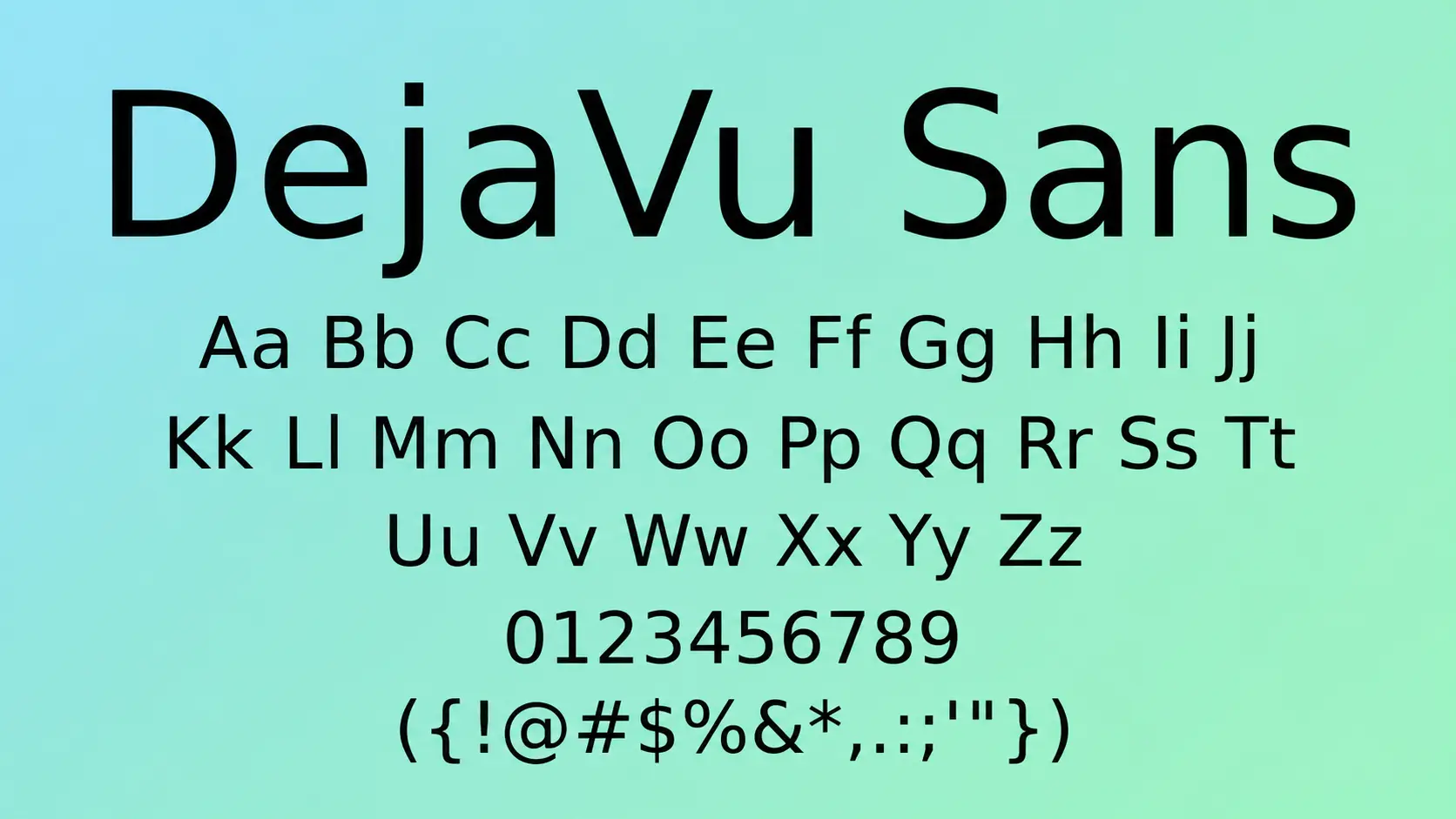
DejaVu Sans Mono is a free monospace font known for its broad character support. It is commonly used in Linux environments because it handles many languages and symbols effectively.
The font focuses on reliability and compatibility, making it a practical choice for developers working across different systems.
Key Features:
- Provides wide character and symbol support.
- Uses a clear monospaced design for programming.
- Works well with Linux terminals and coding environments.
- Compatible with editors like VS Code, Vim, and Emacs.
- Available free as an open-source font.
16. Input Mono
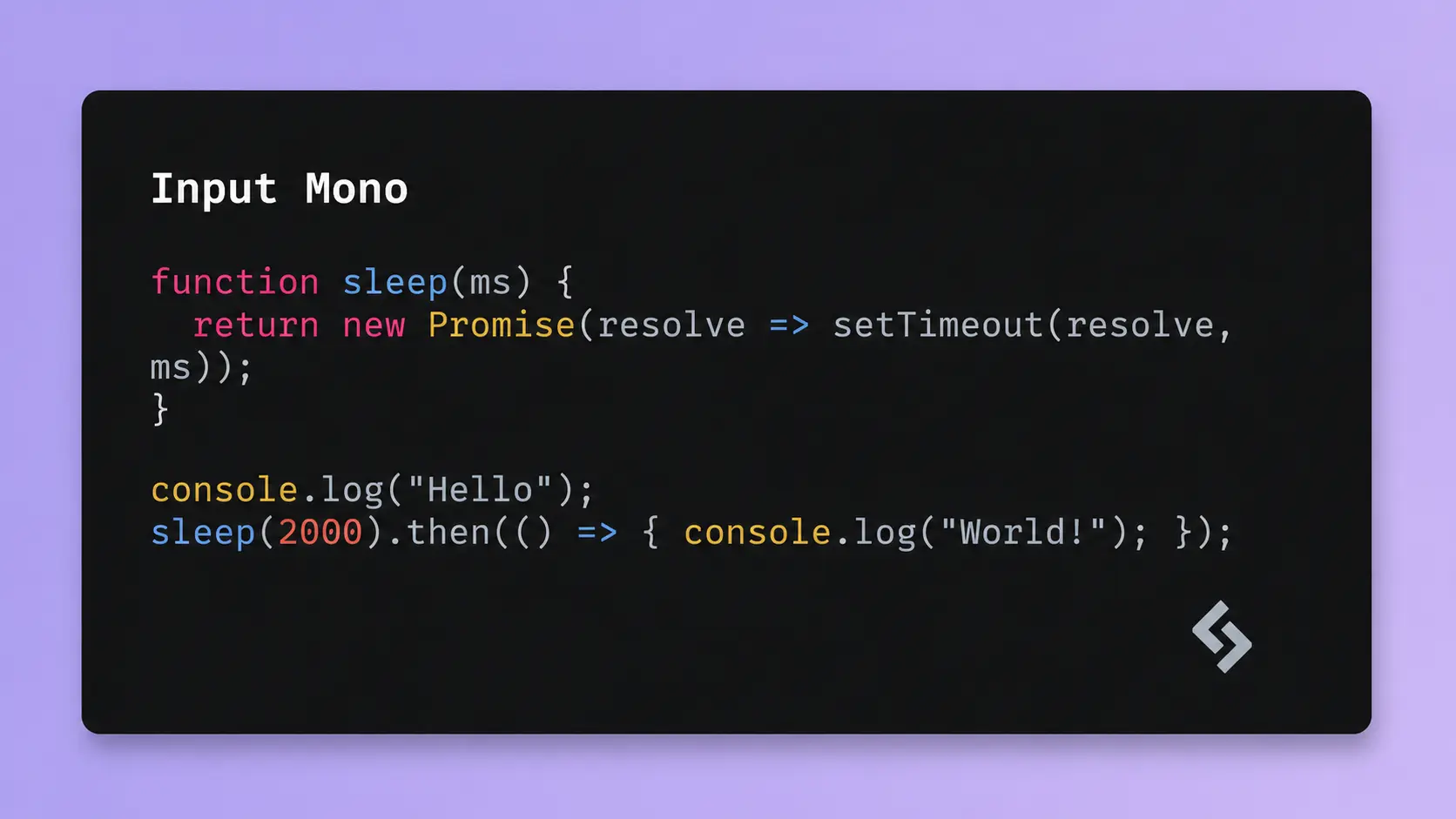
Input Mono is a programming font family designed with developers in mind. It offers different styles, widths, and spacing options, allowing users to adjust the appearance of their code editor.
The font focuses on readability and customization, making it useful for developers who want more control over their coding setup.
Key Features:
- Offers multiple styles and spacing options for customization.
- Uses a monospace design optimized for source code.
- Provides clear character separation for easier reading.
- Works with popular editors including VS Code and JetBrains IDEs.
- Available as a paid font with different licensing options.
17. PragmataPro
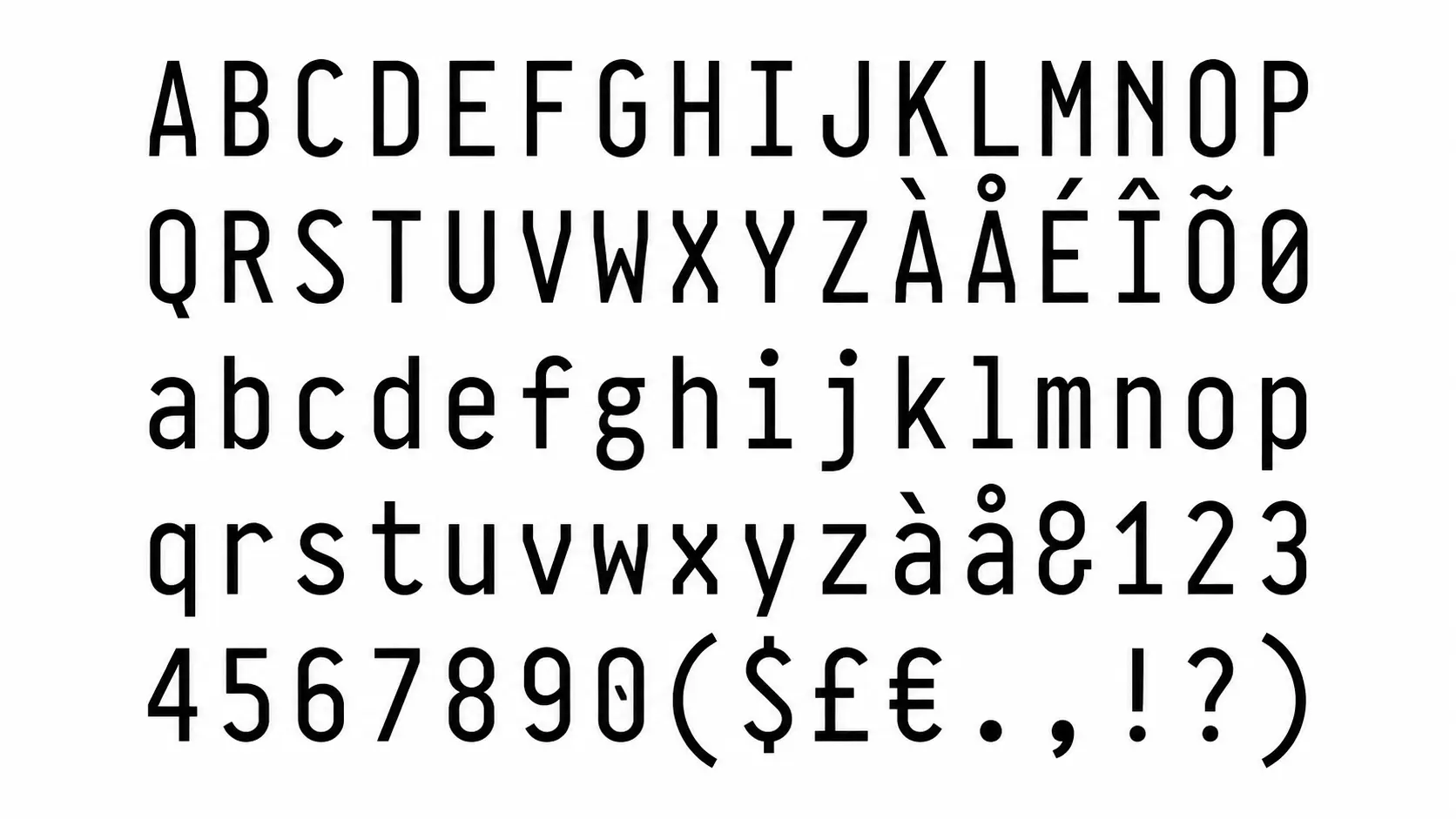
PragmataPro is a premium programming font designed for developers who want a compact coding layout. Its tight spacing helps fit more code on screen while keeping characters readable.
The font includes a large collection of programming symbols and styles, making it suitable for developers who prefer a feature-rich paid option.
Key Features:
- Designed for compact coding layouts and smaller screens.
- Uses monospaced spacing for consistent code alignment.
- Includes a large collection of programming symbol styles.
- Works with editors like VS Code, Sublime Text, and JetBrains IDEs.
- Available as a paid font with different package options.
Each font offers different strengths, from simple readability to advanced customization. Try a few options in your editor to find the one that feels most comfortable for your coding routine.
Understanding Coding Font Ligatures
Ligatures are a feature found in some programming fonts that change common character combinations into connected visual symbols. They do not change how code works; they only change how certain operators appear inside the editor.
For example, combinations like => , != , === , and <= can appear as single visual characters, making some code easier to scan.
Popular fonts that support ligatures include:
- Fira Code: Known for its wide range of programming symbols
- JetBrains Mono: Offers cleaner symbol rendering while keeping readability
- Cascadia Code: Includes optional ligature support for Microsoft development tools
- Monaspace: Supports modern symbol styling across its font family
Ligatures can make code look cleaner, but they are a personal preference. Some developers find them helpful for quickly recognizing operators, while others prefer seeing the original characters exactly as written.
Reddit Developers’ Favorite Coding Fonts
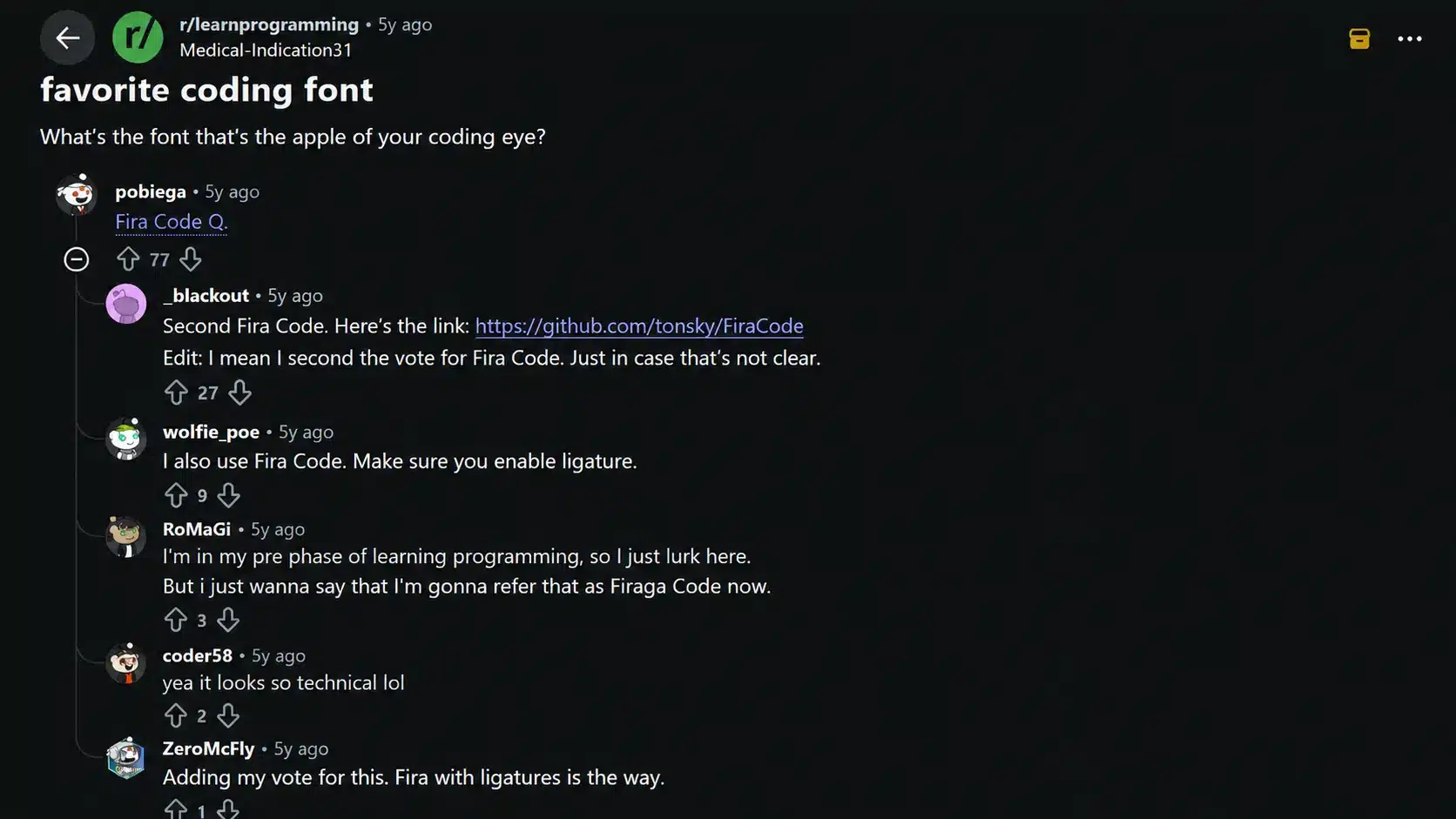
Reddit discussions around coding fonts show that developers often choose fonts based on readability, editor setup, and long coding sessions. Users commonly mention options like Consolas, Fira Code, JetBrains Mono, and other monospace fonts when sharing their preferences.
Many discussions focus on clear characters, comfortable spacing, and how a font feels during everyday programming rather than appearance alone.
These conversations also highlight that font choice is personal, as developers use different editors, operating systems, and workflows.
Reddit opinions reflect individual experiences, so they can help with ideas while testing different fonts in your own coding environment.
How to Choose a Coding Font
Choosing a coding font depends on readability, editor support, and personal comfort. Follow these steps to find a font that fits your workflow.
- Check Character Clarity: Look for fonts that clearly separate similar characters like 0 and O, 1 and l, along with brackets and symbols.
- Check Editor Support: Make sure the font works properly with tools like VS Code, JetBrains IDEs, Sublime Text, and terminal applications.
- Test Before Switching: Use the font during regular coding sessions to check how comfortable it feels with your projects and screen setup.
A good coding font should make code easier to read without distracting from your workflow. Try different options and choose one that feels comfortable for daily use.
Common Coding Font Mistakes to Avoid
Choosing a coding font is not only about appearance. A font that looks good at first glance may create readability issues during long programming sessions. Avoid these common mistakes before switching your editor font.
| Mistake | Why It Causes Problems | Better Approach |
|---|---|---|
| Choosing style over readability | Decorative fonts can make characters harder to recognize | Pick a font with clear letters, numbers, and symbols |
| Ignoring character differences | Similar characters like 0/O and 1/l can cause confusion | Test fonts with real code before choosing one |
| Using a non-monospace font | Uneven spacing can make code alignment harder to follow | Choose a monospace font designed for programming |
| Enabling features without testing | Some developers may find ligatures distracting | Try ligatures and keep them only if they improve readability |
| Picking a font without checking support | Some fonts may not display correctly in every editor | Check compatibility with VS Code, JetBrains IDEs, and terminals |
Avoiding these mistakes helps you choose a font that improves reading comfort and fits your coding workflow. A good programming font should support your work instead of becoming a distraction.
Final Thoughts
The right coding font can make everyday programming more comfortable by improving readability, spacing, and character recognition.
Popular choices like JetBrains Mono, Fira Code, and Cascadia Code stand out because they offer features designed around developer needs.
Free options provide excellent choices for most workflows, while paid fonts like Input Mono and PragmataPro offer additional customization. The best option depends on your editor, coding habits, screen setup, and personal preference.
Try a few fonts during regular coding sessions and choose the one that helps you read code clearly and work comfortably. Share your favorite coding font and see what other developers prefer.
Frequently Asked Questions
Do Coding Fonts Work on Mobile Devices?
Some coding fonts can work on mobile coding apps, though availability depends on the application and operating system support.
Can I Use a Coding Font for Writing Documents?
Yes, coding fonts can work for technical notes and documentation, though their fixed-width design may not feel suitable for regular writing tasks.
Do Coding Fonts Affect Programming Performance?
Coding fonts do not change software performance, but better readability can help developers review code, identify issues, and work more comfortably.
Are Paid Coding Fonts Worth Buying?
Paid coding fonts may offer extra styles, customization, and specialized designs, while many free options already provide useful features for most developers.
Can Coding Fonts Be Used in All Programming Languages?
Yes, most coding fonts work across programming languages because they affect text display rather than code functionality. Editor support and character coverage may vary.