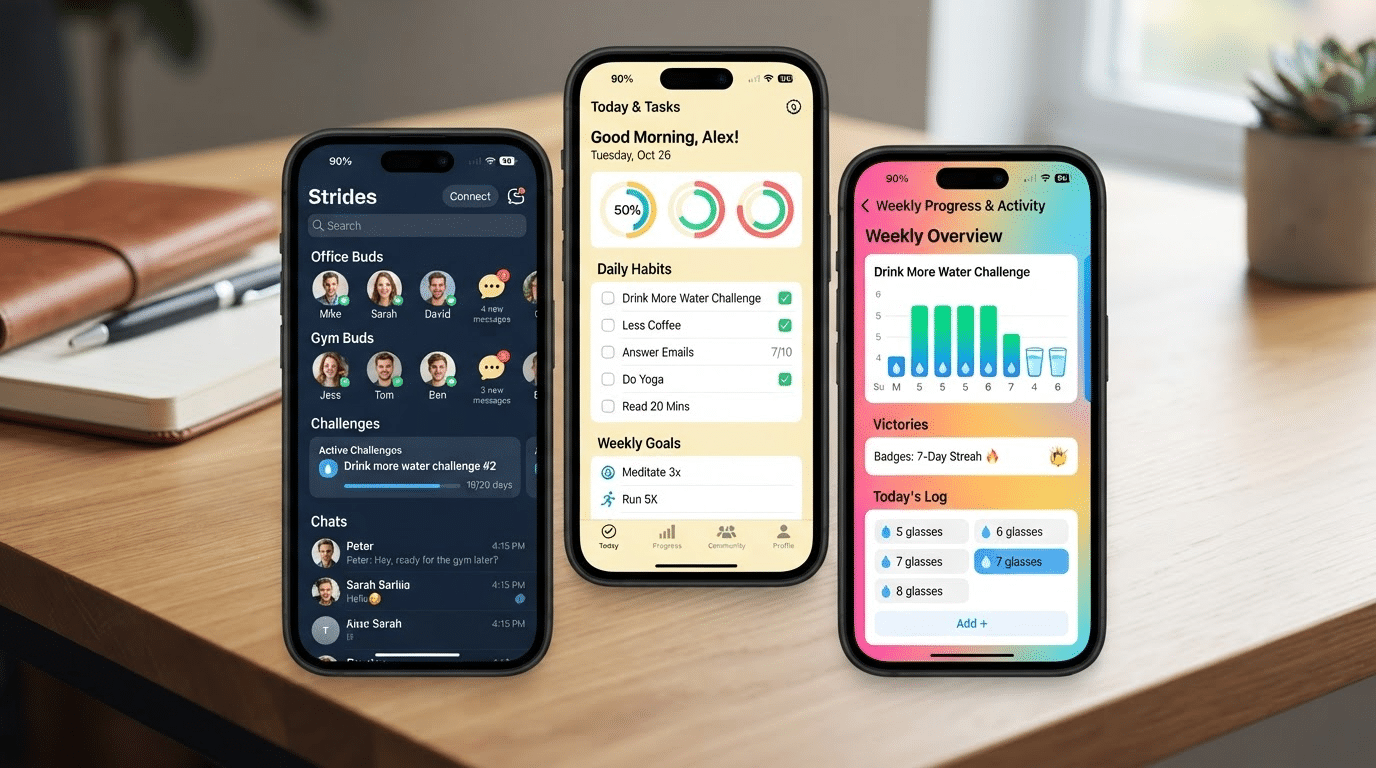



Finding the right goal-setting app can feel harder than reaching the goal itself. With hundreds of apps promising better habits, stronger focus, and lasting motivation, it’s easy to waste time on tools that end up unused after a few days.
The best apps are the ones people continue using because they fit naturally into their routines. This guide compares the best goal-setting apps based on features, pricing, strengths, and real user experiences to help you choose the right one.
Whether you’re building healthier habits, managing work projects, or tracking long-term goals, you’ll find an app that matches your needs.
Read on to compare the top options and start making steady progress toward your goals today.
Which Goal-Setting App is Right for You?
The best goal-setting app depends on how you plan, track progress, and stay motivated.
Some people need a simple checklist for daily tasks, while others prefer visual progress charts, customizable workspaces, or gamified rewards that make building habits more engaging.
Before choosing an app, consider the type of goals you’re working toward, the devices you use, your budget, and whether you need personal or team-focused features.
The right app should fit naturally into your routine, making it easier to stay consistent and reach your goals over time.
Best Goal-Setting Apps for Different Needs
The best goal-setting app depends on your goals, planning style, and the features that help you stay consistent.
Here are the top apps for different needs, based on features, usability, and real user experiences.
1. ClickUp
ClickUp is for people who manage larger projects, not just daily to-do lists. It combines tasks, docs, timelines, and goal tracking into a single app.
Best For: Freelancers, small teams, and agencies that want one app for tasks and goals.
Key Features:
- Unlimited tasks and unlimited members on the free plan
- 60MB of storage on the free plan
- Kanban boards, calendar view, and sprint management
- Two-factor authentication built into every plan
- Goal tracking linked directly to projects and timelines
- Gantt charts and unlimited storage on the paid Unlimited plan
| Pros | Cons |
|---|---|
| Combines tasks, docs, timelines, and goals in one platform. | Can feel overwhelming for small teams or simple projects. |
| The free plan includes unlimited tasks and members. | The free plan is limited to 60MB of storage. |
Pricing: The free plan suits solo use just fine. Paid plans start at $7 per user per month, billed annually, and include unlimited storage and Gantt charts.
2 . Strides
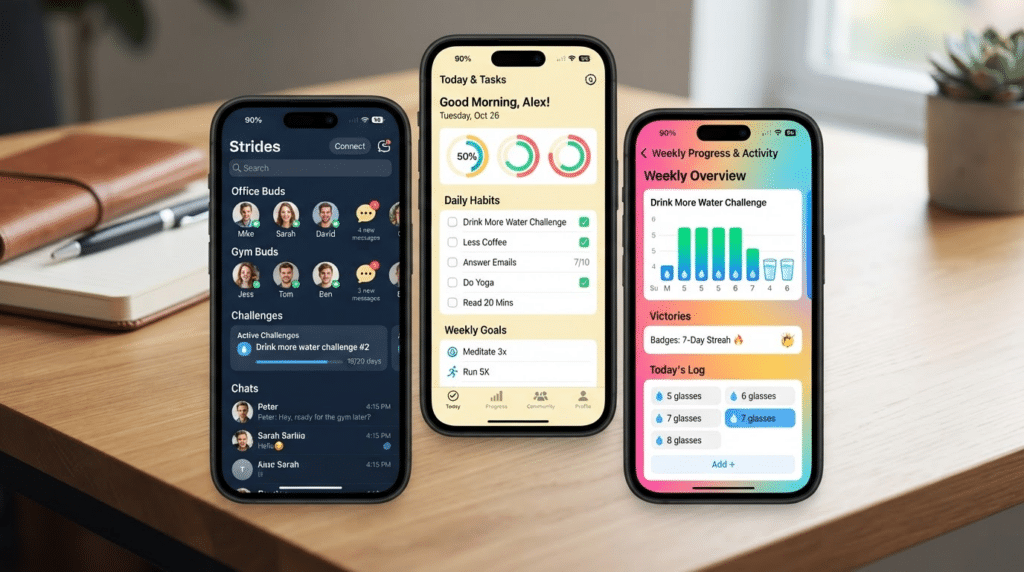
Strides helps people see real progress, not just a checked box. It tracks habits, targets, averages, and milestone goals in one app.
Best for: Apple users who want visual charts and reminders for daily habits and goals.
Key Features:
- Four tracker types: habits, targets, averages, and milestones
- Over 150 ready-made templates, plus custom trackers
- Streak calendars and progress charts for each tracker
- Apple Health syncs across iPhone, iPad, Apple Watch, and Mac
- Reminders and notes attached to each log
- Accountability sharing with friends or family
| Pros | Cons |
|---|---|
| Tracks habits, goals, averages, and milestones in one app. | Only available on Apple devices. |
| Syncs data across Apple devices with automatic backup. | The free plan limits the number of trackers, encouraging an upgrade to Plus. |
Pricing: The free plan works fine for light use. Strides Plus costs $4.99 per month, $29.99 per year, or $79.99 for a one-time lifetime purchase, and unlocks unlimited trackers, syncing, and backups.
3. Notion
Notion isn’t just a goal app; it’s a blank canvas that becomes one. It uses pages, databases, and custom layouts to build a tracker that fits how a person thinks.
Best For: People who want full control over how their tracker looks and works.
Key Features:
- Unlimited pages and blocks on the free plan
- Custom databases, templates, and layouts
- File uploads are capped at 5MB on the free plan
- Page history that stretches back 7 days on free, 30 days on Plus
- Up to 10 guests on the free plan, unlimited guests on Plus
- AI features such as workspace search and AI agents are available on the Business plan
| Pros | Cons |
|---|---|
| Fully customizable to fit any workflow or tracking style. | Setup takes time due to the lack of built-in templates. |
| Connects goals, projects, and notes within a single workspace. | Can become cluttered without regular organization. |
Pricing : The free plan covers real personal use. Plus costs $10 per user per month, billed annually, and removes the file and guest limits.
Full AI features now sit on the Business plan, priced higher, since Notion moved AI out of Plus this year.
4. Todoist
Todoist keeps things simple. It strips task tracking down to plain, clean lists, good for writing a goal down and checking off each step.
Best For: Individuals and small teams who want simple task lists paired with basic goal tracking.
Key Features:
- 5 active projects on the free plan, with labels and recurring tasks
- Natural language task entry, so typing “pay rent Friday” sets the date on its own
- Calendar layout and AI task suggestions on Pro
- Reminders and file attachments, both locked behind Pro
- Voice-to-task input, with 10 free sessions a month and unlimited on paid
plans - Shared team workspaces and admin roles on Business
| Pros | Cons |
|---|---|
| Clean, simple design for easy goal tracking. | Reminders and attachments require a paid plan. |
| Easy to learn and start using right away. | Lacks advanced tracking and progress insights. |
Pricing: The free plan covers basic task lists well. Pro costs $5 per month, billed annually, and Business costs $8 per user per month, billed annually, for shared team workspaces.
5. Weekdone
Weekdone is built for workplaces that run on OKRs, not personal to-do lists. It links company, team, and individual goals so everyone sees how their work connects to the bigger picture.
Best for: Small teams and startups that want structured, quarterly OKR tracking.
Key Features:
- Free for up to 3 users, with full access to every feature
- Visual OKR tree that shows company, team, and personal goals
- Weekly check-ins for plans, progress, and problems
- Automated weekly and quarterly reports
- Integrations with Slack, Jira, Asana, and Microsoft Teams
- Unlimited OKR coaching included on every paid plan
| Pros | Cons |
|---|---|
| Clean, simple design for easy goal tracking. | Reminders and attachments require a paid plan. |
| Easy to learn and start using right away. | Lacks advanced tracking and progress insights. |
Pricing: The free plan works for teams of 3 or fewer. Paid plans start around $10.80 per user per month, with a 14-day free trial available for larger teams.
6. Habitica
Habitica turns goals into a role-playing game. Users earn experience, gold, and gear for finished tasks, while skipped habits cost their character health.
Best for: People who find regular habit apps boring and want extra motivation through play.
Key Features:
- Full app functionality free forever, with no feature wall
- Experience, gold, and gear earned for completed habits and tasks
- Health lost on the character for skipped habits
- Party quests for social accountability with friends
- 100+ pets and mounts to collect
| Pros | Cons |
|---|---|
| Makes goal tracking fun with rewards, levels, and gear. | The game-like design may distract some users. |
| Core features stay free with no paywall. | Lacks detailed analytics and progress insights. |
Pricing: The free plan is the full product, not a trial. A subscription costs $4.99 per month or $47.99 per year and only unlocks cosmetic extras like gems and mystery items.
7. Productive
Productive organizes goals by time of day: morning, afternoon, and evening. It gives structure to the day without needing a full calendar app.
Best for: People who want their habits scheduled into a clear daily routine.
Key Features:
- Habits sorted into morning, afternoon, and evening blocks
- Guided programs like “Healthy Morning” and community challenges
- Streak charts and habit trends over time
- Location-based reminders on the paid tier
- iOS widgets for one-tap habit completion
- Full-text articles for motivation and habit tips
| Pros | Cons |
|---|---|
| Organizes goals by time of day for a clear routine. | The free plan limits the number of habits. |
| Simple layout makes daily planning quick and easy. | Subscription cost has increased for many users. |
Pricing: The free plan works for a light routine. Paid pricing varies by region and has risen noticeably since the app’s acquisition, so it’s worth checking the current in-app price before committing.
Common Mistakes to Avoid When Choosing a Goal-Setting App
The wrong app can actually make it harder to stay on track. Watch out for these common mistakes.
- Choosing Features Over Simplicity: More features don’t always make for a better app. A simple tool you’ll actually open every day beats a packed one you abandon after a week.
- Ignoring Your Goal Type: Not all apps work the same way. Match the app to what you’re tracking, whether that’s fitness, study, work, or personal goals.
- Skipping the Free Plan Details: Look closely at what the free version actually offers. Some features you assume are included may sit behind a paywall.
- Overlooking Compatibility: Check that the app works across your phone, tablet, and laptop. Progress should sync everywhere you check it.
Real Reviews: What Users Say
Strides
A user called it the best habit and goals tracker app, praising it as minimal, fast, and easy to use while still being genuinely powerful.
Click up
A user noted they weren’t happy with how progress is tracked at a larger scale. ClickUp works well for users who need goal tracking alongside broader workflow management software features such as tasks, timelines, and team collaboration.
Notion
I was spending more time managing my tools than actually doing the work.
A user shared that they were spending more time managing their tools than actually doing the work.
Conclusion
Choosing the best goal-setting app comes down to finding one that fits the way you work and motivates you to stay consistent.
Whether you prefer ClickUp for managing projects, Strides for visual progress, Notion for customization, Todoist for simplicity, or Habitica for a more engaging experience, the right app is the one you’ll use regularly.
Before committing to a subscription, try the free version, test how it fits into your daily routine, and focus on the features that matter most to your goals.
Start with one app, give it a fair trial, and build habits that move you closer to your goals one step at a time.
Frequently Asked Questions
Which Goal-Setting App is Best for Beginners?
Todoist is a great choice for beginners because of its simple interface, easy setup, and straightforward task management.
Are Free Goal-Setting Apps Worth Using?
Yes. Many apps, including Notion, Habitica, and ClickUp, offer free plans with enough features for personal goal tracking.
Which Goal-Setting App is Best for Daily Habits?
Strides and Productive are popular choices for building daily habits with reminders, streaks, and progress tracking.