


A fresh scratch on a new laptop can feel painfully avoidable. If an M2 Air has recently joined your setup, or yours has been going in and out of bags without protection, a case is worth considering now.
The aluminum body looks premium, but daily contact with keys, desks, zippers, and chargers can leave marks fast.
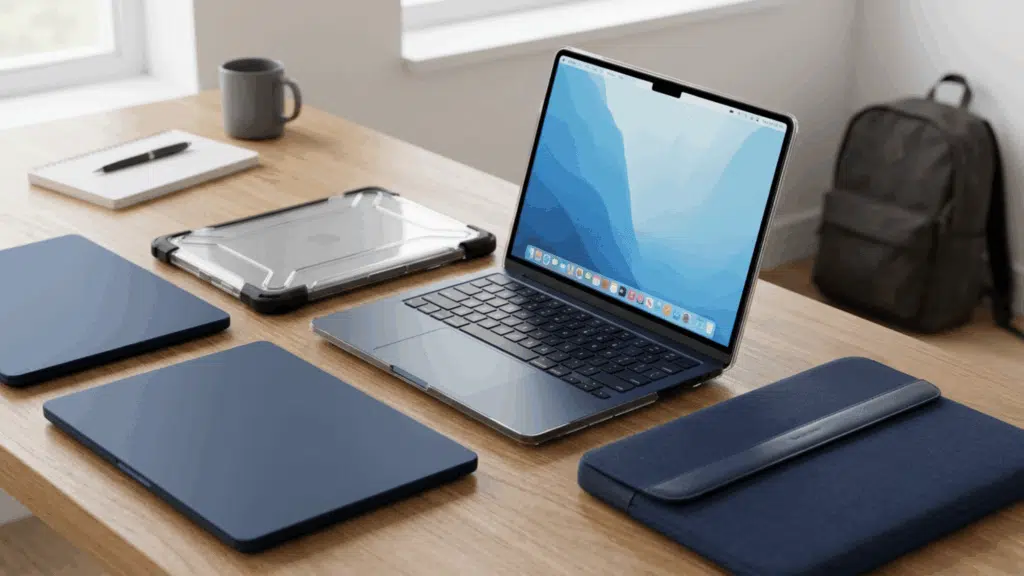
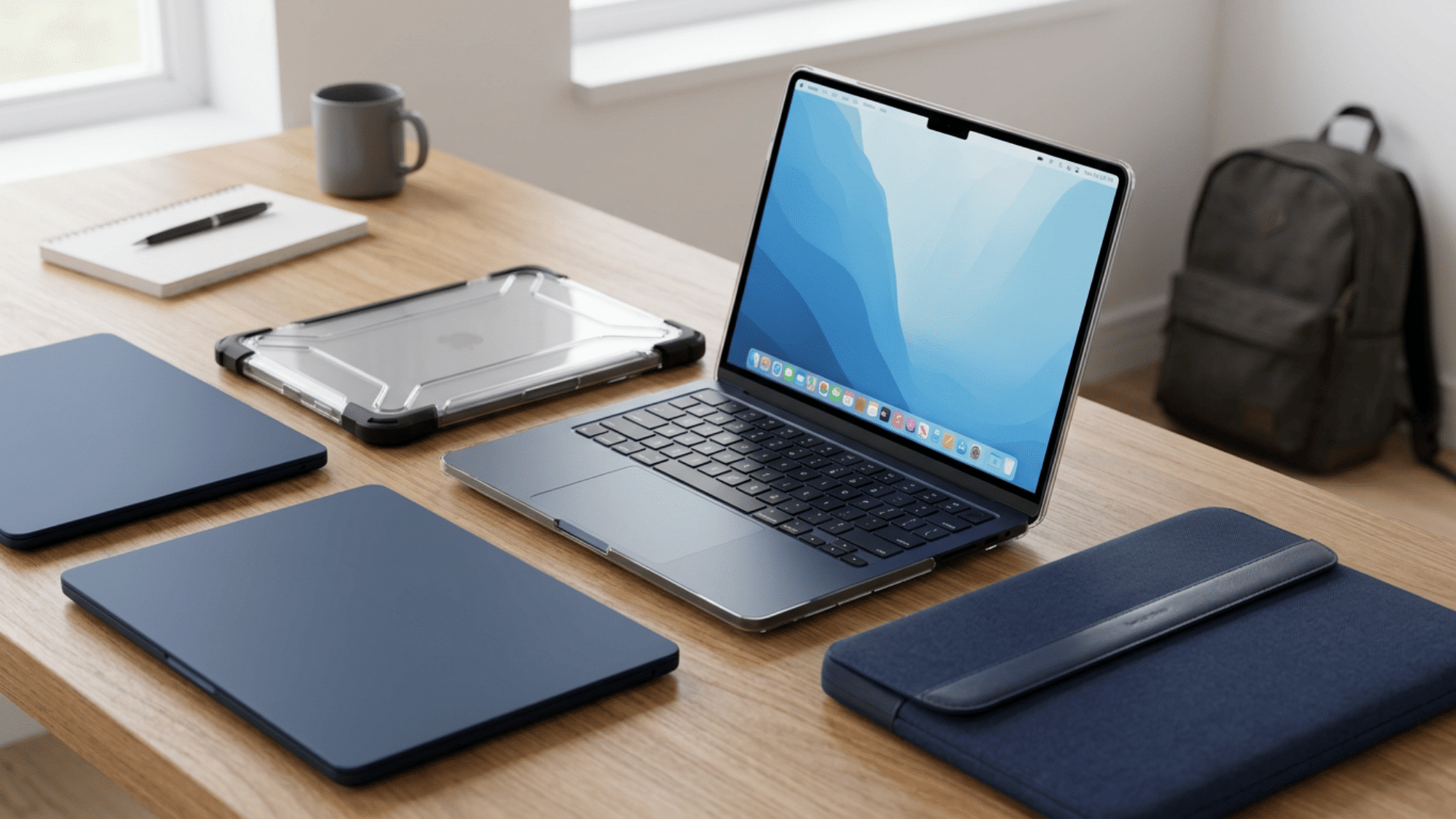
A well-fitted MacBook Air M2 case protects the outer shell without adding much bulk or blocking airflow.
Compare the best options below and choose a case that keeps your MacBook protected without changing how you use it every day.
Why Use Protective Covers?
Protective covers help keep your laptop safer during everyday use, not just when it is in a bag. Desks, cafe tables, chargers, keys, and backpack zippers can leave small scratches or dents over time.
A slim MacBook Air M2 case stays attached when the laptop is open, so the outer body is consistently protected throughout the day.
The same idea applies when choosing a MacBook Pro case, since both laptops need a proper fit without extra weight.
For travel, pair it with a padded sleeve. The case protects during work, while the sleeve adds extra cushioning when the laptop goes inside a crowded backpack or carry bag, too.
How To Verify Your Exact Model Before Buying
Buying the wrong size is the number-one reason MacBook cases are returned on Amazon. The M2 Air comes in two screen sizes, and cases are not interchangeable between them.
This is how to confirm your model in under 30 seconds:
- Click the Apple menu in the top-left corner of your screen.
- Select “About This Mac.”
- Look for the model identifier and match it to the list below.
| Model Number | Screen Size | Chip |
|---|---|---|
| A2681 | 13.6 inch | M2 |
| A2941 | 15.3 inch | M2 |
If you see A3113 or A3240, you have an M3 or M4 Air. Or if you see model numbers like A2442, A2779, A2918, A2991, or A3112, you’re looking at a MacBook Pro 14-inch or 16-inch model.
Several cases fit more than one generation because Apple kept the overall chassis size very similar, but you should still check the exact product listing to make sure you get the right fit.
Shell, Sleeve, or Rugged Cover?
Choose the right MacBook Air M2 protection based on how often you travel, where you work, and your daily risk level.
| Cover Type | Best For | What It Does | Main Limitation |
|---|---|---|---|
| Hard shell | Daily desk use, shared spaces, and light scratches | Stays attached while the laptop is open and protects the outer body during regular use | May trap dust if not removed and cleaned occasionally |
| Sleeve | Travel, commuting, and bag storage | Adds padding when the laptop is inside a backpack, tote, or carry bag | Does not protect the laptop while it is open |
| Rugged cover | Rougher daily carry, classrooms, job sites, and frequent travel | Adds stronger corner coverage, port access, and airflow-focused cutouts on select models | Adds more bulk than a slim hard shell |
Best Hard-Shell Cases for Everyday Protection
Hard shells are the most popular category for a reason. They snap on, stay put, and add almost no weight. Here are the top picks worth your money right now.
1. Speck SmartShell
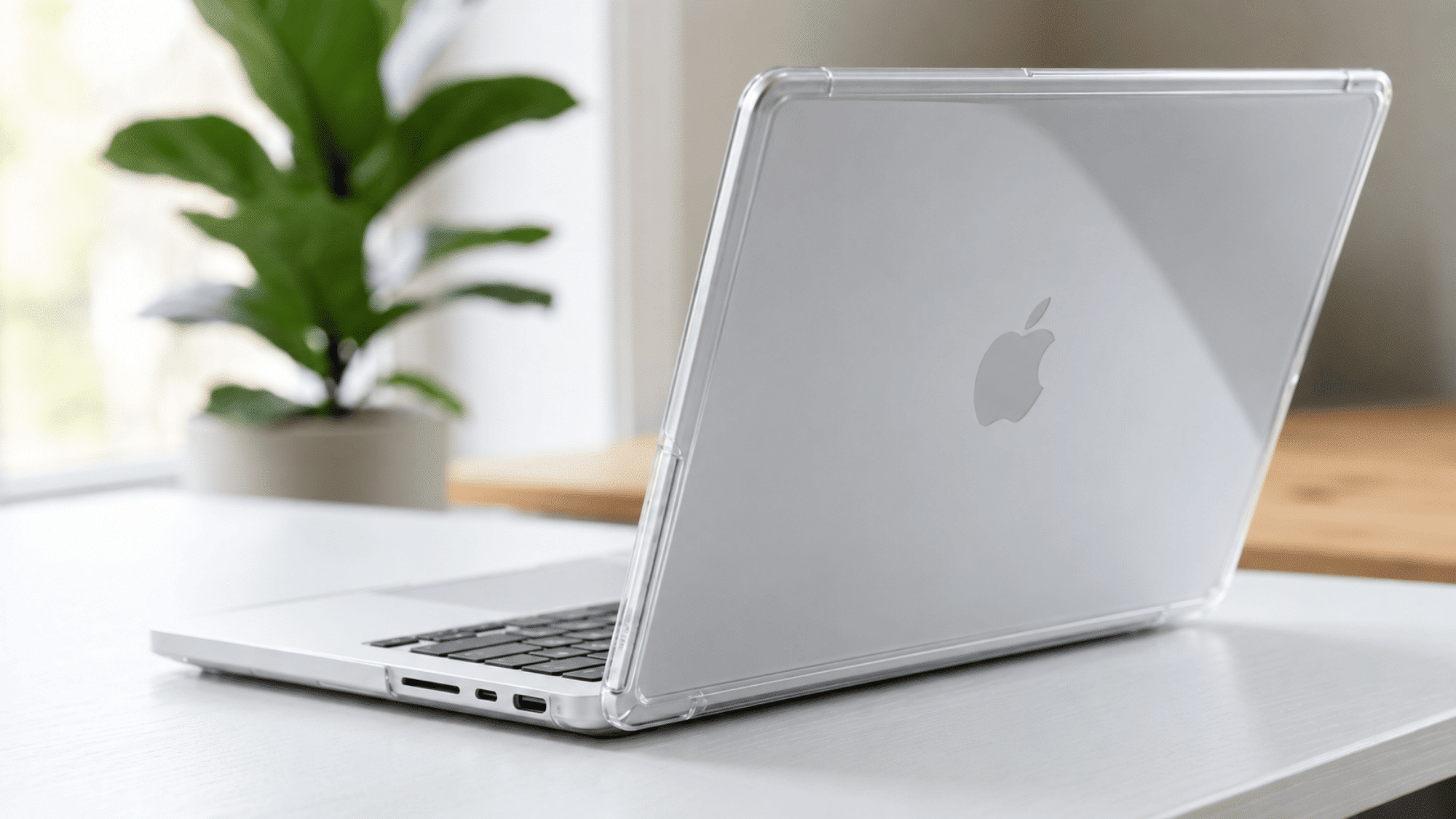
Speck has been making MacBook covers for over a decade. The SmartShell is slim at just 1.4mm, fully clear, and scratch-resistant on its own surface.
Rubber feet on the bottom keep the laptop slightly raised, which helps with heat dissipation during heavy workloads. All ports and vents stay fully accessible.
- Estimated Price: Around $50.
- Best for: People who want protection without hiding the laptop’s original color.
2. Soonjet Matte Hard Shell
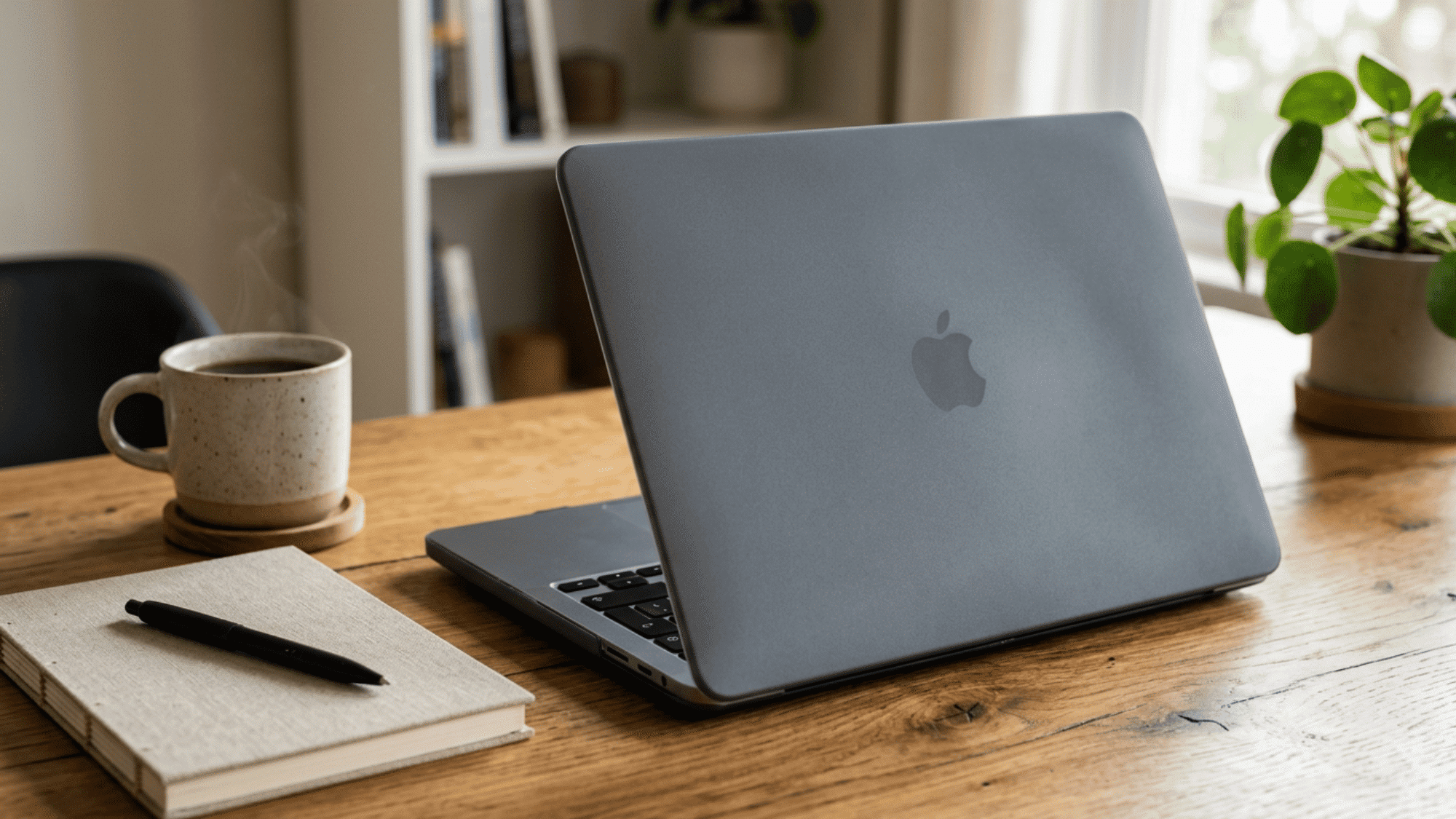
This is the budget pick that punches above its price. It comes in color-matched options that blend with the M2 Air’s finishes, snaps on without tools, and covers both the top and bottom panels.
The matte texture resists fingerprints better than glossy alternatives.
- Estimated Price: Around $25-$30.
- Best for: Budget-conscious buyers who still want a clean, minimal look.
3. Satechi Eco-Hardshell
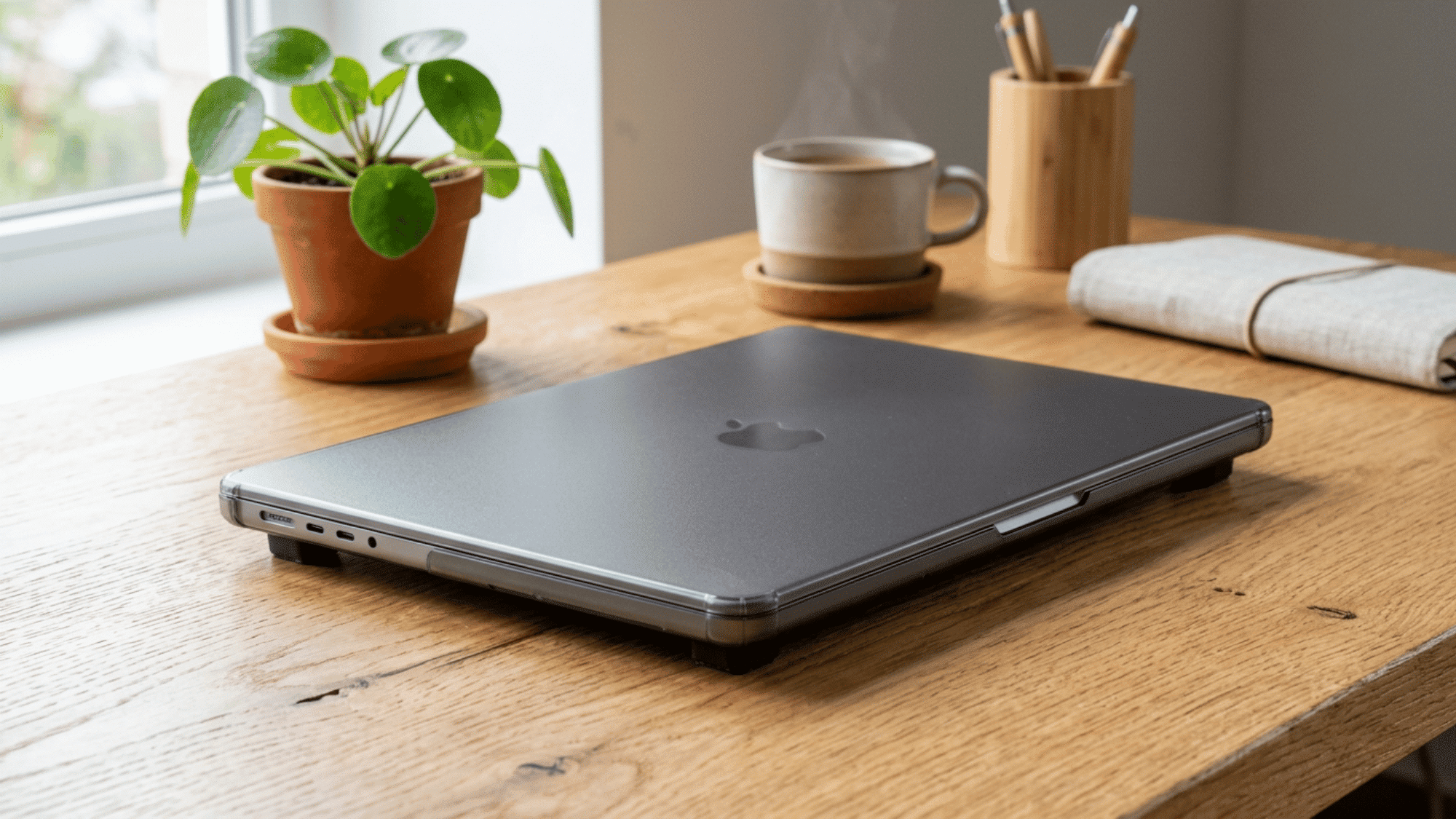
Satechi built this one from recycled polycarbonate, so it scores points for sustainability without sacrificing durability.
The anti-scratch coating holds up well after months of daily use, and the rubber feet are designed specifically to promote airflow underneath the chassis.
- Estimated Price: Around $45.
- Best for: Buyers who care about material sourcing and want a case from a well-known accessories brand.
4. TechProtectus Hard Shell with Keyboard Cover
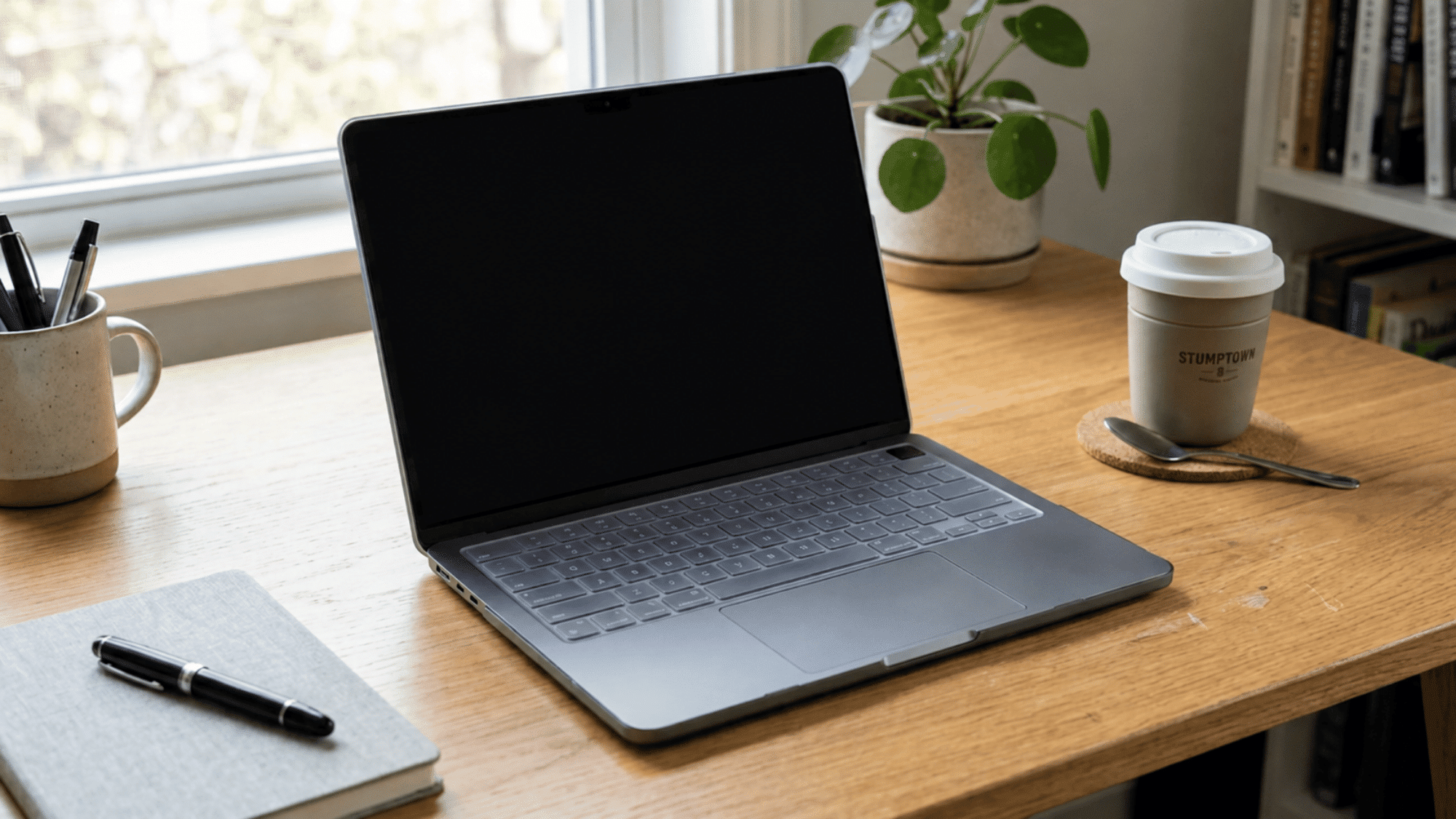
This bundle gives you a snap-on shell plus a silicone keyboard cover in one package. The keyboard cover adds spill protection for the area most at risk of liquid damage.
It is a practical two-in-one deal at a reasonable price.
- Estimated Price: Around $30-$35.
- Best for: Anyone who regularly eats or drinks near their laptop.
5. UAG Lucent Series
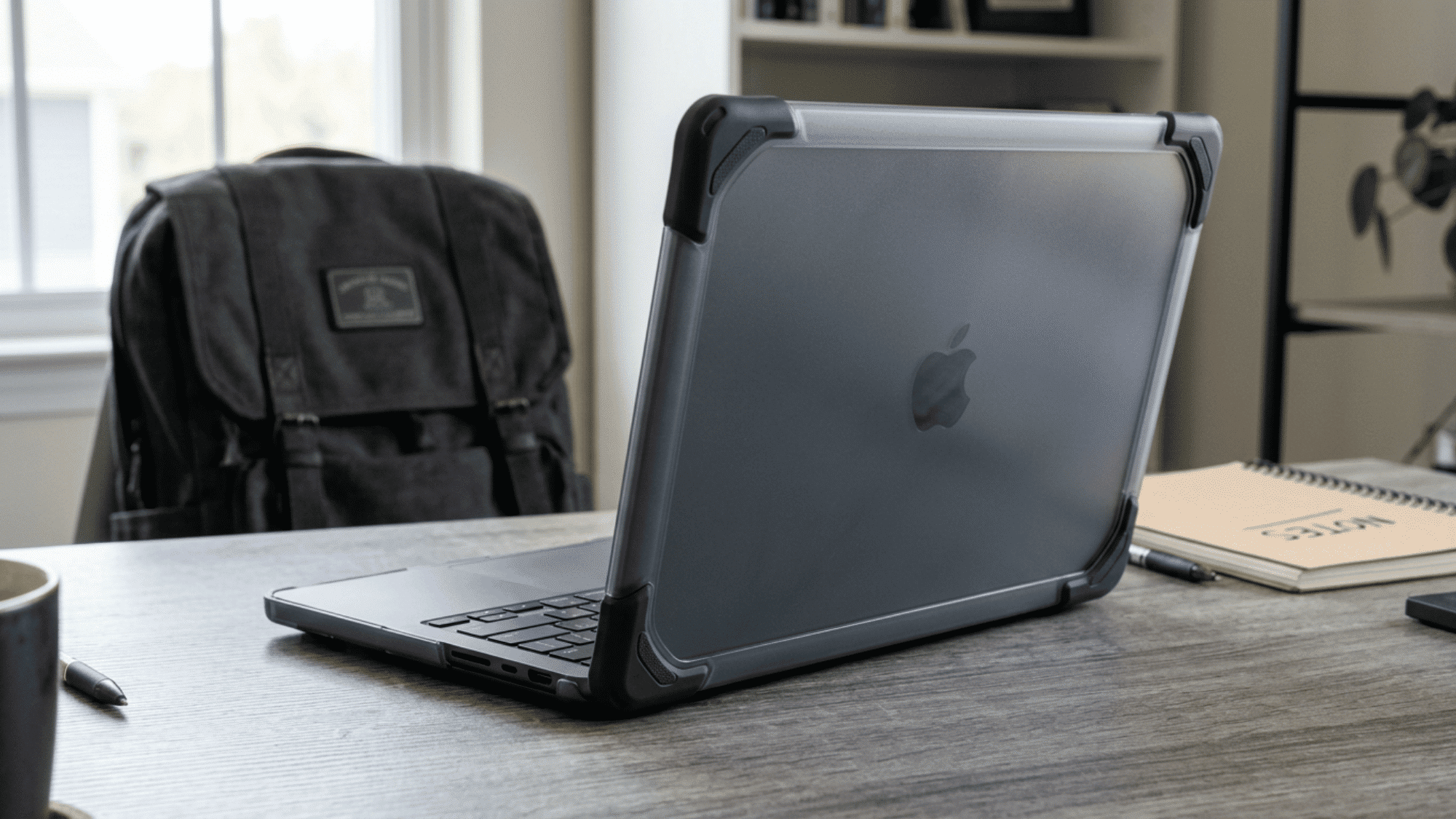
Urban Armor Gear is one of the most recognized names in rugged device protection. The Lucent uses co-molded construction with impact-resistant bumpers along the edges and hinge area.
Despite the added protection, it stays reasonably slim and does not block any ports or vents.
- Estimated Price: Around $55-$75.
- Best for: Students, field workers, and anyone whose laptop regularly gets tossed into bags or set down on rough surfaces.
6. BURGA Hard-Shell Cases
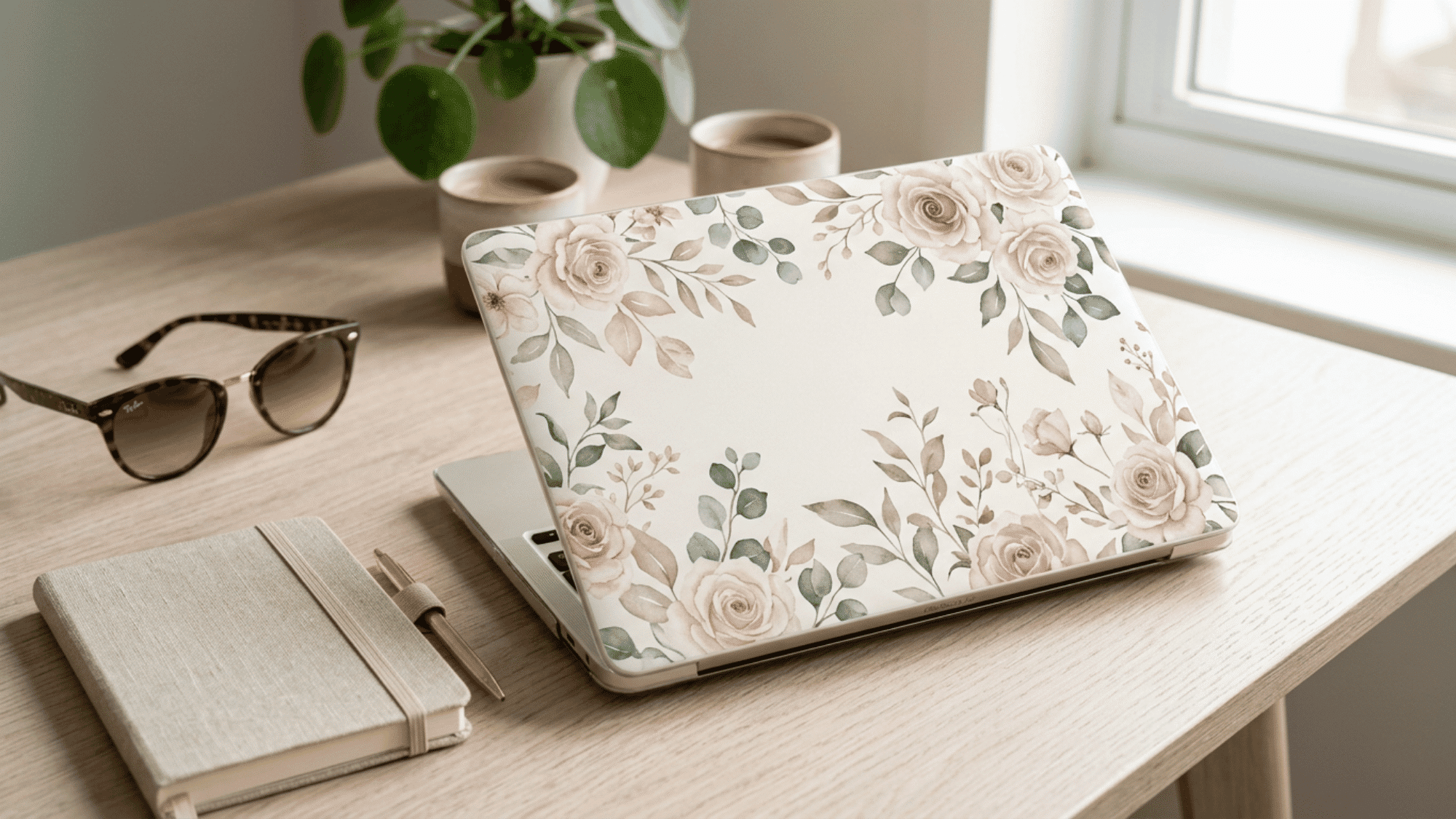
BURGA offers hundreds of printed designs ranging from marble and floral to abstract and minimalist patterns.
The cases are hard-shell construction with a slim profile, so you get visual flair without noticeable bulk. Build quality sits on par with mid-range competitors.
- Estimated Price: Around $40-$50.
- Best for: People who treat their laptop as an extension of personal style.
7. CASETiFY MacBook Cases
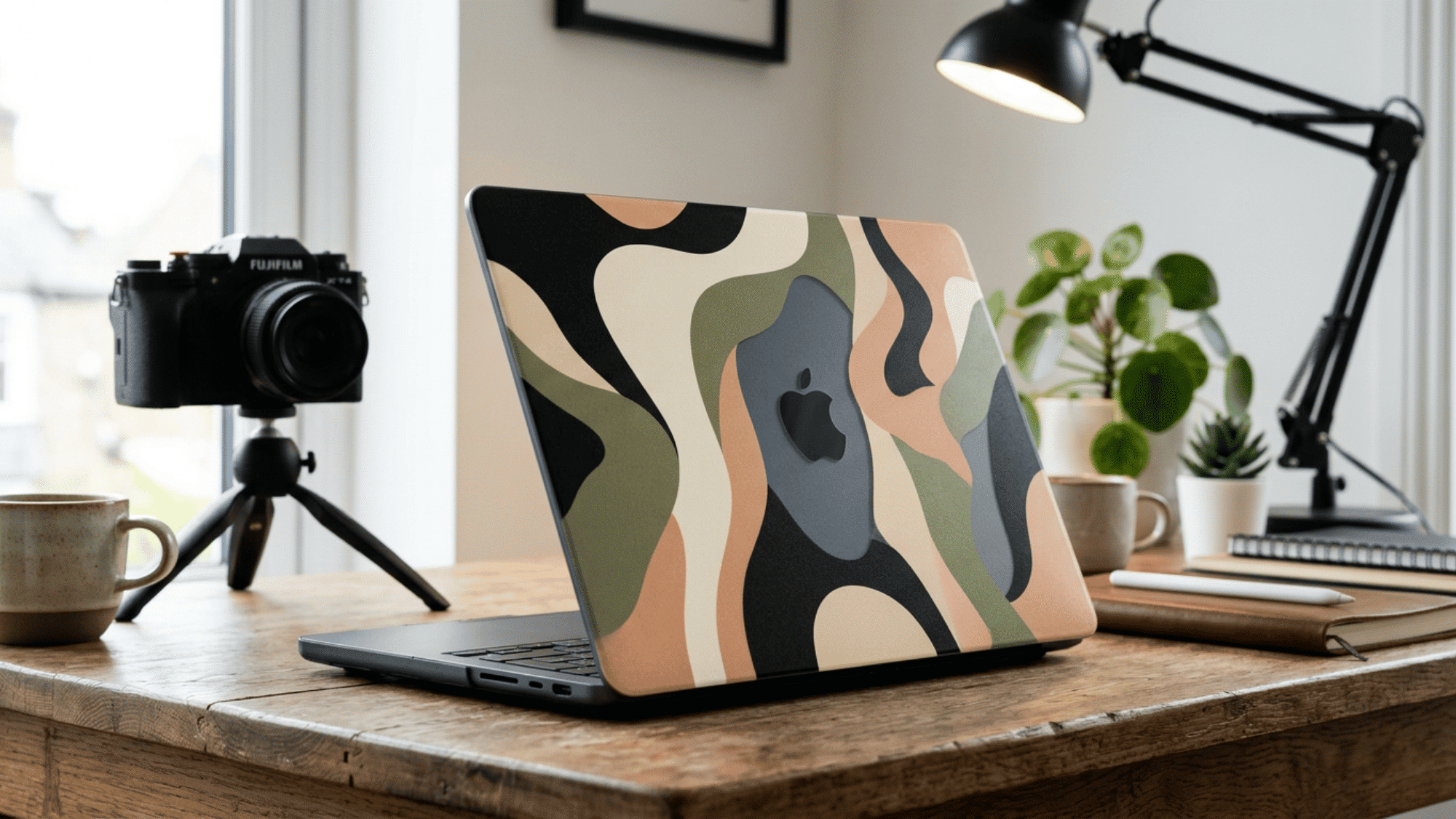
CASETiFY is known for phone cases, but its MacBook line uses the same approach: bold prints, collaborations with artists, and a 1.8mm-slim profile. They tend to cost more than BURGA, but the design variety and brand recognition are strong.
- Estimated Price: Around $65-$80.
- Best for: Design-conscious buyers willing to pay a premium for standout patterns and artist collabs.
What About Sleeves, Skins, and Leather Options?
Not everyone wants a snap-on shell. Here is a quick breakdown of the alternatives.
1. Sleeves
They add zero bulk to the laptop itself. They protect during transit and storage but offer nothing while the laptop is in use.
A good neoprene or padded sleeve runs between $20 and $40 and makes sense as a complement to a hard shell rather than a replacement.
2. Skins and wraps
They are ultra-thin vinyl layers that guard against scratches and minor scuffs. They add no thickness and no weight, but they will not help with drops at all.
Brands like dbrand offer precision-cut skins for the M2 Air starting around $15.
3. Leather cases and folios
They are usually rarer for MacBooks than for iPads, but a few brands like Harber London and Woolnut make premium leather sleeves that double as desk mats.
Prices start around $80 and go up from there. They look sharp in professional settings but sacrifice impact protection entirely.
What a Good Cover Should Have
A flashy listing photo is not enough to go on. Run through these five checks before you hit the buy button.
- Model Compatibility: Confirm the exact model number (A2681 for 13.6-inch, A2941 for 15.3-inch) before adding to cart.
- Port and Vent Access: Check product photos for cutout placement. Cases that block the MagSafe port or headphone jack will frustrate you daily.
- Ventilation Design: Rubber feet or raised ridges on the bottom panel help air circulate. Flat-bottom cases can trap heat during processor-heavy tasks.
- Snap Mechanism: Look for clip-on designs that attach without adhesive. Adhesive-backed cases can leave residue on the aluminum when removed.
- Weight Added: Most hard shells add between 200g and 350g. If portability is your top priority, lean toward cases on the lighter end.
Do MacBook Cases Cause Overheating or Hinge Damage?
This question comes up constantly, and the concern is valid but often overstated.
The M2 chip runs cooler than older Intel-based MacBooks, and Apple designed the Air without a fan, relying entirely on passive cooling through the aluminum body.
A well-designed case with rubber feet that lift the laptop slightly off flat surfaces actually helps airflow rather than hurting it.
Problems tend to arise with poorly made cases that sit flush against the bottom panel or use overly rigid clips that put pressure on the hinge over time.
The simple rule: if the case has raised feet and flexible snap clips, it is safe for long-term use. Avoid anything that requires force to attach or that sits tight against the exhaust areas near the hinge.
What to Avoid Before You Buy
A low-priced shell can still cost more if it scratches the laptop or blocks daily use. Avoid these to get the best product at the best price:
- Listings that only say “13-inch” without naming the Air M2 body.
- Covers made for M1 Air unless your model is clearly listed.
- Thick shells that make the lid feel stiff.
- Covers that block hubs, chargers, or adapters.
- Keyboard covers that press against the screen.
- Rough inner plastic.
- Loose snap-on panels.
- Bundles with accessories you will not use.
Wrapping Up
Your ideal MacBook Air M2 case depends on how and where you use your laptop. For everyday scratch protection, a slim hard shell like the Speck SmartShell or Soonjet Matte is a solid pick.
If drops are a concern, the UAG Lucent provides real impact protection without adding too much bulk.
For buyers who want their MacBook Pro or Air case or cover to reflect their personal style, BURGA and CASETiFY deliver. Pair your choice with a sleeve for travel days, and your M2 stays fresh for years.
Already using a case you love? Drop it in the comments so others can check it out.
Frequently Asked Questions
How Often Should a Shell Be Removed for Cleaning?
Remove it every few weeks and wipe both the laptop and inner shell with a dry microfiber cloth.
Can Stickers Go on The Outer Cover?
Most vinyl stickers work better on a removable outer shell than directly on aluminum. They are easier to change later, and the laptop finish stays cleaner if you remove the shell carefully.
Why Do Clear Covers Turn Cloudy?
A clear shell can pick up tint from dark bags, hand oils, or sunlight over time. TPU may yellow faster than hard polycarbonate, so store it away from heat and clean it often with mild soap.