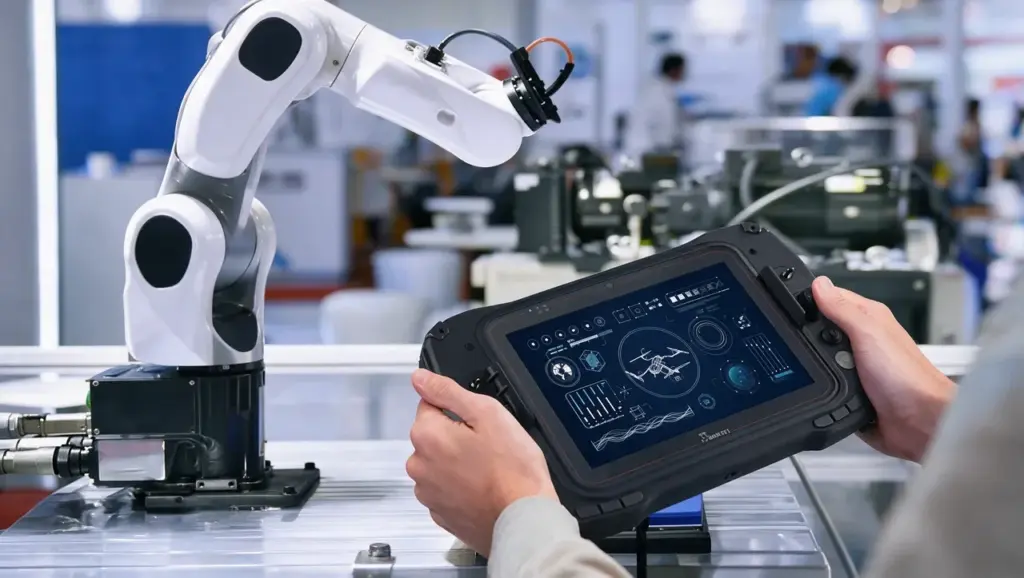
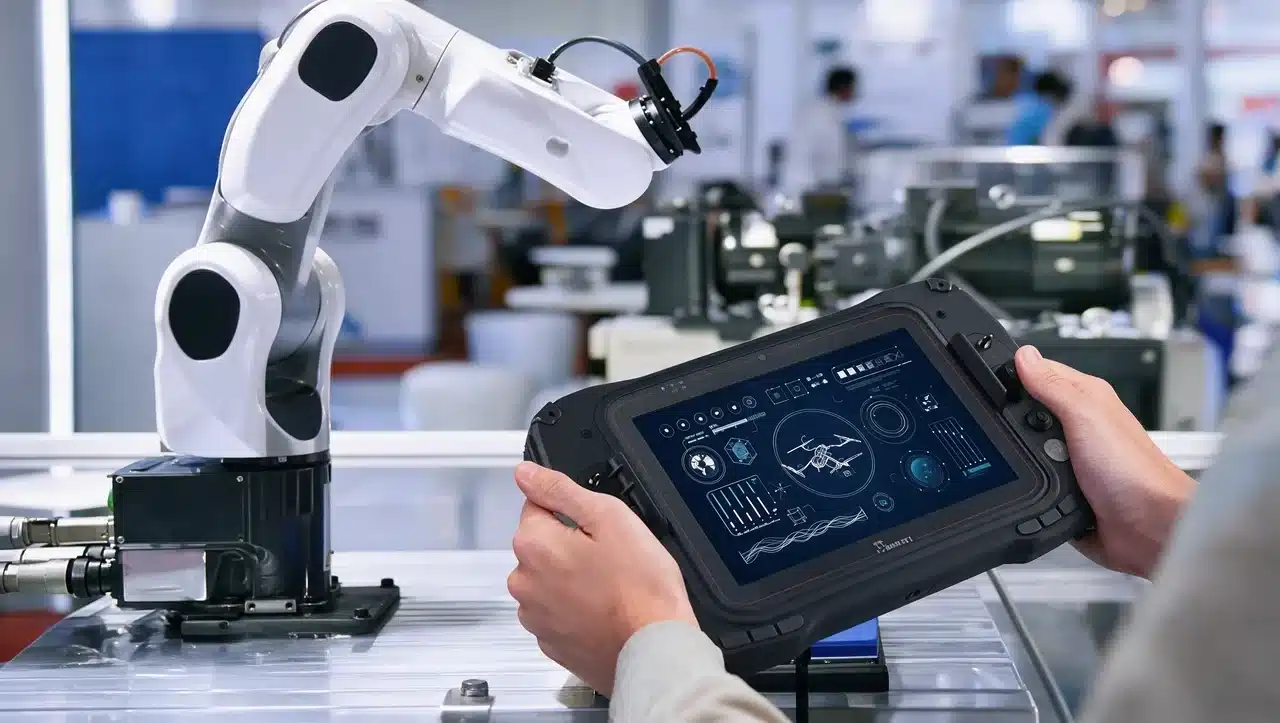



What is a robot controller? It’s the system that turns a planned movement into real motor commands, using sensor feedback to keep every joint on track.
It reads data from cameras, encoders, and other sensors, runs the math needed to plan each move, then sends signals to motors and actuators in real time.
Without it, motors and sensors would have no way to work together, and a robot arm would have no way to move safely or accurately.
You’ll see how it works, the main types used in industrial settings, and how manufacturers like ABB, FANUC, KUKA, and Yaskawa design controllers for their robots, plus how to pick the right one for your own setup.
What is a Robot Controller?
A robot controller is the central system that manages how a robot moves, senses its environment, and reacts in real time.
It reads sensor input, calculates the angles and speeds each joint needs, then sends signals to motors and actuators to create movement.
This happens continuously, often many times per second, so the robot can adjust to small changes in its surroundings instead of blindly following a fixed path.
Think of it as the part of a robot that turns a plan into action. Without one, an arm’s motors and sensors would have no way to coordinate into safe, useful movement. Industrial controllers also follow certified safety standards to keep operators protected on the factory floor.
The exact way a controller operates also depends on the type of industrial robot it is managing, since different robot designs have different motion, payload, and application requirements.
How a Robot Controller Works
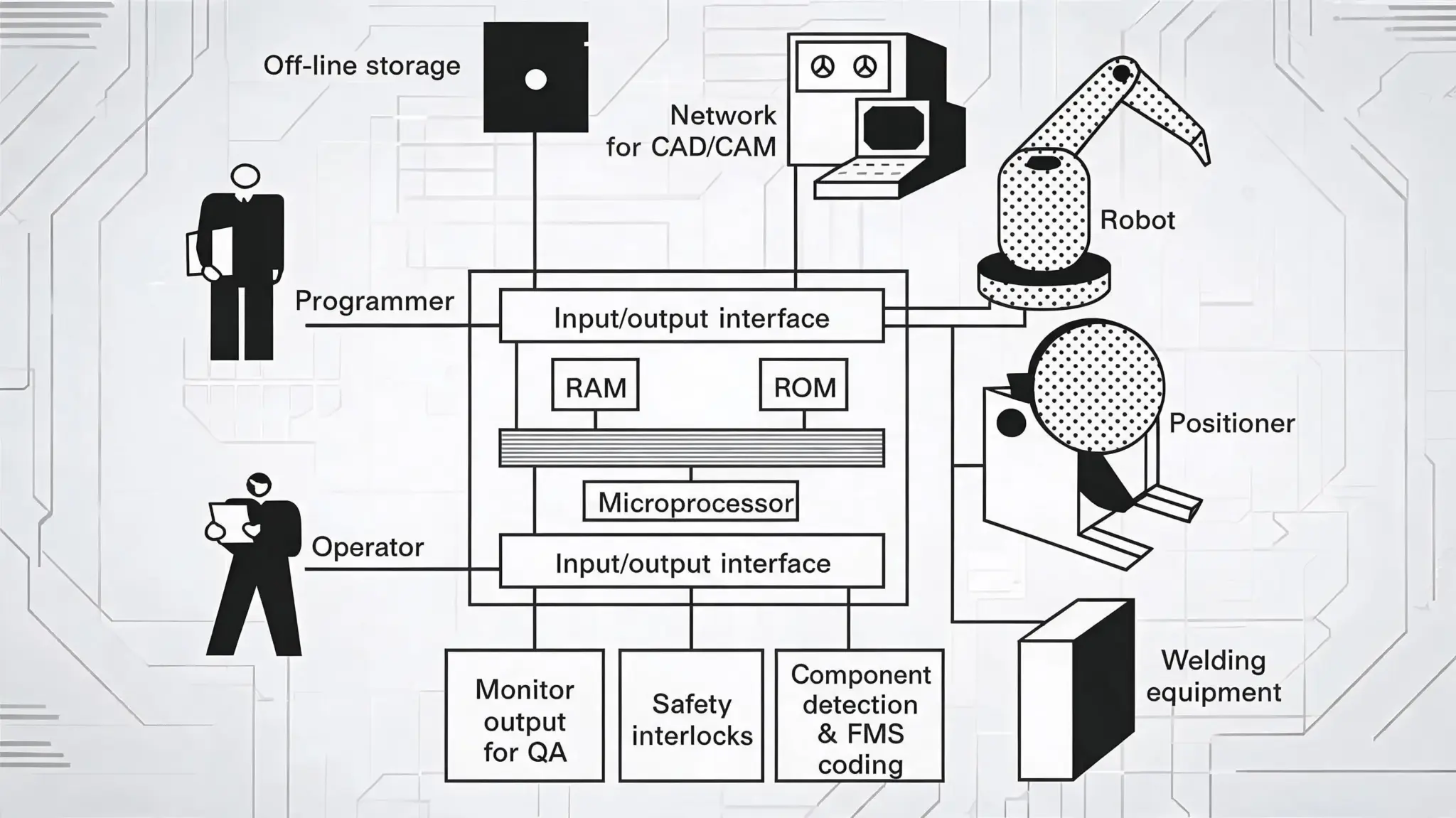
A robot controller handles several jobs at once, often within milliseconds of each other. The sections below break down each function, from turning code into motion to keeping the robot within safe limits.
1. Processing
The controller converts code and logic into physical instructions. It runs the trajectory math that turns a target position, like moving a gripper to a specific point, into the exact joint angles and speeds needed to get there.
This calculation happens for every joint at once, not one at a time, so a six-axis arm can move all six joints in a single coordinated motion instead of shifting one after another.
This same process powers robotics in manufacturing, allowing automated systems to perform repetitive production tasks with consistent speed and accuracy.
2. Sensor Feedback
It reads data from encoders, cameras, lidar, and touch sensors to track the robot’s actual position and surroundings. This feedback is compared against the target position using PID (Proportional-Integral-Derivative) control, which corrects any gap in real time.
Without this constant comparison, small errors from things like gear backlash or a shifted workpiece would build up unnoticed until the robot missed its mark entirely.
3. Motion Control
The controller directs speed and path for every motor and joint, adjusting output continuously so movement stays smooth instead of jerky or delayed.
It also manages acceleration and deceleration at the start and end of each move, since a sudden change in speed can strain the mechanical joints or shake a delicate payload right out of the gripper.
4. Safety
This layer manages emergency stops, collision prevention, and compliance with safety standards. Emergency stops halt motion instantly when triggered, while collision avoidance keeps the robot from contacting nearby people or equipment.
Industrial systems back this up with certified compliance, following ISO 10218 and ISO/TS 15066 for collaborative setups, and many controllers also log every safety event so technicians can review what triggered a stop after the fact.
5. Controller Architecture
Most controllers aren’t one piece of hardware. They’re a stack: high-level controllers (an industrial PC or board like Raspberry Pi, running Linux or ROS) handle mapping and path planning, low-level controllers (STM32, Arduino, ESP32) convert those commands into motor instructions, and motor drivers supply the actual power to the motors.
Each layer runs at a different speed, with the low-level hardware often updating thousands of times per second while the high-level planner works on a slower, second-by-second timescale.
Tip: Never bypass a controller’s built-in safety limits to save time on a cycle. Even a small drop in stopping distance can turn a near-miss into a real injury. |
Together, these functions and layers work in a constant loop, turning a single command into safe, coordinated motion across every joint, sensor, and motor in the system.
Main Components Inside a Robot Controller
Beyond the software layers above, a physical controller cabinet houses several hardware components working together. Opening one up reveals purpose-built boards and circuits rather than a single generic computer, and each piece has a specific job to keep the robot moving safely and on schedule.
| Component | Function |
|---|---|
| CPU | Runs the core motion algorithms and communicates with the rest of the factory network |
| Motion control board | Dedicated hardware that calculates trajectories and coordinates multiple axes in real time |
| Servo amplifiers | Convert control signals into the power needed to drive each joint’s servo motor |
| Safety circuits | Independent, certified circuits that handle emergency stops and safety-rated monitoring, separate from the main control logic |
| Communication modules | Handle industrial network protocols like EtherCAT, DeviceNet, or Profinet, plus the link to the teach pendant |
| Memory and storage | Store the robot’s program, calibration data, and system logs, even through a power cycle |
Together, these components are what separate an industrial-grade controller from a general-purpose computer running similar software. Knowing what’s inside also helps when troubleshooting on the floor, since a fault often traces back to one specific board rather than the system as a whole.
Types of Industrial Robot Controllers
Choosing the right category comes down to payload, space, and how closely people work alongside the robot. Getting this choice wrong early on usually means retrofitting a controller later, which costs more time and money than planning for it upfront.
Standard Cabinet Controllers
Full-size units built for large arms and big payloads on production lines. They offer the most processing power and I/O expansion of any category, which makes them the default choice for heavy welding, assembly, and material-handling cells, but that capability comes at the cost of the largest floor footprint.
Compact or Mate Controllers
Scaled-down versions of the same core technology, designed for smaller robots or tight installation spaces. They trade some expansion room and I/O headroom for a smaller footprint, without giving up core motion control performance or path accuracy.
Cobot-Specific Controllers
Add extra safety layers, like force sensing and speed and separation monitoring, so a robot can work directly alongside people without a safety cage, in line with ISO/TS 15066. These controllers prioritize certified safety functions over raw processing power.
Multi-Robot and Cell Controllers
Built to coordinate several robots or an entire automated cell at once, syncing motion, timing, and safety logic across multiple arms rather than just one, which is essential once a line moves beyond a single robot.
Picking between these categories early on saves rework later, since a controller sized for one robot rarely scales cleanly to a multi-arm cell. Matching the category to the actual production line, not just the robot in front of you, keeps the whole system easier to expand down the road.
Top Industrial Controller Brands Compared
Comparing major PLC controller lines helps reveal the differences in programming, applications, software, and support ecosystems.
| Manufacturer | Controller Line | Programming Language | Key Capability | Common Applications |
|---|---|---|---|---|
| ABB | OmniCore | RAPID (FlexPendant) | High-speed motion control with AI and sensor integration | Welding, assembly, handling |
| FANUC | R-30iB Plus | KAREL / TP (iPendant) | Vision-guided handling and energy-efficient operation | Automotive, manufacturing, heavy-duty handling |
| KUKA | KR C5 | KRL (smartPAD) | Compact cabinet with cloud-ready Industry 4.0 connectivity | Flexible automation |
| Yaskawa (Motoman) | YRC1000 | INFORM (Programming/Smart Pendant) | Multi-axis coordination with fast, precise path accuracy | Welding and material handling |
Older generations, like ABB’s IRC5 or FANUC’s R-30iA, still run in many factories today, so matching a controller to a specific robot model matters as much as its specs. Checking compatibility with your existing fleet before upgrading can save a costly mismatch down the line.
How Controllers Connect to a Robotic System
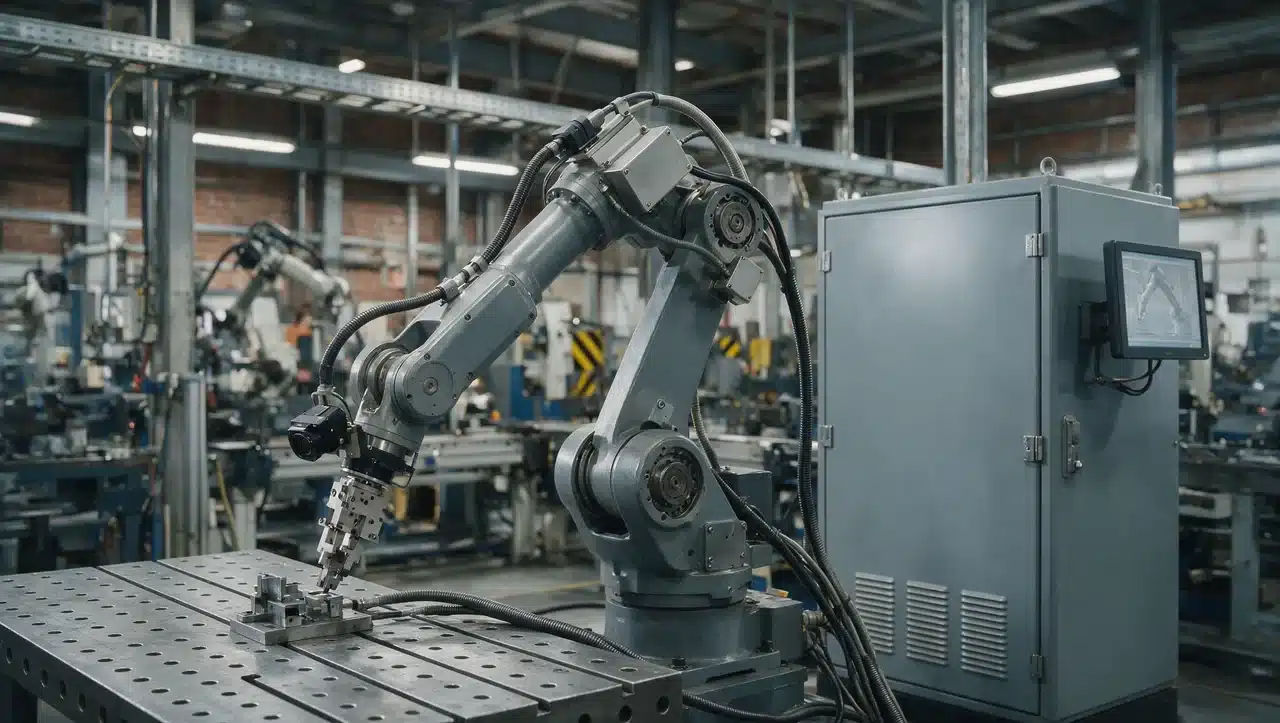
A robot controller rarely works alone. It sits in the middle of a larger system, passing data between sensors, hardware, and the factory floor around it.
- Sensor integration: The high-level controller links to sensors like cameras, LiDAR, and force sensors to build a picture of the workspace.
- Network communication: It communicates over industrial networks such as EtherCAT, DeviceNet, or Profinet, and shares data with a factory system like a PLC, SCADA, or MES for scheduling, quality checks, and production monitoring.
- Data exposure: Many newer controllers also expose this data through OPC UA, making it easier to pull real-time status into a dashboard or digital twin.
- Hardware matching: The low-level controller and motor drivers must match the robot’s motors, encoders, and voltage requirements exactly. A mismatch here, like pairing an underpowered driver with a heavy-duty motor, is one of the most common reasons a robot underperforms, overheats, or trips a fault.
- Cabling and grounding: Poor shielding on encoder or communication lines can introduce noise that shows up as random jitter or position drift, even when every component is rated correctly.
Getting each of these links right, from sensors down to cabling, is what lets a controller run reliably on the factory floor instead of causing hard-to-diagnose faults later.
Robot Controller vs PLC: What’s the Difference?
The two are easy to confuse since both often sit in the same control cabinet and both run industrial-grade hardware, but they handle fundamentally different jobs on the line. Understanding the split helps when troubleshooting a cell or deciding which system should own a given task.
| Aspect | Robot Controller | PLC |
|---|---|---|
| Main job | Controls robotic motion | Controls machine logic |
| Core task | Handles path and trajectory planning | Handles sequencing and timing |
| What it manages | Joints, coordinates, and end-effector position | Sensors, relays, and other machines on the line |
| Programming language | Brand-specific, like RAPID, KAREL, KRL, or INFORM | Ladder logic or structured text (IEC 61131-3) |
| Response speed | Real-time motion updates, often thousands of times per second | Fixed scan cycle, typically millisecond-level |
In practice, the two usually work side by side: a PLC sequences the overall production line, while the robot controller handles everything specific to moving the arm itself.
Most integrators wire the two together over a network like EtherCAT or Profinet, letting the PLC trigger robot programs and read back status without duplicating any of the motion-planning work.
Common Industrial Robot Applications
The type of controller a facility needs often traces back to the application it’s running:
- Welding: Precise, repeatable path control, often with coordinated multi-robot motion.
- Material handling and palletizing: Prioritizes cycle time and payload capacity over fine path accuracy.
- Assembly: Benefits from vision integration and tight tolerances.
- Painting and dispensing: Needs smooth, continuous path control for even coating.
- Machine tending: Often pairs a cobot-specific controller with a nearby human operator.
Matching the controller category to the application is usually what determines whether a cell hits its target cycle time and quality standard from day one.
How to Choose a Robot Controller
Once you know what a robot controller does, picking one comes down to a few practical, buyer-focused factors.
- Payload, space, and cycle time: A heavy-payload welding or assembly arm needs a full standard cabinet, while a smaller robot in a tight cell may only need a compact version. Match the controller’s processing power and path accuracy to the cycle time the application actually needs.
- Safety needs: If people work directly beside the robot, a cobot-specific controller with certified force sensing isn’t optional.
- Programming and software ecosystem: Beyond the core language (RAPID, KAREL, KRL, or INFORM), check what teach pendant, offline programming, simulation, and digital twin tools are available, since these affect how fast your team gets a cell running. A teach pendant is the handheld device operators use to jog the robot and record positions, so its layout and learning curve directly affect day-to-day programming speed.
- Fleet compatibility and budget: A controller that matches your existing robot brand avoids running two separate programming languages and spare-parts systems, and weighing that against the cost of retrofitting versus replacing helps avoid hidden expenses.
- Long-term support and expansion: Manufacturer service, spare parts, and software updates matter once the controller is running production, and spare I/O or multi-robot support pays off if the cell grows later.
Weighing these factors together, rather than picking on price alone, is what keeps a controller matched to the robot and the job for years, not just the first install.
The Bottom Line on Robot Controllers
Every layer covered here, from processing and sensor feedback to safety and hardware architecture, has to work together for a robot to move safely and precisely.
Skip or mismatch any one of them, from an underpowered motor driver to a missing safety certification, and the whole system underperforms or stops running altogether.
Brands like ABB, FANUC, KUKA, and Yaskawa each take a different approach, from programming language to cabinet design.
None of these brands is a universal best fit; the best choice depends on application requirements, existing equipment, and future expansion plans.
Frequently Asked Questions
What Factors Affect the Cost of an Industrial Robot Controller?
The cost depends on the robot brand, controller model, processing capability, safety features, communication options, and whether it is a new installation or a replacement unit.
Can One Robot Controller Operate Multiple Robots?
Yes, some industrial controllers can coordinate multiple robots or automation cells, allowing manufacturers to synchronize motion, timing, and safety functions across several machines.
How Long Does an Industrial Robot Controller Last?
Most industrial robot controllers can operate for many years with proper maintenance. Lifespan depends on usage hours, environmental conditions, firmware support, and availability of replacement parts.
What are the First Steps to Troubleshoot a Robot Controller Fault?
Start by reading the fault code on the teach pendant or HMI, then check cabling, sensor readings, and safety circuit status before assuming the controller itself needs replacing.
What Programming Languages are Used for Industrial Robot Controllers?
Industrial robot controllers use manufacturer-specific languages such as ABB RAPID, FANUC KAREL, KUKA KRL, and Yaskawa INFORM. These languages control robot movements, tasks, and automation processes.