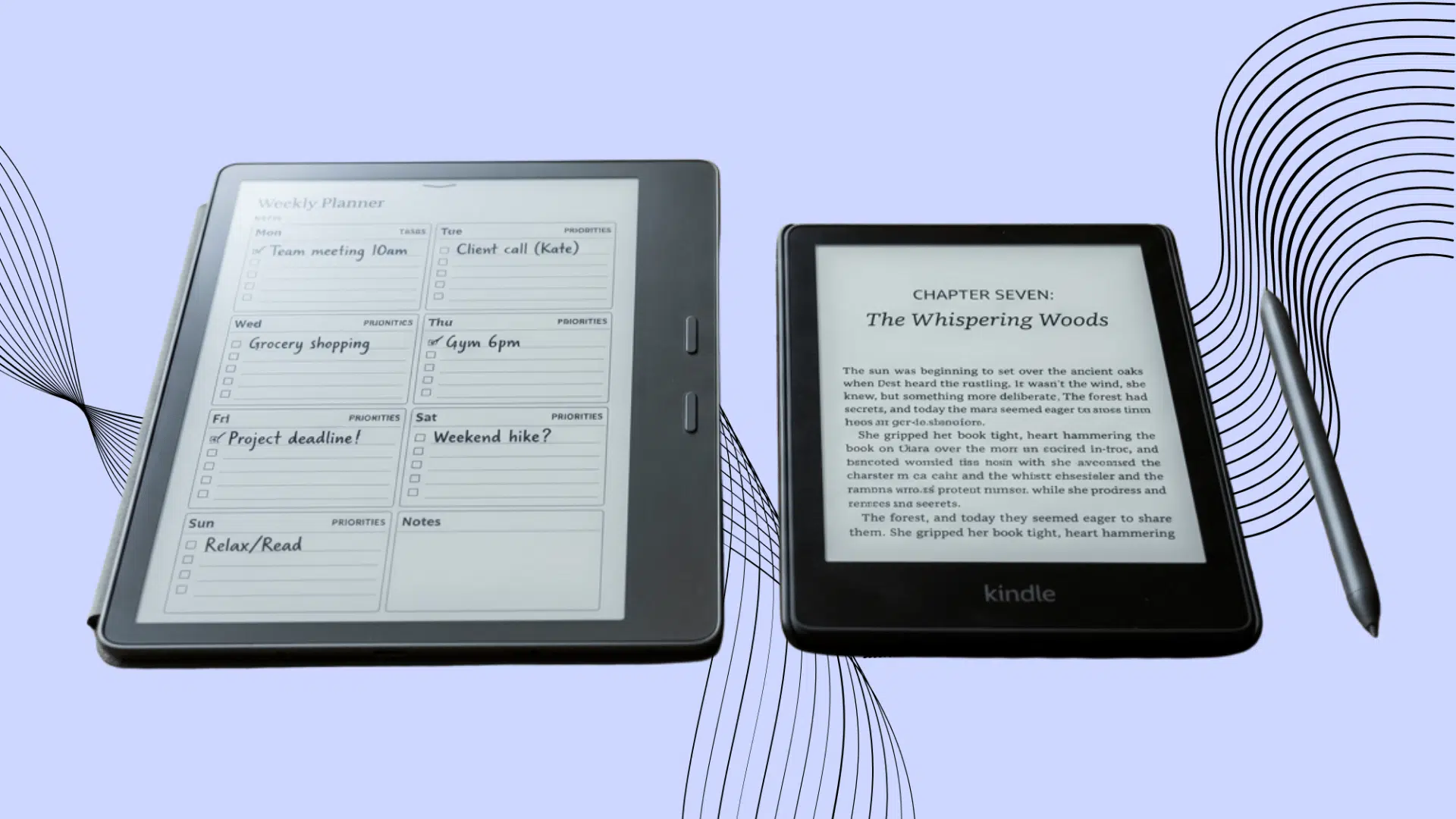



Reading feels better on a large, paper-like screen, while handwritten notes can help ideas stick. The problem is that not every digital paper tablet handles both tasks equally well.
When comparing Kindle Scribe and reMarkable, one device often leans toward books and everyday reading, while the other focuses more on focused writing and note organization.
Both have strong displays, stylus support, and distraction-free software, but their strengths suit different users.
Keep reading to compare their features, writing feel, reading tools, battery life, and overall value before choosing the right device.
What is a Kindle Scribe?
The Kindle Scribe is a large e-reader and digital notebook made by Amazon. It lets you read Kindle books, take notes, review documents, and mark up PDF files on a single paper-like screen.
Current Kindle Scribe models include updated monochrome and Colorsoft versions, with illuminated models offering an adjustable screen light for reading and writing in dim rooms.
Its Premium Pen does not require charging, so you can start writing at any time. You can create notebooks, choose page templates, search handwritten notes, and turn handwriting into typed text.
Kindle Scribe models released in 2025 or later can import compatible files directly from Google Drive and Microsoft OneDrive.
This makes it useful for readers, students, writers, and professionals who want fewer distractions.
What is reMarkable?
reMarkable is a digital paper tablet made for writing, planning, reading documents, and keeping notes organized.
Its textured screen creates light friction with the pen, making handwriting feel closer to that of a real notebook.
You can create folders, choose page templates, sketch ideas, mark up PDF files, and move or resize written content.
Current models include the monochrome Paper Pure, the larger color Paper Pro, and the more compact Paper Pro Move.
Unlike an iPad, reMarkable avoids games, social media, and distracting alerts. It suits students, writers, artists, and professionals who mainly want a calm space for focused work each day.
Kindle Scribe vs reMarkable: Key Differences

The Kindle Scribe and reMarkable may look similar, but they are built around different daily needs. One is stronger for books, while the other focuses more on handwriting and document work.
Reading and E-Book Access
The Kindle Scribe is the stronger choice for regular readers. It connects directly to Amazon’s Kindle Store, giving users easy access to e-books, samples, highlights, bookmarks, and reading settings.
reMarkable can open imported documents and PDF files, but it does not offer the same large built-in bookstore.
This makes the Scribe better for novels and long reading sessions, while reMarkable works well for reports, study papers, and personal files.
Note: Readers comparing other color e-readers may also want to see how the Kobo Libra Colour performs for books, annotations, and everyday reading.
Writing and Note-Taking Feel
reMarkable places more attention on handwriting. Its textured display adds gentle friction, helping the pen feel closer to a pencil as it moves across paper.
Users also get several writing tools, page templates, and editing controls, while Paper Pro and Paper Pro Move add color for notes and annotations.
The Kindle Scribe still offers a smooth and responsive writing experience, along with notebook search, smart shapes, handwriting conversion, and AI tools.
reMarkable suits serious note-takers, while the Scribe feels more balanced for reading and writing.
Display and Lighting
Current Kindle Scribe models vary by display type and lighting, with illuminated versions offering adjustable screen lighting for reading and writing in dim rooms.
The reMarkable Paper Pro has an 11.8-inch color display and an adjustable reading light.
The Scribe offers a sharper book-reading experience, while the Paper Pro gives users more room and useful color for notes and PDF markings.
PDF and Document Work
Both devices allow users to read and mark up PDF files, but their tools serve slightly different users.
Kindle Scribe supports direct writing on PDFs and lets users add notes to Microsoft Word documents with Active Canvas. reMarkable offers a more notebook-like workspace for reviewing, highlighting, moving content, and organizing files.
reMarkable supports integrations with services such as Google Drive, Dropbox, and Microsoft OneDrive to transfer supported files. Users who regularly move documents between devices may also find it useful to know how to insert a PDF into a Google Doc for editing or reference.
Subscription Requirements
Kindle Scribe does not require a separate subscription for its core reading, writing, and notebook features. reMarkable offers basic note-taking and PDF annotation without a subscription.
Its Connect service costs $3.99 per month or $39.90 per year unlocks unlimited cloud storage, mobile and desktop app syncing, handwriting search, and advanced sharing tools.
Without Connect, reMarkable limits cloud sync to files opened within 50 days and excludes app access. Users buying before October 2021 retain lifetime free Connect access.
Software and General Use
Neither device works like a regular tablet filled with games, videos, or social media apps. Both are made to reduce distractions and help users focus.
Kindle Scribe keeps books, notebooks, and documents within Amazon’s reading system. reMarkable focuses more on folders, handwritten pages, cloud syncing, and access from a phone or computer.
The Scribe feels easier for casual everyday use, while reMarkable fits people who want a more organized digital workspace. If you want a device that does more than focused reading and writing, comparing a MacBook vs iPad can help you decide which setup fits better.
Kindle Scribe vs reMarkable: Which Device Does What Better?
Both tablets offer distraction-free reading and writing, but they perform differently across key areas. This table makes their main strengths and limits easier to compare.
| Area | Kindle Scribe | reMarkable |
|---|---|---|
| Reading | Excellent for Kindle books, highlights, bookmarks, and long reading sessions | Better for imported PDFs and documents than regular e-book reading |
| Note-Taking | Good for basic notes, journals, lists, and handwriting conversion | Stronger for detailed notes, planning, editing, and page organization |
| Writing Feel | Smooth and responsive, but slightly more screen-like | More natural paper-like texture with gentle pen resistance |
| Display | Sharp black-and-white screen with a built-in front light | Larger writing space on some models, with color available on Paper Pro |
| Value | Better for users who want reading and writing in one device | Better for users who mainly need a digital notebook and document tool |
Kindle Scribe vs reMarkable for Different Users

The better device depends on whether reading, writing, studying, or document work matters most. Each tablet suits a different daily routine.
- For Regular Readers: Kindle Scribe is the better fit because it offers direct access to the Kindle Store, reading tools, bookmarks, highlights, and a built-in front light.
- For Serious Note-Takers: reMarkable suits users who write often, plan projects, sketch ideas, and want a more natural paper-like writing feel.
- For Students: Kindle Scribe works well for textbooks and reading, while reMarkable is stronger for lecture notes, PDF review, and organized study pages.
- For Professionals: reMarkable is ideal for meetings, reports, planning, and document review, while Kindle Scribe suits professionals who also read many books and articles.
- For Casual Users: Kindle Scribe offers a more balanced mix of reading and writing, making it easier for those who want a single device.
Conclusion
A paper-like screen can change how you read, plan, and capture ideas without constant alerts pulling your attention away.
The Kindle Scribe vs reMarkable choice comes down to what deserves the biggest place in your routine.
Kindle Scribe fits readers who also want useful writing tools, while reMarkable suits people who treat handwritten notes as serious daily work.
Choose the device that reduces friction rather than adding features you may never use. Share your preferred tablet in the comments and tell other readers which feature shaped your decision.
Frequently Asked Questions
Can Kindle Scribe and reMarkable Work Offline?
Yes. Both devices allow offline reading and writing, though internet access is needed for syncing, downloads, updates, and cloud transfers.
Do Their Stylus Pens Need Charging?
Kindle Scribe’s Premium Pen does not need to be charged; it works without a battery. However, reMarkable’s Marker Plus and Pro Marker pens use rechargeable batteries and must be magnetically attached to the tablet to charge.
Can You Print Notes from These Devices?
Yes. Notes can be exported as PDF or image files, then printed from a connected phone, tablet, or computer.