


Buying a new TV, monitor, or smartphone can feel confusing when brands use terms like OLED, LED, QLED, and Mini LED.
Although these technologies may sound similar, they create images differently and affect brightness, contrast, and picture quality in their own ways.
If you are searching for what OLED means, it refers to a display technology where each pixel produces its own light instead of depending on a separate backlight. This design changes how OLED screens handle brightness, darkness, and image detail.
Understanding how OLED screens work, along with their benefits and limitations, can help you decide if an OLED display is the right choice for your viewing needs.
What Does OLED Mean?
OLED stands for Organic Light-Emitting Diode and refers to a display technology that uses organic materials to create light when electricity passes through them.
Unlike traditional LED displays that rely on a separate backlight, OLED panels use self-lit pixels to produce images. This difference also matters when comparing modern display setups that use different screen technologies.
Each pixel can control its own brightness and switch off completely when displaying black areas. This allows OLED screens to deliver better contrast, deeper blacks, and more precise image control.
The technology is commonly used in premium TVs, smartphones, laptops, tablets, and monitors because it supports high-quality visuals and thin display designs.
How Do OLED Screens Work?
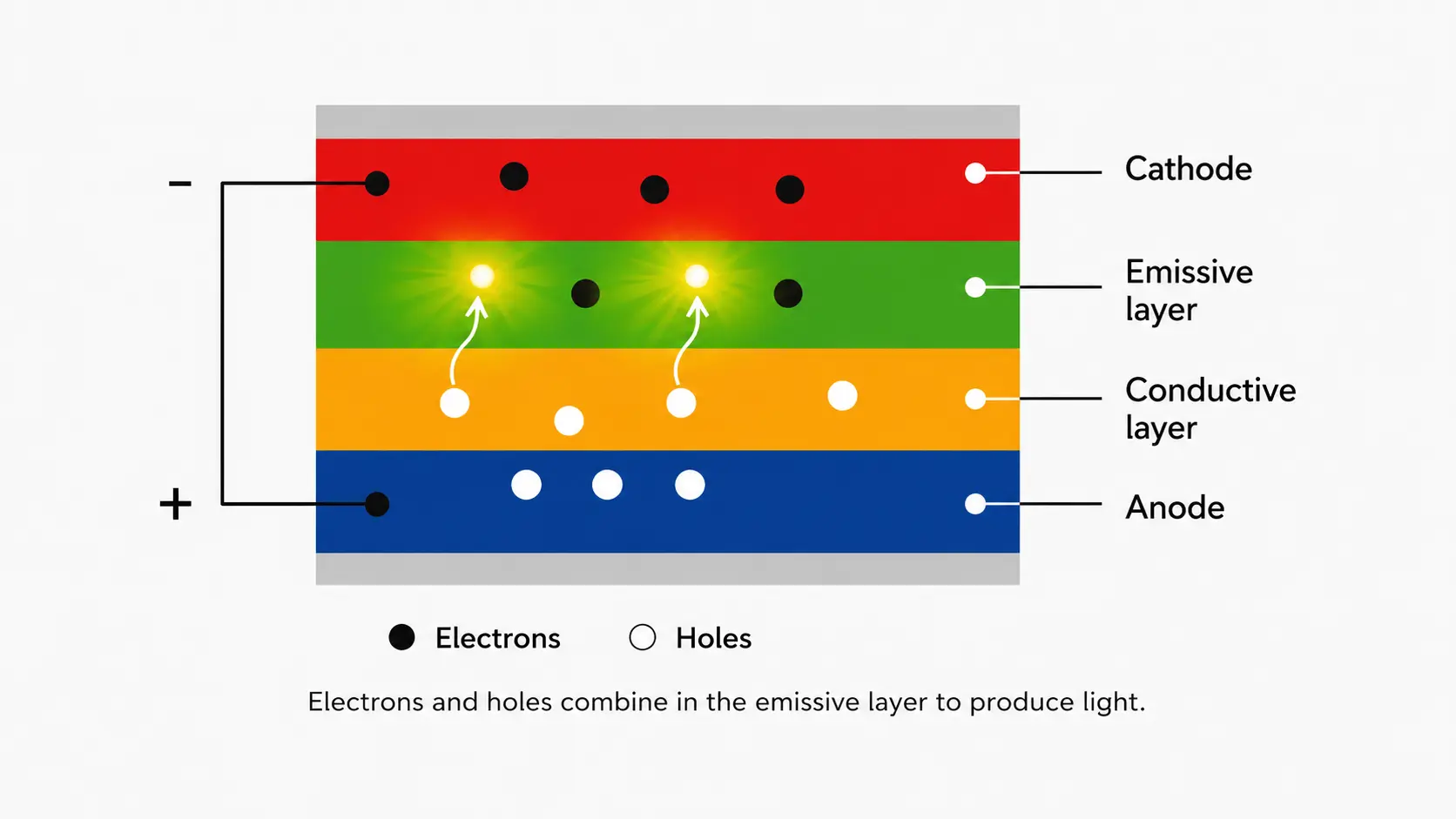
OLED screens work by using millions of tiny pixels made from organic compounds that emit light when powered. Unlike LCD panels, which need a separate light source behind the screen, OLED pixels create their own illumination.
When an OLED pixel receives electrical current, it produces light. When the current stops, the pixel turns off completely. This ability gives OLED displays precise control over every part of an image.
The main components behind OLED technology include:
- Organic layers: These materials produce light when electricity passes through them.
- Electrodes: These provide the electrical current needed to activate the pixels.
- Individual pixels: Each pixel controls its own brightness and color output.
- No backlight system: The display does not require a separate light source behind the panel.
This independent pixel control is the main reason OLED displays can produce strong contrast and detailed images, especially in dark scenes.
OLED vs LED: Key Differences
OLED and LED displays are often compared because both are widely used in modern screens. However, the way they create images is different.
LED TVs are usually LCD panels that use LED lights as a backlight, while OLED panels create light directly from each pixel. These differences can affect choices for users building TV viewing setups or entertainment areas.
| Feature | OLED | LED LCD |
|---|---|---|
| Light source | Self-lit pixels | LED backlight |
| Black levels | True black by turning pixels off | Dark areas may appear gray due to backlight leakage |
| Contrast | High pixel-level contrast | Depends on backlight quality |
| Thickness | Usually thinner | Requires extra backlight layers |
| Viewing angles | Generally wider | Can vary by panel type |
| Price | Usually more expensive | Available across wider price ranges |
OLED offers stronger contrast and black levels, while LED displays remain popular for their affordability and brightness options.
Why Is OLED Known for Better Picture Quality?
OLED displays are often praised for picture quality because they handle light and darkness differently from traditional screens.
Since each pixel can turn off individually, dark scenes appear more realistic and bright areas remain clearly separated. Important picture quality benefits include:
- True blacks: Pixels completely switch off instead of blocking light from a backlight.
- High contrast: Bright highlights and dark shadows appear more separated.
- Accurate colors: OLED panels can produce rich and detailed images.
- Fast response time: Pixels change quickly, which helps reduce motion blur during gaming and fast scenes.
- Wide viewing angles: Images usually remain consistent when viewed from different positions.
These advantages make OLED popular for movies, gaming, and premium devices. However, factors like brightness needs, budget, and usage habits also affect whether OLED is the right choice.
OLED vs QLED and Mini LED: Which Display Is Better?
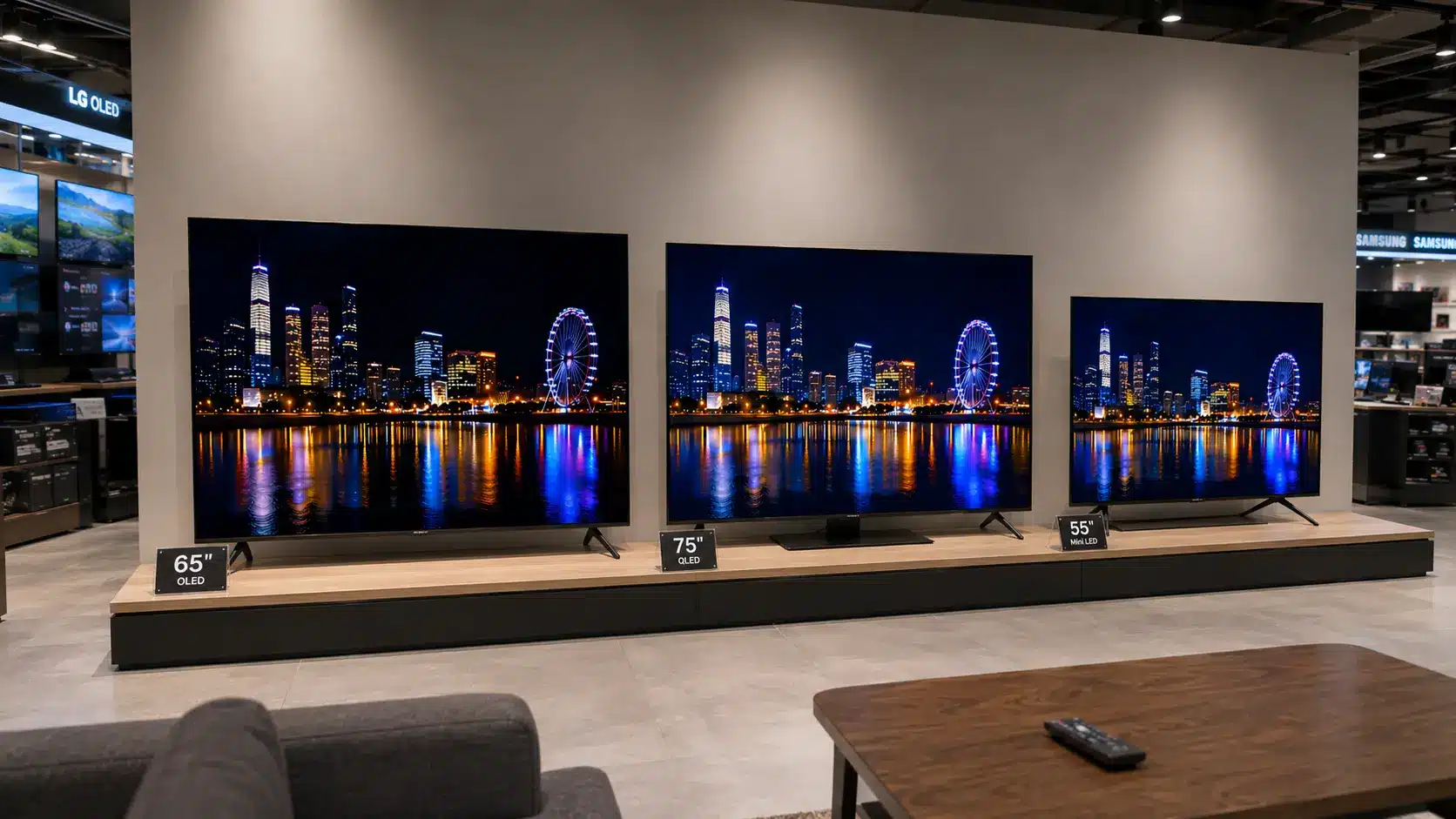
OLED is not the only premium display technology available today. QLED and Mini LED displays also improve brightness, colors, and contrast, but they use different methods to achieve these results.
QLED displays are based on LED LCD technology and use a quantum dot layer to improve color brightness and volume.
Mini LED is also based on LCD technology but uses much smaller LEDs in the backlight system, allowing better control over brightness and local dimming.
| Feature | OLED | QLED | Mini LED |
|---|---|---|---|
| Display type | Self-lit pixels | LED LCD with quantum dots | LED LCD with smaller backlight zones |
| Black levels | Excellent due to pixels turning off | Good but depends on backlight control | Better than standard LED due to more dimming zones |
| Brightness | Strong brightness, but varies by model | Often very high | Usually very high |
| Risk of burn-in | Possible with certain usage patterns | No OLED burn-in risk | No OLED burn-in risk |
| Best for | Movies, gaming, and premium viewing | Bright rooms and colorful content | Large TVs and high brightness needs |
OLED generally performs better in dark scenes, while QLED and Mini LED can be better options for users who prioritize brightness in well-lit rooms.
Is OLED the Best Display?
OLED is often considered a premium display option because it delivers a high-quality viewing experience across movies, gaming, and creative work.
For movie lovers, OLED can create more realistic dark scenes because pixels can turn off completely. Gamers may also benefit from fast response times and smooth motion handling.
However, OLED may not be the right choice for every user. Bright rooms, long periods of static images, and budget limits can affect whether OLED is the best option.
OLED is often considered by:
- Movie lovers: Deep blacks improve dark scenes and cinematic viewing.
- Gamers: Fast response times and strong contrast improve gaming visuals.
- Creative professionals: Accurate colors can help with photo and video work.
- Premium device buyers: OLED offers high-end image quality in thin displays.
For users who mainly watch news channels, use static computer applications for long hours, or need the highest possible brightness, other display types may be worth considering.
OLED: Strengths and Trade-Offs
OLED offers several image-quality benefits, but its limitations are important to consider before choosing a display. The table below highlights where OLED performs well and where other display technologies may have an advantage.
| OLED Strengths | OLED Trade-Offs |
|---|---|
| Produces true black levels because individual pixels can turn off completely | Usually costs more than traditional LED displays |
| Delivers excellent contrast with clear separation between bright and dark areas | Static images displayed for long periods may increase burn-in risk |
| Provides fast response times for smoother gaming and motion handling | Some LED and Mini LED displays can reach higher brightness levels |
| Allows thinner screen designs because no backlight is required | Long-term performance depends on usage habits and care |
| Maintains strong image quality from wider viewing angles | May not be the best choice for very bright rooms |
OLED provides some of the strongest image quality available, but consider budget, room lighting, and usage patterns before choosing this display technology.
What Is OLED Burn-In and Should You Worry?
OLED burn-in happens when certain pixels age unevenly after displaying the same static image for extended periods. This can leave a faint permanent outline of logos, menus, or other fixed elements on the screen.
Modern OLED displays include features such as pixel shifting, screen refresh cycles, and brightness management systems to reduce this risk. For most users with mixed viewing habits, noticeable burn-in is uncommon.
Higher-risk situations include:
- Fixed logos: Watching channels with permanent logos for many hours daily.
- Static interfaces: Displaying the same computer interface, dashboard, or menu for long periods.
- Information panels: Using screens mainly for fixed content that does not change frequently.
Lower-risk usage includes:
- Changing content: Watching movies and shows with different scenes.
- Mixed activities: Switching between apps, games, and different types of content.
- Everyday use: Regular streaming, gaming, and general browsing.
Burn-in is mainly associated with repeatedly displaying fixed elements for long periods. Using varied content and keeping OLED protection features enabled can help reduce the chance of noticeable image retention.
OLED Lifespan: How Long Do it Last?
OLED screens are designed for years of regular use, with many modern displays providing around 5 to 10 years of normal performance depending on brightness settings, viewing habits, content type, and built-in protection features.
Like other display technologies, OLED panels gradually lose brightness as the organic materials inside the pixels age.
Brightness settings, repeated static images, and long daily usage hours can affect OLED panel aging. Features such as automatic brightness adjustments and pixel refresh systems help manage pixel wear and maintain consistent performance over time.
Mixed usage, including movies, gaming, and regular browsing, generally places less stress on the display. OLED delivers excellent contrast, deep blacks, and detailed images, but you should still consider cost and usage needs before choosing a display.
Who Should Buy an OLED Display?
OLED is a strong option for users who prioritize contrast, color accuracy, and detailed image quality. However, the right display depends on your viewing environment, budget, and the type of content you use most often.
OLED may be a good fit for:
- Movie and series viewers: OLED can improve dark-scene detail and create a more cinematic viewing experience.
- Gamers: Fast response times and smooth motion handling can benefit users who play fast-paced games.
- Content creators: OLED can support color-sensitive work such as photo and video editing.
- Premium device buyers: OLED panels are commonly used in high-end TVs, smartphones, laptops, and monitors because they support thin designs with strong image quality.
OLED may not be the best option if you need extremely high brightness, frequently display static content for long periods, or want a lower-cost screen. LED, QLED, and Mini LED displays can provide better value in these situations.
How to Choose Between OLED and Other Displays
Choosing a display depends on more than picture quality. Factors such as room lighting, viewing habits, budget, screen size, and the type of content you watch can determine which technology offers the best value.
Screen issues can also vary depending on the hardware and connections involved, similar to other display-related problems.
| Your Priority | Display Type to Consider | Reason |
|---|---|---|
| Best contrast and deep blacks | OLED | Individual pixels can turn off completely for true black levels |
| Bright room performance | QLED or Mini LED | Higher brightness levels handle strong ambient lighting better |
| Lower budget | LED LCD or some QLED models | More affordable options are available across different sizes |
| Gaming performance | OLED or high-refresh LED displays | Fast response times support smoother motion |
| Long computer work sessions | OLED or high-quality LED | Consider static content use and display protection features |
OLED displays generally cost more than standard LED models because of their advanced panel technology and premium picture quality. In the US, OLED TVs usually range from around $900 to over $3,000, while OLED monitors and laptops can cost about $700 to $1,500+ depending on size, features, and brand.
Major manufacturers include LG , Samsung , Dell , and ASUS. Compare specific models based on brightness, refresh rate, processing features, and usage needs, as LED, QLED, or Mini LED may offer better value for some users.
Key Takeaways About OLED Technology
OLED has become a popular display technology because it changes how screens handle light, contrast, and color. OLED stands out for its refined viewing experience, strong image control, and premium performance.
However, OLED is not automatically the right option for every user. Consider cost, room brightness, usage patterns, and static-content concerns before deciding.
For people who value premium picture quality for movies, gaming, and creative work, OLED remains a strong choice. Understanding what OLED means and how the technology works makes it easier to compare displays and select a screen that fits your needs.
Frequently Asked Questions
Is OLED better than QLED for movies?
OLED is often preferred for movies because it can produce true blacks and strong contrast in dark scenes. QLED may have an advantage in brightness, especially in rooms with strong lighting conditions.
Can OLED brightness match Mini LED displays?
Some OLED displays offer high brightness, but many Mini LED models can reach higher peak brightness levels. Mini LED may perform better in very bright rooms, while OLED generally has stronger black levels and contrast.
Does OLED use more power than LED displays?
OLED power usage depends on the content shown on screen. Dark scenes may use less power because individual pixels can turn off, while bright images can require more energy.
Does OLED need special maintenance?
OLED does not require special maintenance, but using recommended brightness settings and enabling built-in protection features can help maintain consistent performance over time.