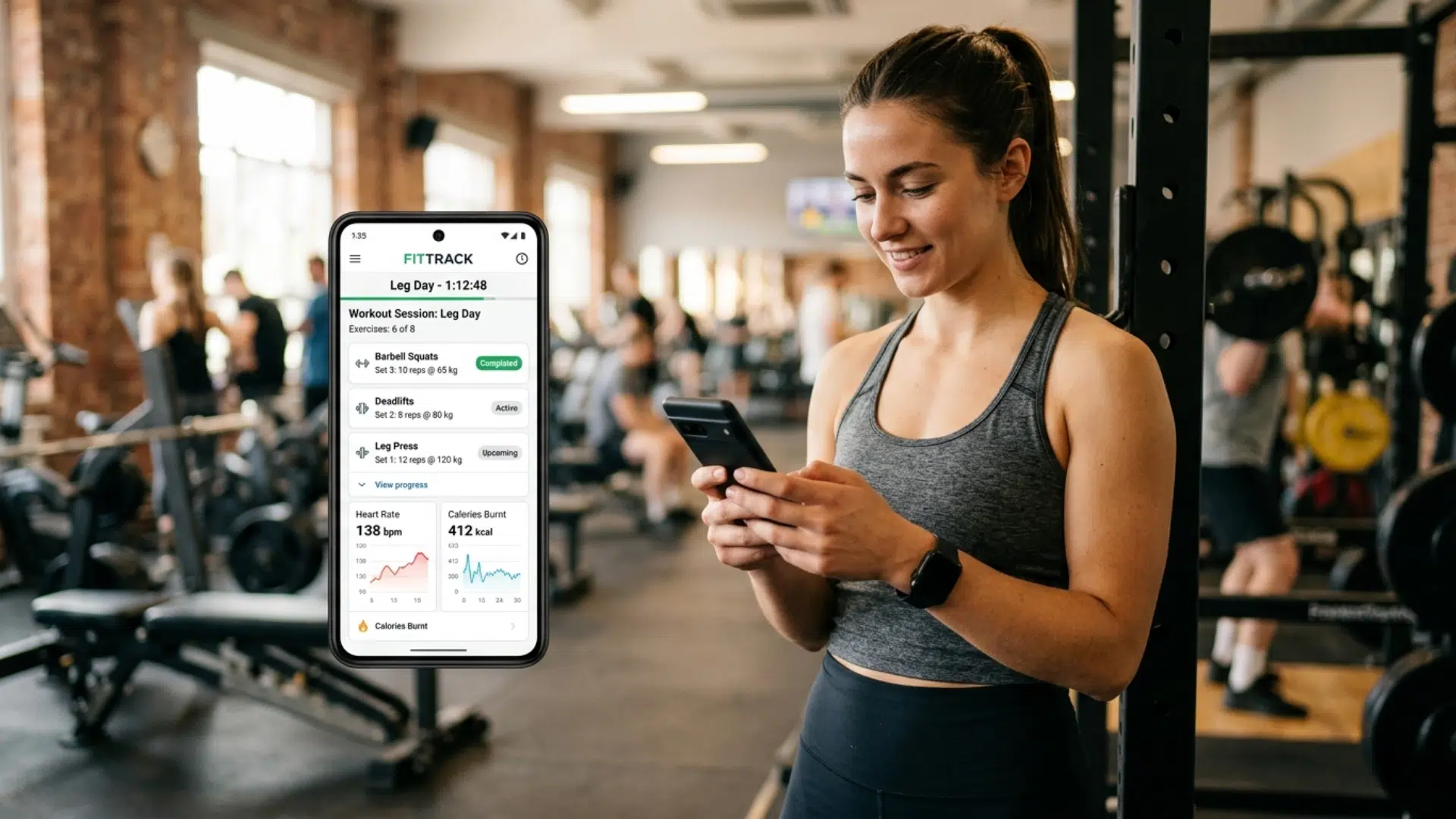



A fitness app is not just a set of workouts on a screen. It is a product shaped by user habits, data flow, and clear functionality.
Many first-time builders focus too much on design or trends and miss the structure needed behind the scenes.
Without a defined process, projects can quickly lose direction. Building an app requires a sequence of decisions that connect well from start to finish.
This guide lays out that sequence in a direct way, helping readers understand how to move from a simple idea to a working fitness app.
What is a Fitness App?
A fitness app is a mobile or web application designed to help users track, manage, and improve their health and fitness routines.
It can offer features like workout plans, step tracking, calorie counting, and progress monitoring. Some apps also include video guidance, personalized training, or integration with wearable devices.
These apps are used by beginners and experienced users to stay consistent and reach their fitness goals.
For businesses, fitness apps provide a way to deliver digital fitness services, engage users regularly, and build a strong presence in the growing health and wellness market.
Types of Fitness Apps You Can Build
Different fitness apps serve different user needs, so choosing the right type early helps shape your features, design, and overall development process.
| Type of Fitness App | Description | Best For |
|---|---|---|
| Workout & Training Apps | Provide exercise routines, video guides, and training plans | Personal trainers, gyms, and beginners |
| Diet & Nutrition Apps | Track calories, meals, and offer diet plans | Nutritionists, health-focused users |
| Activity Tracking Apps | Monitor steps, distance, heart rate, and daily activity | General users, fitness enthusiasts |
| Wellness & Meditation Apps | Focus on mental health, yoga, and stress management | Users seeking balance and relaxation |
| Personal Coaching Apps | Offer one-on-one coaching, custom plans, and feedback | Coaches, premium fitness services |
| All-in-One Fitness Apps | Combine workouts, nutrition, tracking, and community features | Businesses building complete fitness platforms |
Step-by-Step Fitness App Development Process
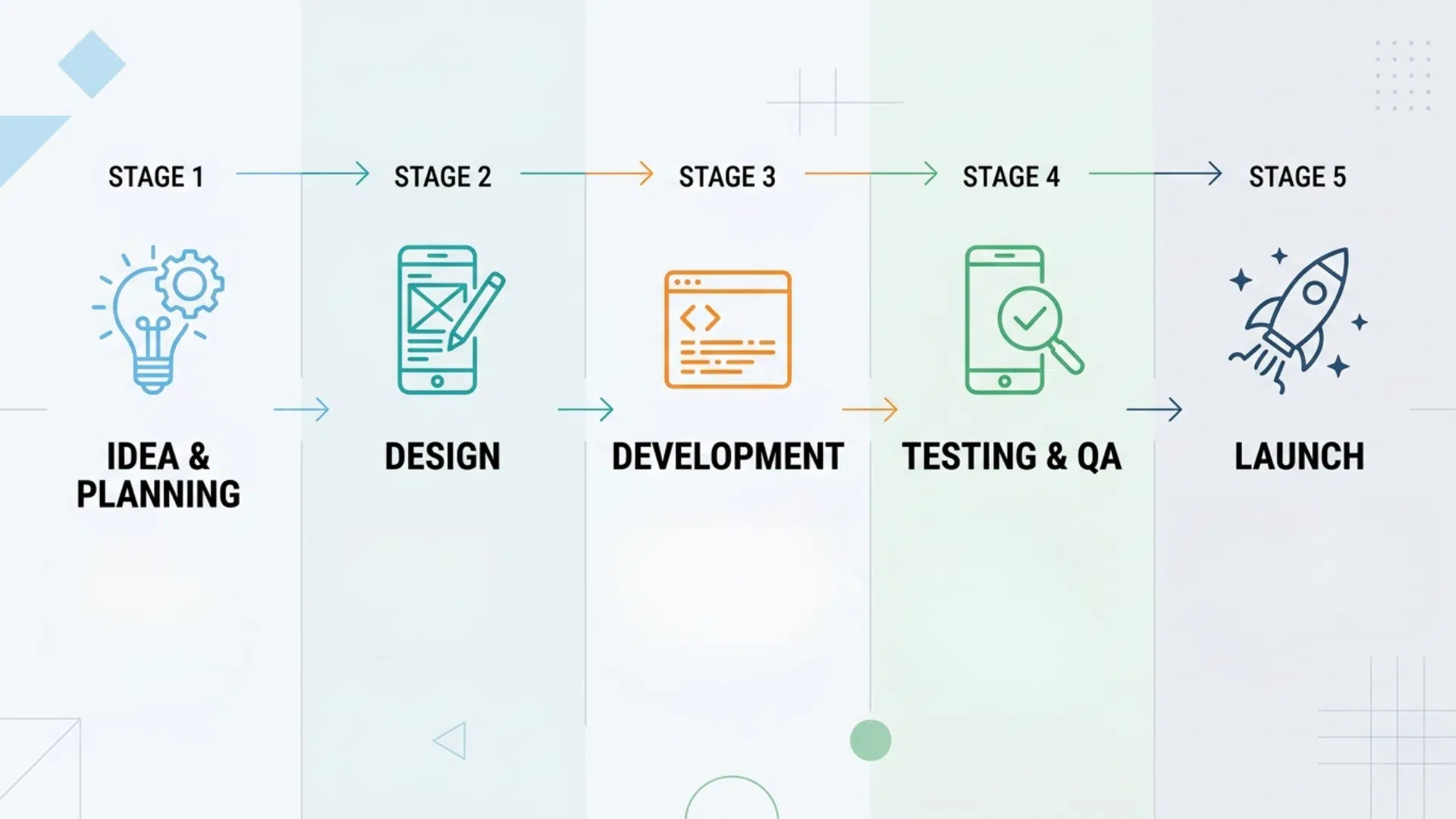
Building a fitness app requires a clear sequence of steps. Each stage builds on the previous one, helping reduce errors and keep the project aligned with user needs and business goals.
Step 1: Define Your App Idea
Start by clearly defining the purpose of the app and the problem it aims to solve. Identify your target users, such as beginners, athletes, or people focused on weight loss.
A focused idea improves decision-making during development. Many failed apps try to do too much at once. A well-defined concept helps maintain clarity, control scope, and build a product that users can easily understand and use.
Step 2: Conduct Market Research
Analyze existing fitness apps to understand current standards and user expectations. Review top apps, study their features, pricing models, and user feedback across platforms like the App Store and Play Store.
This step helps identify gaps and unmet needs. Reliable research reduces guesswork and ensures the app is built based on real user demand. It also helps position your app more effectively in a competitive market.
Step 3: Plan Core Features
Define the essential features your app needs to function. Common features include user profiles, workout plans, progress tracking, and notifications.
Avoid adding advanced features too early. Start with a minimum viable product (MVP) to test usability and performance. A clear feature plan helps control development costs, speeds up launch, and allows improvements based on real user feedback.
Step 4: Design the User Experience
Focus on creating a simple and intuitive user interface. Map out user journeys, from onboarding to daily usage. Fitness apps are often used frequently, so ease of use is critical.
Good design reduces friction and improves retention. Clear layouts, simple navigation, and consistent design elements help users stay engaged. A well-designed app increases long-term usage and overall satisfaction.
Step 5: Choose the Technology Stack
Select technologies based on your app’s requirements and future growth plans. Decide between native or cross-platform development depending on budget and target audience.
Choose reliable backend systems, APIs, and integrations, especially if the app connects with wearables or third-party tools. The right tech stack ensures stability, scalability, and easier maintenance over time.
Step 6: Develop and Test the App
Begin development by building both frontend and backend components. Use a structured approach, such as agile development, to allow regular updates and improvements.
Testing should run alongside development. This includes functional, performance, and usability testing. Early testing helps detect issues before launch and ensures the app performs well across devices and conditions.
Step 7: Launch and Improve
Publish the app on platforms like the App Store and Google Play. Monitor user behavior, app performance, and post-launch feedback.
Post-launch improvements are critical. Regular updates, bug fixes, and feature additions help maintain user interest. Successful fitness apps evolve over time based on real usage data and changing user needs.
Must-Have Features for a Fitness App
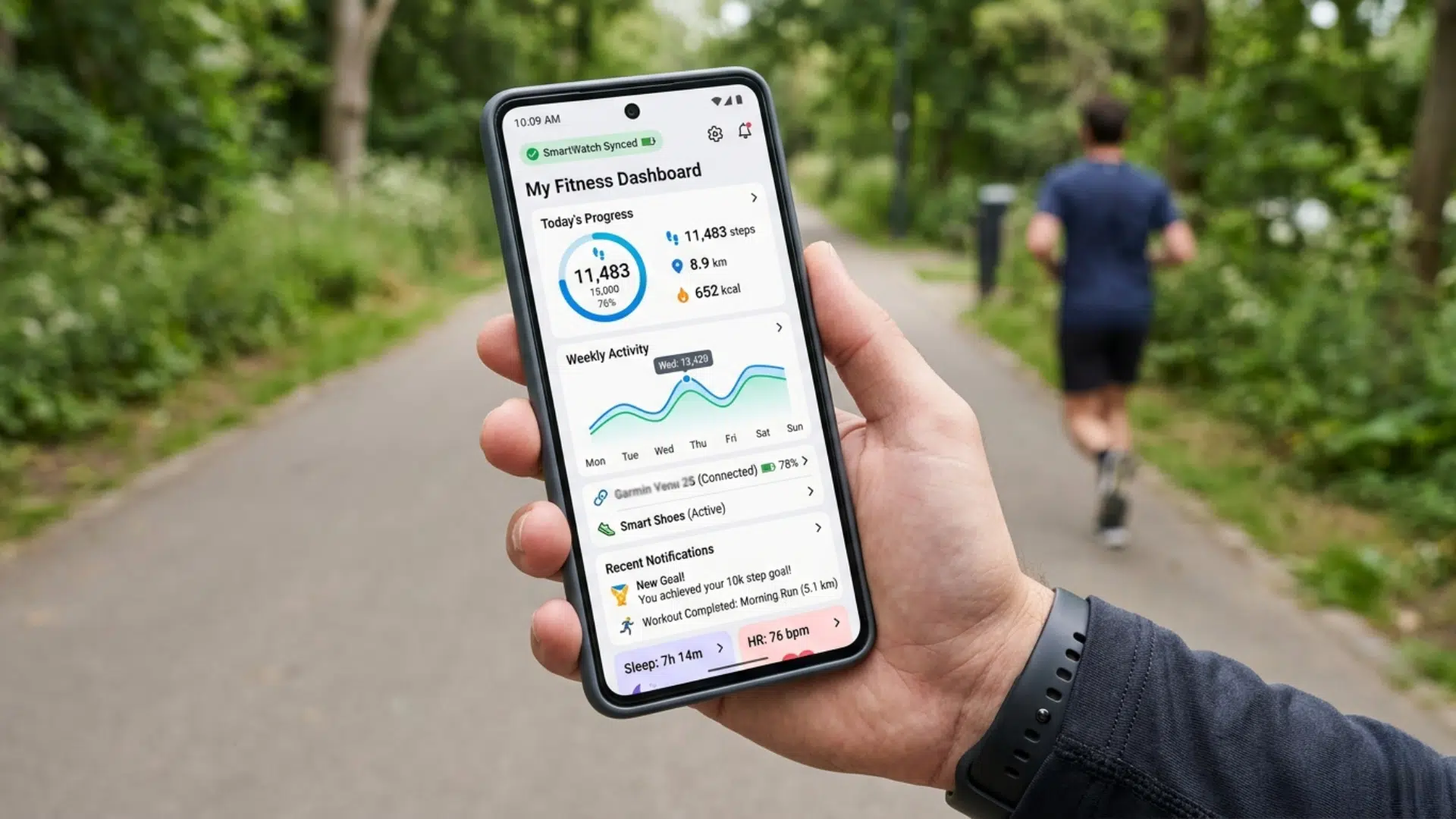
A well-built fitness app relies on features that are widely used across successful products in the market. These features are based on common user expectations, industry practices, and real-world app performance standards.
| Feature | What It Does | Business Value |
|---|---|---|
| User Profiles | Stores user data, goals, and preferences | Enables personalization and better engagement |
| Workout Plans | Provides structured routines and programs | Keeps users active and returning regularly |
| Activity Tracking | Tracks steps, calories, and workouts | Improves user retention through progress feedback |
| Progress Analytics | Shows performance through data and charts | Builds trust and motivates long-term use |
| Push Notifications | Sends reminders and updates | Increases daily app usage |
| Wearable Integration | Connects with smart devices | Enhances accuracy and user experience |
| In-App Payments | Supports subscriptions and premium content | Creates a steady revenue stream |
Note: These features are based on commonly used standards in leading fitness apps and industry development practices. The final feature set may vary depending on your app’s goals, budget, and target audience.
Should You Build In-House or Hire a Company?
The choice depends on your resources, timeline, and technical expertise.
In-house development gives full control but requires hiring and managing a skilled team, which increases cost and time.
Hiring a company offers faster development, experienced teams, and a structured process.
For most businesses, hiring a company is the more practical and efficient option, especially if they don’t have an existing tech team.
How to Choose a Fitness App Development Company
Choosing the right company affects your app’s quality, cost, and long-term success. A careful evaluation helps reduce risks and ensures better results.
- Check experience: Choose a company with proven experience in building fitness or health apps similar to your idea.
- Review past work: Test their live apps and read user reviews to understand real performance and user satisfaction.
- Understand process: Ensure they follow a clear development process with defined timelines, milestones, and regular communication.
- Evaluate expertise: Confirm their skills in mobile development, backend systems, APIs, and integrations like wearables or tracking tools.
- Clarify pricing: Request a detailed proposal outlining scope, timelines, and costs to avoid hidden charges later.
A strong development partner will offer transparency, technical expertise, and consistent support throughout the project lifecycle.
Cost to Build a Fitness App
The cost to build a fitness app varies based on features, complexity, and the development team you choose. There is no fixed price, but clear ranges can help with planning and budgeting.
Estimated Cost Breakdown
| App Type | Features Included | Estimated Cost |
|---|---|---|
| Basic App (MVP) | Login, simple workouts, tracking, basic UI | $25,000 – $60,000 |
| Medium Complexity App | Workout plans, tracking, integrations, better UI | $60,000 – $150,000 |
| Advanced Fitness App | AI coaching, live classes, wearables, analytics | $150,000 – $300,000+ |
Key Factors That Affect Cost
- Features: More features increase development time and cost
- Platform: Building for iOS, Android, or both impacts the budget
- Design: High-quality UI/UX adds to overall cost
- Development Team: Costs vary by location and expertise
- Maintenance: Ongoing updates and support require extra budget
Quick Insight: Most businesses start with an MVP to reduce initial costs and test the market. A simple version can cost around $25,000, while advanced apps with AI and integrations can exceed $300,000.
Note: Costs can vary widely depending on your project scope, feature set, and the development company you hire. Always request a detailed estimate before starting.
Common Mistakes to Avoid
Avoiding common mistakes early can save time, reduce costs, and improve the chances of building a successful fitness app.
- Skipping market research and building without clear user demand
- Adding too many features instead of starting with a focused MVP
- Ignoring user experience and creating a confusing interface
- Choosing the wrong tech stack for long-term scalability
- Underestimating development time and overall project cost
- Not testing the app properly before launch
- Failing to plan updates and post-launch improvements
Final Thoughts
Creating a fitness app depends on clear decisions at each stage. Early choices shape how the app performs after launch.
Strong apps are not built all at once; they improve through testing, feedback, and updates. The goal is to build something users return to daily, not just something that looks complete.
A practical approach helps avoid delays and keeps development focused.
If the process feels complex, working with an experienced fitness app development team can help move the project forward with more confidence and efficiency.
Frequently Asked Questions
Are Fitness Apps Profitable?
Yes, fitness apps can be profitable through subscriptions, in-app purchases, and ads. Success depends on user retention, strong features, and a clear value that keeps users engaged long term.
How Long Does It Take to Build a Fitness App?
It usually takes 3 to 9 months, depending on the app’s complexity, features, and development approach. A basic version can be built faster, while advanced apps take longer.
Can One Person Build a Fitness App?
A simple app can be built by a single developer, but most fitness apps require a team with skills in design, development, and testing to achieve better results.
How Do Fitness Apps Make Money?
Common methods include subscriptions, in-app purchases, ads, and paid coaching services. Many apps combine multiple revenue models.