


It looks like you clicked “I agree” without reading the terms, which created a binding legal contract. This happens every time you install an app, subscribe to a tool, or accept an update.
Software licensing sounds like dense legal territory, but the idea behind it is simple. It determines what you are allowed to do with software you didn’t build yourself.
You might be choosing software for personal use, managing licenses for a small team, or getting ready to release something you built.
This breakdown covers what those rules mean, the main license types you will encounter, and how pricing works, so your next agreement makes sense before you click accept.
What Software Licensing Actually Means
Before getting into types and pricing, it helps to nail down what a license is, because everything else here builds on this one idea.
A license is permission to use something, not ownership of it. The creator keeps the rights, and you receive the terms under which you may use their work.
This is why installing a program on your laptop never makes you its owner, no matter how much you paid for it. You are given a defined set of permissions, and everything outside that set stays off limits unless the agreement says otherwise.
Cornell Law School’s Legal Information Institute defines a license in exactly these terms: permission granted by a qualified authority to do something that would otherwise be restricted.
That definition holds whether the “authority” is a software company, an independent developer, or an open-source community, a distinction that matters just as much when planning a SaaS product from scratch. Once that distinction is clear, the next question is what a license controls once you have that permission.
The Rules Baked Into Every License Agreement
Every license, no matter how it looks on the surface, answers the same handful of questions. Recognizing them upfront makes any agreement far easier to read.
| Rule | What It Covers |
|---|---|
| Permissions | What you are granted permission to do, such as installing, copying, modifying, or sharing the software, depending on what the creator allows |
| Restrictions | What is off limits, such as reselling the software, reverse-engineering it, or handing your rights to someone else |
| Duration | How long those rights last, whether the license is perpetual and never expires or tied to a term that needs renewing |
| Consequences | What happens if the terms are broken, ranging from losing access to facing legal action |
The U.S. Copyright Office outlines the legal foundation these agreements rest on, since software has been recognized as protected creative work since the 1970s.
These same four questions show up again when you look at how licenses get grouped into types, where the real differences start to matter, and understanding what regulators expect can make those consequences feel a lot less abstract.
The Four Main License Types You Will Run Into
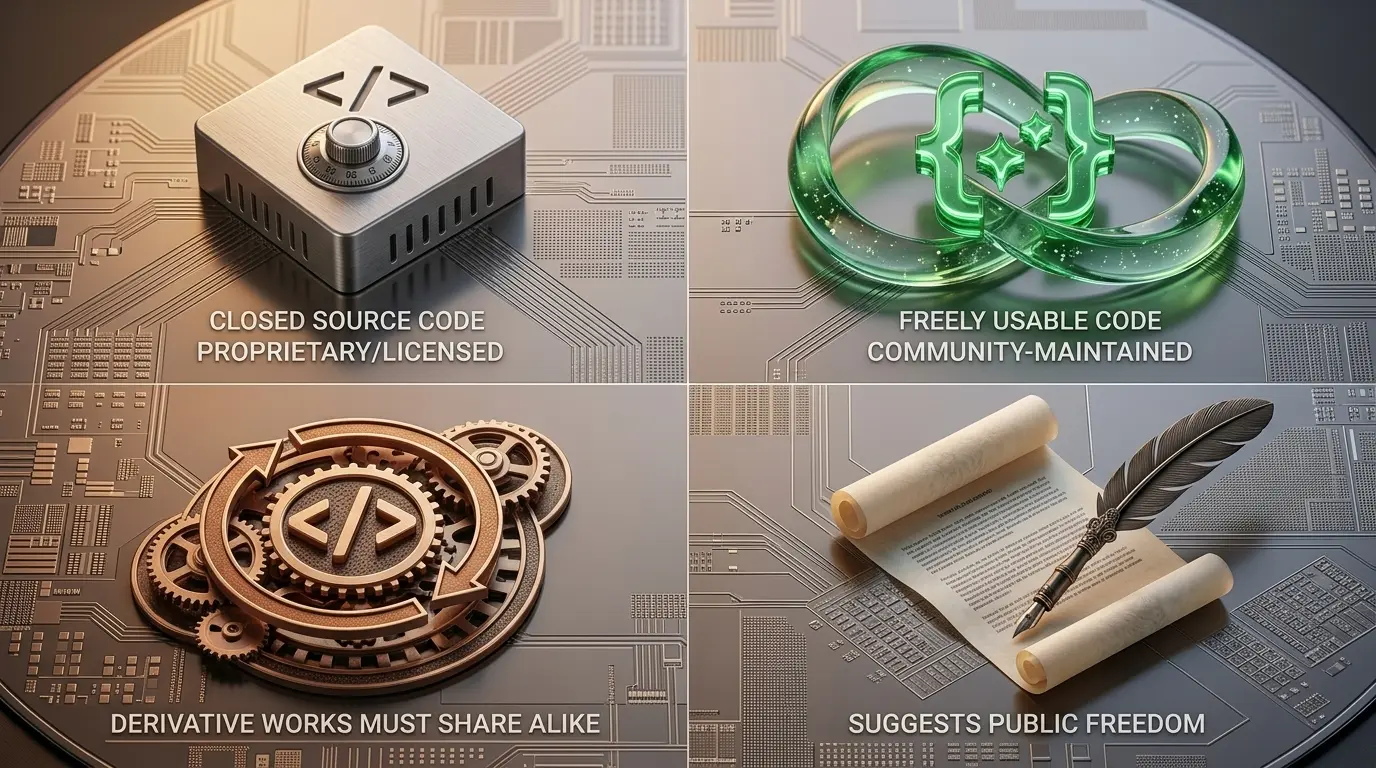
Licenses generally fall into four recognizable categories, and knowing which one you are dealing with tells you almost everything else you need to know before signing off on it.
- Proprietary licenses are the most restrictive. The source code stays closed, the vendor controls every aspect of use, and you typically pay for access. Windows and Adobe products are common examples.
- Permissive open-source licenses go the other direction. You can use, modify, and share the code freely, usually with just one condition: keep the original copyright notice intact. The MIT License is the most recognized example of this type.
- Copyleft open-source licenses also let you use and modify the code, but with a stricter catch. If you change it and share your version, that new version has to carry the same license forward. The GNU General Public License works this way.
- Public domain software sits at the far end of the spectrum. There are no restrictions and no retained rights at all. The creator has given up ownership entirely, and anyone can do anything with the code.
The Open Source Initiative maintains the standard reference list for open-source licenses specifically, which is worth bookmarking if you ever need to check whether a particular license qualifies.
Knowing the type tells you what is permitted, a decision that shapes how a new application gets built from the very first planning meeting. What you pay, if anything, is a completely separate decision.
How License Pricing Actually Works

Type and price are two separate questions, and mixing them up is where most confusion starts, so it helps to look at pricing entirely on its own.
- Perpetual: you pay once and keep using that version indefinitely, though updates or support often cost extra later.
- Subscription: a recurring fee, usually monthly or yearly, in exchange for ongoing access and updates.
- Usage-based: you pay according to actual consumption, common in cloud tools and developer platforms where costs scale with how much you use.
Here is the part that trips people up: a permissive open-source license is usually free no matter which pricing model applies, while proprietary software is almost always sold through subscription or perpetual pricing, sometimes both depending on the plan.
With both type and pricing settled, what happens next comes down to your specific situation, whether that means buying, managing, or building the software in question.
How Software Licensing Changes Based on Your Role
A software license does not mean the same thing for everyone. The rules, responsibilities, and decisions you need to focus on depend on whether you use software, manage access for others, or create your own product. Understanding your role helps you avoid unnecessary costs, compliance issues, and confusion around usage rights.
| Your Role | What Matters Most | Key Things To Check |
|---|---|---|
| Everyday User | Understanding what you are allowed to do with the software | Check usage limits, renewal terms, device restrictions, and subscription conditions before accepting the agreement |
| Software Manager or Business Owner | Keeping software usage compliant across teams | Track active licenses, prevent over-deployment, manage user access, and avoid paying for unused licenses |
| Software Developer or Creator | Choosing how others can use your software | Select the right license type, define permissions, set restrictions, and protect your intellectual property |
The right licensing approach depends on your position. Users need clarity, businesses need control, and developers need protection for the software they create.
Understanding Your Role in Software Licensing
A user wants to know what they can access, a business needs control over who can use its tools, and a developer needs to decide how others can interact with their creation. Understanding these differences makes it easier to avoid mistakes and choose the right approach.
- For individual users, the biggest concern is understanding what comes with the software you are using. Checking renewal dates, user limits, and permitted activities can prevent unexpected charges or restricted access later.
- For companies managing multiple employees, software licensing becomes a bigger responsibility. Too many users accessing software without proper coverage can create compliance risks, while poor tracking can lead to unnecessary spending.
- For developers releasing software, licensing works from the opposite direction. Instead of accepting someone else’s rules, you create the terms that define how others can access, modify, or share your work.
No matter which side of the agreement you are on, the foundation stays the same: a software license defines the relationship between the creator, the user, and the rights involved.
Final Thoughts
Software licensing is not red tape standing between you and the tool you want to use. It is the agreement defining that relationship, whether you notice it or not.
You now know the difference between owning software and being permitted to use it, the four license types you will run into, and how pricing works underneath it.
The next time an agreement appears on your screen, you will recognize exactly what it is asking you to accept. Before you install anything new or renew a subscription, come back to this breakdown and check your license type against what you need.
Save it now, and read your next agreement with real understanding instead of a blind click.
Frequently Asked Questions
Is It Illegal To Use Software Without Accepting Its License?
Generally yes. Using software without agreeing to its terms means you have no legal right to it. This can count as copyright infringement, since those terms are what make your use of the software lawful.
Can A License Be Taken Away After Purchase?
Yes. Most agreements include termination conditions. Breaking usage terms, sharing restricted rights, or violating the agreement can end your access, even after payment, depending on what the specific terms state.
Does Every Country Treat These Agreements The Same Way?
No. Enforcement and interpretation vary by jurisdiction. Some countries limit what terms are enforceable, particularly around resale restrictions and warranty disclaimers, so protections can differ depending on where you are located.
Can One Software Product Use More Than One License Type?
Yes. Products sometimes combine a proprietary core with open-source components, or offer both subscription and perpetual options. Each part of the product may carry its own separate terms within the same package.