


Food delivery apps now sit at the center of modern dining habits. Restaurants depend on them to manage orders, track deliveries, and keep service smooth during busy hours.
Behind every simple order screen is a system that connects users, drivers, and vendors in real time. Building this kind of app requires a clear structure and careful decisions at each stage.
Small choices early on can shape how well the app performs later.
This guide breaks down the process in a direct way. It outlines the key steps involved, helping readers understand how an idea evolves into a functional, reliable platform.
What is a Food Delivery App?
A food delivery app is a mobile or web platform that allows users to order food from nearby restaurants and have it delivered to their location.
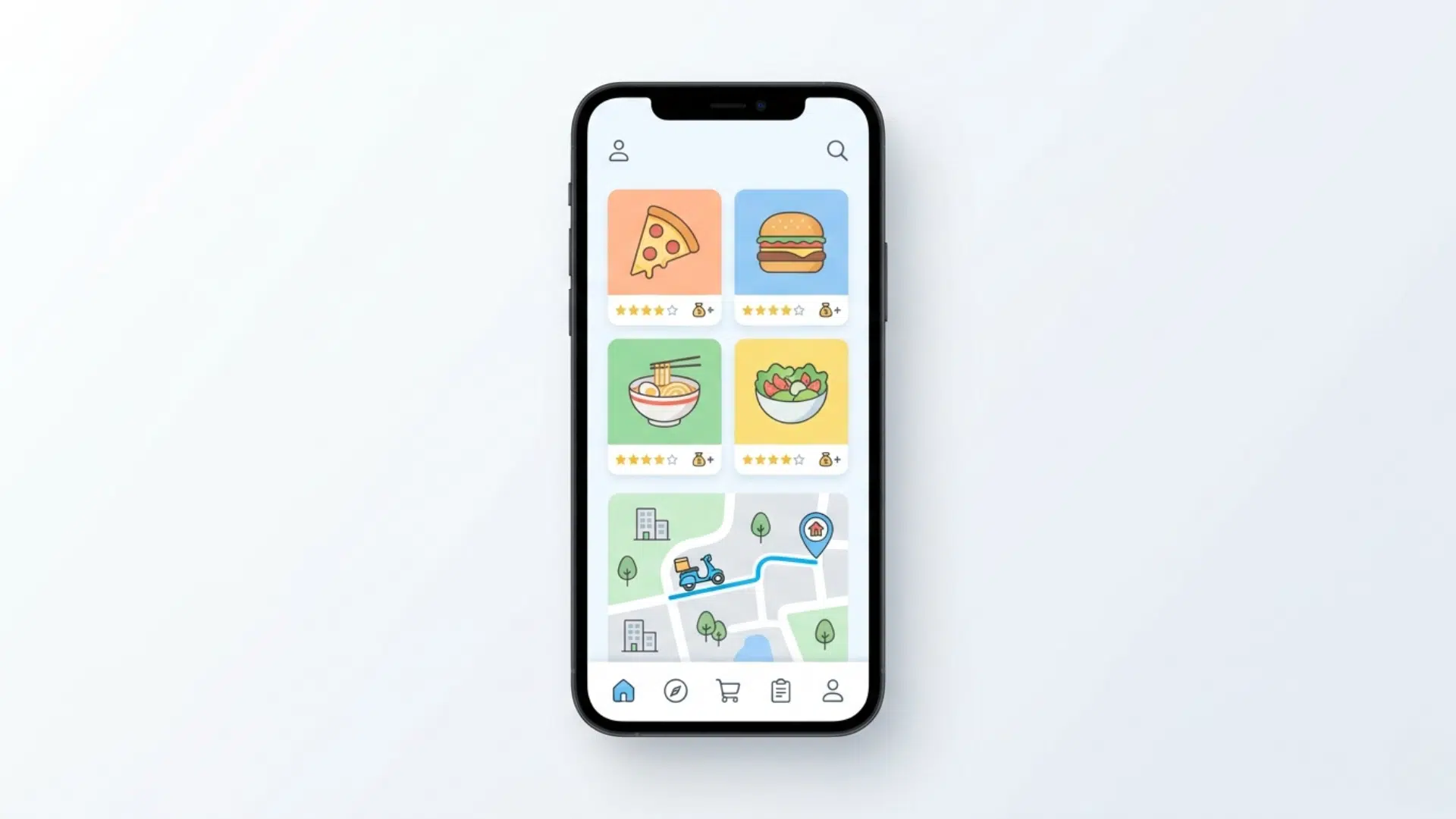
It connects customers, restaurants, and delivery partners in one system. Users can browse menus, place orders, make payments, and track deliveries in real time.
On the other side, restaurants manage orders and update menus, while delivery drivers handle pickups and drop-offs.
These apps streamline the entire ordering process and reduce the need for phone calls or in-person visits, making food ordering faster and more organized for everyone involved.
Types of Food Delivery Apps
Food delivery apps are not all built the same. Each type follows a different business model based on how orders and deliveries are handled.
Order-Only Apps
These apps focus only on taking orders and passing them to restaurants. The restaurant handles its own deliveries. This model is simpler to build but gives less control over the delivery experience.
Order & Delivery Apps
In this model, the app manages both orders and delivery. It connects customers, restaurants, and delivery partners. This is the most common model used by large platforms.
Aggregator Apps
Aggregator apps list multiple restaurants in one place. Users can compare menus, prices, and ratings before ordering. These apps act as a marketplace for food options.
Restaurant-Owned Apps
These are built for a single restaurant or chain. Customers order directly from the brand, and the restaurant manages everything. This model helps build customer loyalty and avoid third-party fees.
Key Features of a Food Delivery App

A food delivery app needs a clear set of features to work smoothly for all users involved. These features are usually divided into roles within the system.
| Category | Key Features |
|---|---|
| Customer App | Login, search restaurants, menu view, cart, payments, order tracking |
| Delivery App | Order alerts, navigation, earnings, and availability status |
| Restaurant Panel | Order management, menu updates, sales tracking |
| Admin Panel | User control, payments, analytics, offers, support |
Step-by-Step Process to Build a Food Delivery App

Building a food delivery app requires a clear process in which each step builds on the previous one. A structured approach helps reduce risks, control costs, and keep development focused on real user needs.
Step 1: Define the Idea and Goals
Start by setting a clear purpose for the app. Identify who will use it, such as busy professionals, students, or families.
Decide the service area and the type of restaurants you want to include. Set basic goals like faster delivery time, better user experience, or lower costs. A clear direction at this stage helps guide all future decisions and prevents confusion later.
Step 2: Choose the Business Model
Select how the app will operate in the market. Decide if it will only take orders or also handle delivery.
Consider whether it will include multiple restaurants or focus on a single brand. Each model has different costs, responsibilities, and levels of control. Making the right choice early helps define the structure of the app and its long-term growth.
Step 3: Plan Features and Scope
List the features needed for the first version of the app. Focus on core functions like ordering, payments, and tracking instead of adding too many extras.
This is often called building a minimum viable product (MVP). Keeping the scope clear helps reduce development time and makes it easier to test the app with real users.
Step 4: Design the User Interface
Create a layout that is simple and easy to use. The app should allow users to find food, place orders, and make payments without confusion.
Pay attention to screen flow, button placement, and readability. A clean design improves user satisfaction and reduces the chances of users leaving the app during the ordering process.
Step 5: Develop the App
Begin the technical development of the app. This includes building the frontend (what users see) and the backend (server, database, and logic).
Connect important tools such as payment gateways, delivery-tracking maps, and notification systems. Development should follow a clear plan to ensure all parts of the app work together smoothly.
Step 6: Test the App
Run various tests to identify errors and performance issues. Test the app on multiple devices and screen sizes.
Make sure payments work correctly, orders are processed without delay, and tracking is accurate. Fixing issues at this stage helps avoid negative user experiences after launch.
Step 7: Launch the App
Release the app on platforms like Google Play and the App Store. Start with a limited audience if needed to monitor performance.
Track user behavior, gather feedback, and quickly resolve issues. A controlled launch helps improve stability before reaching a larger audience.
Step 8: Maintain and Improve
Continue to update the app after launch. Fix bugs, improve speed, and add new features based on user feedback.
Regular updates help keep users engaged and ensure the app stays competitive. Long-term success depends on consistent improvement and adapting to changing user needs.
Cost to Build a Food Delivery App
The cost of a food delivery app can vary depending on features, complexity, and scale. The table below gives a general breakdown to help plan your budget.
| App Type | Estimated Cost | What It Includes |
|---|---|---|
| Basic (MVP) | $20,000 – $40,000 | Simple app with core features like menu, cart, and payments |
| Mid-Level App | $40,000 – $100,000 | Multi-restaurant support, tracking, and basic admin panel |
| Advanced App | $80,000 – $250,000+ | Full platform with driver app, analytics, and advanced features |
Note: Costs can change based on features, design, platform choice, and development team location.
Challenges in Food Delivery App Development
Building a food delivery app involves more than just development. Several practical challenges can affect performance, user experience, and long-term success.
High Competition
The market already has strong players. Standing out requires stronger features, better pricing, or higher service quality. Without a clear value, it becomes hard to attract users.
Real-Time Order Management
Handling multiple orders at once can be complex. The system must instantly update order status for customers, restaurants, and drivers, without delay.
Delivery Logistics
Managing drivers, routes, and delivery times is one of the hardest parts. Delays, traffic, and order volume can affect efficiency and customer satisfaction.
App Performance and Speed
Users expect fast loading and smooth navigation. Slow apps often lead to drop-offs and poor reviews, especially during peak hours.
Payment Integration Issues
Secure and reliable payment processing is critical. Errors in transactions can lead to user frustration and loss of trust.
Multi-User Coordination
The app must work smoothly for customers, restaurants, and delivery partners at the same time. Keeping all systems in sync is a technical challenge.
Data Security
Protecting user data and payment details is essential. Weak security can lead to serious risks and damage the app’s reputation.
Customer Retention
Getting users is one challenge, keeping them is another. Regular updates, offers, and a good experience are needed to maintain engagement.
Tips to Build a Successful Food Delivery App
Building a food delivery app that performs well in the long run depends on making the right choices early and improving the app based on real user needs.
- Start with a clear plan and focused feature set
- Keep the app simple and easy to use
- Choose a scalable and stable technology stack
- Ensure fast performance and smooth navigation
- Use reliable payment and tracking systems
- Gather feedback and improve the app regularly
Final Thoughts
A food delivery app is not built in one step. It takes steady effort, clear decisions, and attention to detail at every stage.
Small choices during planning and development can shape how the app performs after launch. Strong systems, smooth flow, and reliable service matter more than adding too many features at once.
Over time, consistent updates and improvements help the app stay useful and relevant. The process may seem complex at first, but breaking it into steps makes it easier to handle.
Take the next step by outlining your idea and starting with a simple version that you can build and test.
Frequently Asked Questions
How Long Does It Take to Build a Food Delivery App?
The timeline can range from 3 to 9 months, depending on the app’s complexity, features, and development approach.
Do I Need Separate Apps for Users and Delivery Drivers?
Yes, most platforms use separate apps for customers and delivery partners to manage orders and deliveries more efficiently.
Can a Food Delivery App Work without Real-Time Tracking?
It can, but real-time tracking improves user experience and builds trust by showing accurate delivery updates.