


iPhone batteries don’t last forever, and at some point, a sluggish phone starts to feel more like a burden than a tool.
A battery replacement can bring a device back to life without breaking the bank, and it’s worth knowing what to expect before walking into a store or booking a repair online.
This blog covers current replacement costs across different iPhone models, what affects the price, and how to decide between Apple, third-party shops, and DIY kits.
Cost Breakdown of Replacing an iPhone Battery
Apple uses genuine parts and trained technicians for every repair. That comes at a cost, but it also comes with peace of mind.
Prices below are out-of-warranty fees charged directly by Apple in the U.S. and do not include tax.
| iPhone Series | Models Included | Out-of-Warranty Cost |
|---|---|---|
| iPhone SE | SE (1st, 2nd, 3rd gen) | $89 |
| iPhone 11 series | 11, 11 Pro, 11 Pro Max | $89 |
| iPhone 12 series | 12, 12 mini, 12 Pro, 12 Pro Max | $89 |
| iPhone 13 series | 13, 13 mini, 13 Pro, 13 Pro Max | $89 |
| iPhone 14 series | 14, 14 Plus, 14 Pro, 14 Pro Max | $99 |
| iPhone 15 series | 15, 15 Plus, 15 Pro, 15 Pro Max | $99 |
| iPhone 16 series | 16, 16 Plus | $99 |
| iPhone 16 Pro series | 16 Pro, 16 Pro Max | $119 |
| iPhone 17 series | 17, 17 Plus | $99 |
| iPhone 17 Pro series | 17 Pro, 17 Pro Max | $119 |
| iPhone Air | iPhone Air | $99 |
How Much to Replace iPhone Battery at Third-Party Repair Shops

Third-party shops cost less than Apple, sometimes by a wide margin. The trade-off is that quality varies, so it pays to know what to look for before handing over the phone.
Local repair shops generally fall into two tiers. Budget shops charge around $30–$50 for older iPhone models and may use lower-grade aftermarket parts.
Mid-range and premium shops charge $60–$99, often use OEM-quality batteries, and offer a short warranty on the repair.
| Shop type | Typical price range | Parts quality |
|---|---|---|
| Low-cost local shop budget | $30 – $50 | Aftermarket, varies |
| Mid-range repair shop | $55 – $75 | OEM-equivalent |
| Premium / Apple authorized premium | $75 – $99 | Genuine Apple parts |
Are Third-Party iPhone Batteries Safe?
A reputable shop using a quality battery is generally safe. The bigger risk is choosing the cheapest option available without checking what’s actually being installed.
1. OEM vs Aftermarket Batteries: OEM batteries are made to Apple’s original specs, same capacity, same performance. Aftermarket batteries range from near-identical quality all the way down to cheap knockoffs that drain faster and wear out sooner.
2. Warning Signs of Poor-Quality Batteries: A low-quality battery often overheats during normal use, drains unusually fast even when new, or causes the phone to shut down randomly.
3. Battery Health Message Issues: iPhones running iOS 15.2 and later display a parts notice in Settings → General → About if a non-genuine battery is detected.
This doesn’t stop the phone from working, but it does mean the battery health percentage won’t appear under Settings → Battery; a real limitation for tracking long-term performance.
Pros and Cons of Third-Party Battery Replacement
Third-party shops can save a decent amount of money, but there are real trade-offs to weigh.
Pros:
- Lower cost. Third-party shops typically charge $30–$75, often $30–$70 less than Apple’s out-of-warranty rate. That gap adds up, especially on older models.
- Faster turnaround. Most local shops complete the job in 30–60 minutes. No multi-day mail-in wait, and in many cases, no appointment is needed either.
- More accessible locations. Independent repair shops are far more common than Apple Stores, especially outside major cities. For many users, the nearest option is a local shop.
- Good value for older iPhones. For models Apple no longer services, like the iPhone X or older models, a trusted local shop is often the only practical repair option.
- Flexible pricing. Unlike Apple’s fixed rates, local shops sometimes negotiate or offer discounts, especially for repeat customers or bundled repairs.
Cons:
- Inconsistent battery quality. Aftermarket batteries range from near-OEM quality to cheap knockoffs. Without asking upfront, there’s no way to know what’s being installed.
- iOS battery health warnings. Non-genuine batteries trigger a parts notice in iOS. Battery health percentage disappears from Settings, a real limitation for tracking degradation over time.
- Future Apple service risk. Apple technicians inspect devices before repairs. A non-genuine battery can flag the device, potentially complicating any future Apple or authorized service.
- Shorter or no warranty. Most independent shops offer 30–90 days of coverage for parts and labor at best. Apple guarantees a minimum of 90 days, provided the warranty remains in effect.
- Skill level varies. Not all technicians are equally experienced. A rushed repair on a newer iPhone can cause screen damage or waterproofing issues that cost more to fix.
Can You Replace an iPhone Battery Yourself?
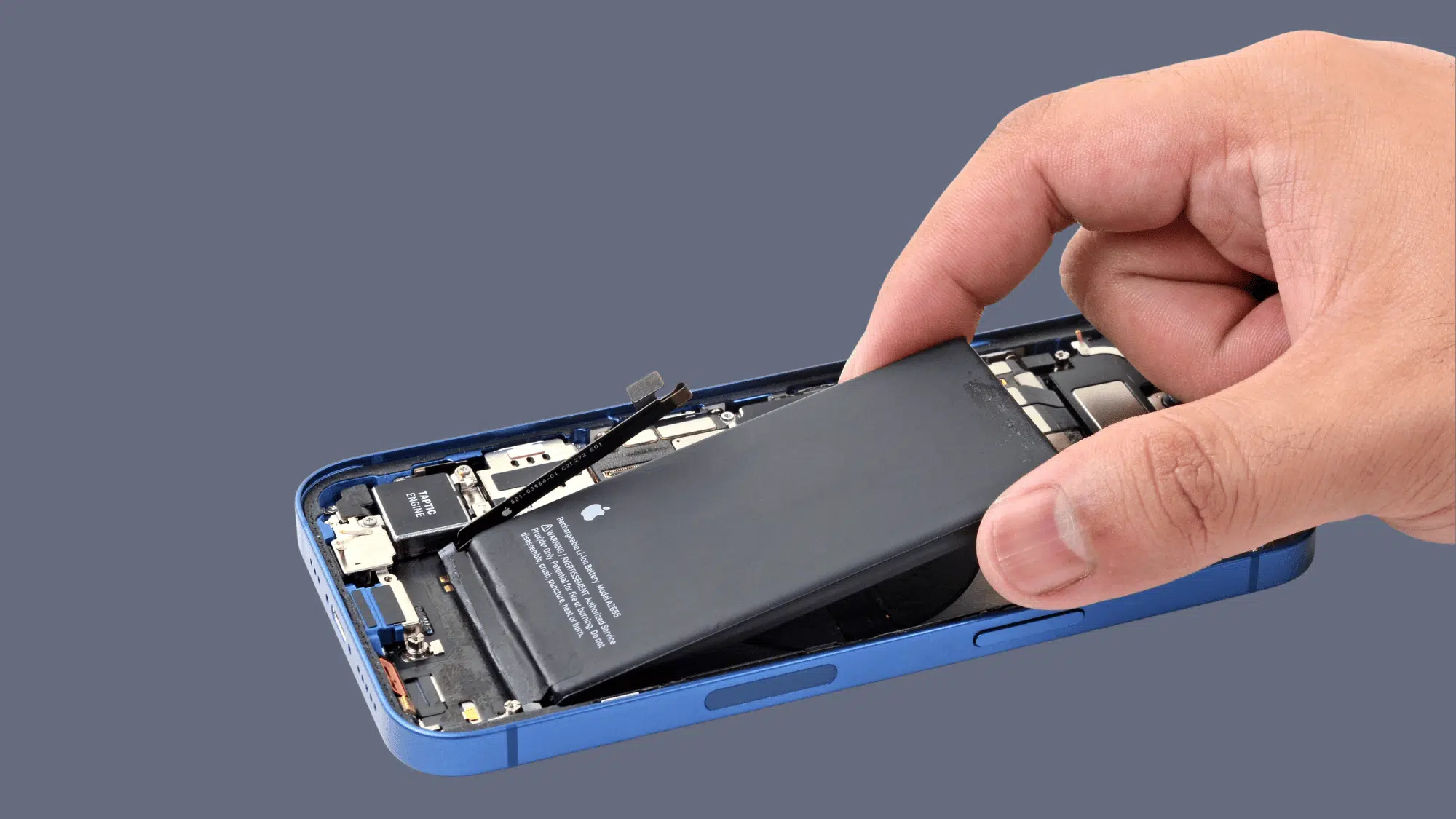
Yes, but it’s not for everyone. DIY iPhone battery replacement is possible, and Apple even sells parts directly through its Self Service Repair program.
That said, newer iPhones are harder to open than older ones, and one wrong move can damage the screen or break the waterproof seal.
For older models like the iPhone XR or iPhone 11, the process is more straightforward. iPhone 14 and later require more disassembly and patience.
iFixit sells model-specific kits with all the tools needed and walks through each step in detail.
DIY kits typically cost $30–$55. The repair takes anywhere from 30 minutes to two hours, depending on the model and experience level.
One important step: drain the battery to below 25% before starting. A fully charged lithium battery is a fire risk if punctured during disassembly.
Worth noting: DIY replacement voids any remaining Apple warranty. It’s best attempted only on out-of-warranty devices where professional repair is not a practical option.
Signs Your iPhone Battery Needs Replacement
A deteriorating battery doesn’t always fail all at once; it tends to show warning signs gradually. Recognizing these early can save time and prevent the frustration of an unexpected dead phone.
- Accelerated battery drain. The phone drains rapidly during light use, dropping significantly within a few hours.
- Unexpected shutdowns. The iPhone powers off abruptly at 20–30% battery, a clear indicator of declining cell capacity.
- Excessive heat generation. The device runs noticeably warm during routine tasks such as browsing, streaming, or photography.
- Reduced performance. iOS automatically limits processing speed to compensate for a weakened battery, resulting in noticeable lag.
- Inconsistent charging behavior. Charging takes considerably longer than before, or the device intermittently stops charging mid-cycle.
- Battery health is below 80%. Navigate to Settings → Battery → Battery Health. A reading below 80% meets Apple’s own threshold for replacement.
To help your battery last longer between replacements, consider using optimized battery charging and other longevity‑friendly habits
When two or more of these indicators appear simultaneously, battery replacement has likely moved from optional to necessary. Continuing to delay can affect overall device performance and reliability.
The Bottom Line
iPhone battery replacement doesn’t have to be complicated. Apple charges depending on the model, reliable, but not always the cheapest route.
Third-party shops offer real savings, though battery quality and warranty coverage can vary. DIY is an option too, but it works best on older, out-of-warranty devices.
Whatever the choice, the right repair at the right price comes down to knowing the model, checking battery health first, and picking a service option that fits both the budget and the phone’s long-term value.
A battery replacement is almost always cheaper than a new iPhone, and in most cases, it’s all a slow phone really needs.