
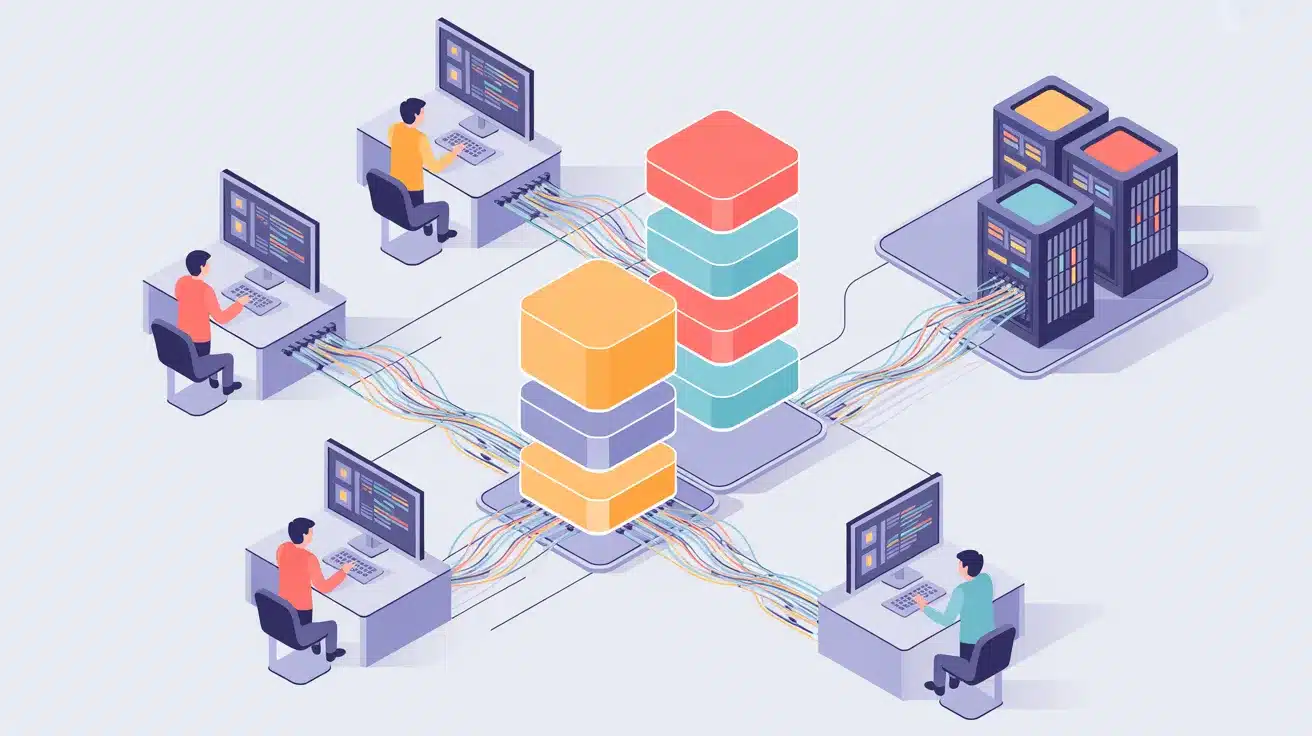



Your team pushed the code. The build broke. Again.
Manual deployments slow teams down. A wrong config, a missed step, or a rushed release can cost hours to fix. When this happens week after week, the backlog grows, and the team loses confidence in its own pipeline.
DevOps automation tools take those manual steps off your team’s plate. They run builds, tests, and deployments automatically, so your team can focus on writing good code instead of babysitting the release process.
This post covers what these tools are, how they work, the top picks, common pitfalls, and how to find the right fit for your team.
What Are DevOps Automation Tools?
DevOps automation tools are software platforms that handle the repetitive tasks in your software delivery process.
They manage code integration, run tests, set up infrastructure, and automatically push releases, so your team does not have to do it all by hand.
These tools sit between your development and operations teams, keeping both sides working from the same process. The result is faster shipping and fewer mistakes from start to finish.
Benefits of Using DevOps Automation Tools
Switching from manual processes to automation changes how fast and reliably your team moves. Here is what you actually gain when the right tools are in place.
- Faster release cycles: Automated pipelines pick up code the moment it is pushed and run builds and tests without any manual trigger.
- Fewer errors: Every step runs the same way each time, so small mistakes do not slip into production.
- Better teamwork: Dev and ops teams share the same pipelines and see the same results in real time.
- Lower costs: Catching bugs through automated testing early costs far less than fixing them after a release goes live.
- Consistent deployments: Code follows the same process across environments, with no variation.
13 Best DevOps Automation Tools
No single tool covers everything. Most teams run a combination based on their pipeline needs, team size, and the specific problems they are solving. Below are the 13 tools worth knowing about.
1. Jenkins
Jenkins is an open-source CI/CD server that has been a go-to for development teams for over a decade. It automates the build, test, and deployment stages of your pipeline and gives teams full control over how each step runs. Because it is highly customizable, teams can shape it to fit almost any workflow.
- Works with over 1,800 plugins to connect with tools like Docker, Kubernetes, and Git
- Runs on Linux, Windows, and macOS without extra licensing
- Has a large community that actively maintains documentation and fixes
- Best for: Teams that want a flexible, open-source CI/CD setup they can fully control
- Pricing: Free
2. GitHub Actions
GitHub Actions is built directly into GitHub, so there is no separate CI/CD platform to set up or manage. You write workflows in YAML files, and they trigger automatically based on events in your repository. Everything stays in one place, reducing context switching for developers.
- Marketplace has over 15,000 pre-built actions for common tasks
- Supports parallel jobs and matrix builds to speed up test runs
- Workflows can trigger on pushes, pull requests, scheduled times, and more
- Best for: Teams already using GitHub for version control
- Pricing: Free tier available; paid plans scale with team usage
3. GitLab CI/CD
GitLab CI/CD is built into the GitLab platform, meaning your code, tests, and deployment pipelines live in the same place. It can detect your project type and automatically build a complete pipeline. Security scans run directly inside merge requests, so problems get flagged before anything is merged.
- Supports static analysis, dependency scanning, and container scanning natively
- All pipeline config lives in a single .gitlab-ci.yml file
- Self-managed runners give teams full control over where jobs are executed
- Best for: Teams that want one platform for their full DevOps workflow
- Pricing: Free tier available; paid tiers for advanced security and compliance features
4. Docker
Docker packages your application along with everything it needs to run into a container. That container behaves the same way on a developer’s laptop as it does on a production server. This removes one of the most common deployment problems teams face.
- Containers are lightweight compared to full virtual machines, using fewer resources
- Docker Compose lets you manage multi-container applications from a single config file
- Docker Hub gives access to thousands of pre-built images for common services
- Best for: Teams that need their environments to match from development through to production
- Pricing: Free for individuals; paid plans for larger teams
5. Kubernetes
Kubernetes manages containerized applications at scale. It handles deployment, scales containers up or down based on traffic, and restarts them automatically when something fails. Most teams running large, distributed systems rely on it because it handles the complexity that manual management cannot keep up with.
- Automatically places containers on nodes based on available CPU and memory
- Built-in self-healing restarts failed containers and replaces unresponsive ones
- Works with managed services on AWS (EKS), GCP (GKE), and Azure (AKS)
- Best for: Teams running applications made up of many services in production
- Pricing: Free (open source); managed versions add service costs on cloud platforms
6. Terraform
Terraform lets you define your cloud infrastructure in configuration files instead of clicking through a console. You write code, run a plan to preview what will change, and then apply it. The same files work across AWS, Azure, GCP, and dozens of other providers.
- Uses a declarative language called HCL to define resources
- Generates an execution plan before any changes are made, giving teams a review step
- Tracks what has been created using state files, so updates only change what needs to change
- Best for: Teams managing cloud infrastructure across multiple providers
- Pricing: Free (open source); Terraform Cloud has paid tiers for team features
7. Ansible
Ansible automates server configuration, application deployment, and scheduled tasks using simple YAML-based playbooks. It does not require any agent software on the target machines, which keeps the setup process minimal. Teams use it to set up consistent server environments without writing complex scripts.
- Agentless architecture means less overhead on remote machines
- Playbooks are written in human-readable YAML, easy for new team members to follow
- Works with AWS, Azure, GCP, and most major cloud and on-premise environments
- Best for: Teams that need server configuration management without heavy tooling
- Pricing: Free (open source); Red Hat Ansible Automation Platform is a paid enterprise option
8. Prometheus + Grafana

Prometheus collects performance metrics from your applications and infrastructure on a regular schedule. Grafana pulls those metrics and turns them into visual dashboards. Together, they give your team a real-time view of what is running, what is slow, and what is trending toward failure.
- Prometheus stores time-series data locally for fast, flexible queries
- Grafana supports data sources beyond Prometheus, including Loki, Elasticsearch, and others
- Alerts can route to Slack, PagerDuty, email, or any webhook
- Best for: Teams that need real-time visibility into application and infrastructure health
- Pricing: Both are open source; Grafana Cloud offers a managed paid option
9. CircleCI
CircleCI is a cloud-based CI/CD platform known for fast build times and a simple setup. You define your pipeline in a config file, and CircleCI runs it in the cloud, so you do not need to maintain build servers. It is a good fit for teams that want a managed CI/CD service out of the box.
- Supports Docker, Linux, macOS, and Windows build environments
- Orbs are reusable config packages that cut pipeline setup time significantly
- Parallel job execution can speed up long test suites
- Best for: Teams that want fast CI/CD without managing their own build infrastructure
- Pricing: Free tier available; paid plans start around $15 per month
10. ArgoCD
ArgoCD is a GitOps-based continuous deployment tool for Kubernetes. It watches your Git repository and automatically applies any changes to your cluster. This keeps your live environment in sync with your repo at all times.
- The visual dashboard shows real-time deployment status across all clusters
- Roll back to any previous application state with a single click
- Works with Helm, Kustomize, and standard Kubernetes YAML manifests
- Best for: Kubernetes-heavy teams that want Git as the single source of truth for deployments
- Pricing: Free (open source)
11. AWS CodePipeline
AWS CodePipeline is Amazon’s fully managed CI/CD service. It connects your source repository, build tools, and deployment targets into a single automated workflow, entirely within the AWS platform. Teams already running their infrastructure on AWS can set up a full pipeline without leaving the ecosystem.
- Connects with GitHub, Bitbucket, CodeCommit, and S3 as source stages
- Pairs with CodeBuild for builds and CodeDeploy for release management
- Approval gates let you add manual review steps before any production deployment
- Best for: Teams running their full infrastructure on AWS
- Pricing: $1 per active pipeline per month
12. SonarQube

SonarQube scans your code for bugs, security issues, and quality problems before they reach production. It runs automatically within your pipeline and provides developers with feedback while they are still in the middle of writing code. Catching issues here costs far less than fixing them after a release.
- Supports over 30 programming languages
- Security vulnerabilities come with clear descriptions and suggested fixes
- Code coverage reports show exactly which parts of your code are not being tested
- Best for: Teams that want automated code quality and security checks built into their pipeline
- Pricing: Free Community Edition; paid plans for additional security and governance features
13. Pulumi

Pulumi is an Infrastructure as Code tool that lets developers write infrastructure in the same programming languages they already use, like Python, TypeScript, Go, and .NET. This makes it a natural choice for teams where developers manage infrastructure alongside their application code.
- Policy checks run automatically before any cloud resources are created
- Full support for AWS, Azure, GCP, and Kubernetes
- Works directly inside CI/CD pipelines for automated infrastructure deployments
- Best for: Developer-led teams who prefer real programming languages over domain-specific config syntax
- Pricing: Free tier; paid plans for teams and larger organizations
How Does DevOps Automation Work?
Automation does not just flip a switch and make everything hands-free. It connects a series of steps that run automatically each time your team pushes a change. Here is how each stage works.
- Code Integration: When a developer pushes code, the tool picks it up and starts a build. It compiles the code and checks whether it runs without errors. This step catches basic problems early.
- Automated Testing: After the build, tests run automatically. Unit tests check individual functions, while integration tests check how different parts work together. If anything fails, the pipeline stops, and the team is notified.
- Security and Quality Scanning: Tools scan the code for vulnerabilities and quality issues during the build. Developers get quick feedback before the code reaches staging, making fixes faster.
- Deployment: Once the code passes tests and scans, it is pushed to the target environment. Some teams deploy to production, while others use staging for a final check. Approval gates can be added if needed.
- Infrastructure Setup: IaC tools provision servers, databases, and networks during deployment. There is no need to manually configure anything, as it runs within the same pipeline.
- Monitoring: After deployment, monitoring tools track performance. If a metric crosses a set limit, alerts are triggered so teams can respond quickly.
Challenges and Limitations to Know Before You Start
These tools solve many real problems, but they also bring their own challenges worth knowing about before you commit to a setup.
| Challenge | What It Means | What You Can Do |
|---|---|---|
| Tool overload | Adding too many tools too fast creates more maintenance work, not less | Start with one tool per problem and add more only when the need is clear |
| Learning curve | Tools like Kubernetes and Terraform take real time to learn and use well | Set aside dedicated time for training before rolling out to the full team |
| Integration gaps | Not every tool connects smoothly with the others in your stack | Check API support and plugin availability before committing to a new tool |
| Pipeline security | Automated pipelines can expose credentials if access controls are not set up properly | Use a secrets management tool and restrict pipeline permissions from day one |
| Cost at scale | Cloud-based CI/CD platforms charge by build minute or per pipeline run | Set monthly spend alerts and review tool usage regularly |
| Maintenance over time | Scripts go out of date, tools release new versions, and things break without warning | Assign ownership of each tool to a team member and schedule regular reviews |
How to Choose the Right DevOps Automation Tool?
Start by identifying the one part of your workflow that slows your team down the most. If deployments are the bottleneck, consider CI/CD tools such as Jenkins, GitHub Actions, or CircleCI.
If setting up servers takes too long, start with Terraform or Ansible. Check which cloud platform your team already uses, and confirm that any new tool connects with your current setup.
Small teams usually do well starting with free, open-source options. Larger teams managing multiple environments should look for tools that include role-based access controls, audit logs, and robust documentation. The goal is to solve a specific problem, not to add more tools to the list.
Summing It Up
DevOps automation tools are not just about going faster. They give your team more control over how software gets built, tested, and shipped.
The tools covered in this post handle everything from code integration and testing to infrastructure setup and monitoring. Start with the part of your pipeline that causes the most friction.
Pick one tool, get it working well, and grow your setup from there. The right combination depends on your team’s size, your cloud setup, and what problems you are actually facing.
Which tool is your team using right now? Drop a comment below and let us know.